Diaxel
Create AI SMS agents to automate customer interactions.
Build Chatbot is a no-code AI chatbot builder that supports multiple formats and is trained on private data. It enhances user experience by providing quick and easy customer interactions. The chatbot can understand audio, video, and most file formats, making it highly versatile.
Published and maintained by ToolsBot Editorial Team
| Product website | Build Chatbot |
|---|---|
| Category |
Dates refer to this ToolsBot listing, not the product’s launch date or a new independent review.
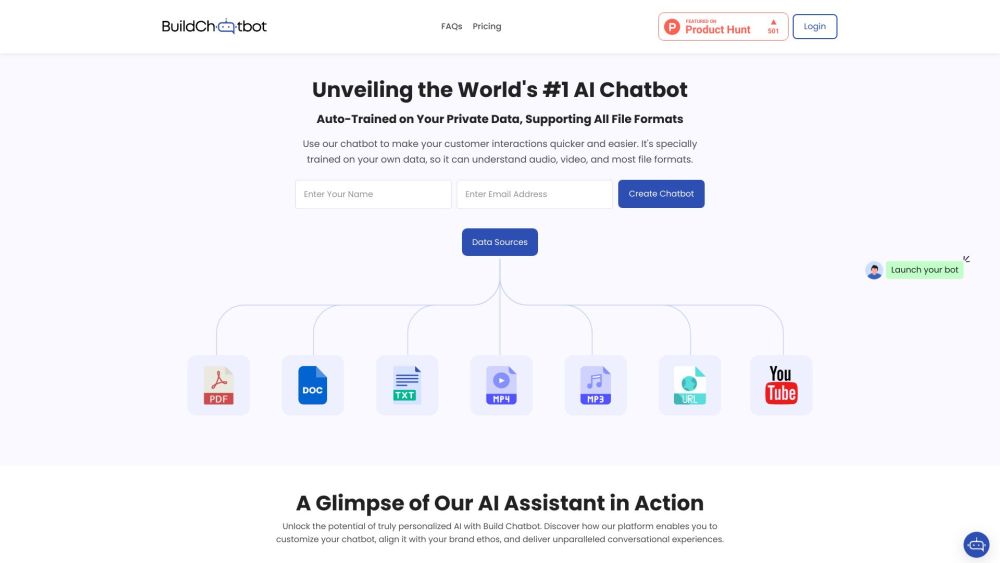
Build Chatbot is a no-code AI chatbot builder that supports multiple formats and is trained on private data. It enhances user experience by providing quick and easy customer interactions. The chatbot can understand audio, video, and most file formats, making it highly versatile.
To use Build Chatbot, follow these steps: 1. Sign up for free by providing your email. 2. Set up your personalized chatbot by clicking on the magic link sent to your email. 3. Upload your files, including audio, video, text, and website URLs, to train the chatbot. 4. Customize your chatbot by adding your brand's logo, background color, and image. 5. Take the embed code from the launch AI chatbot settings and add it to your website. 6. Test your chatbot by asking a question to see how it responds like a human.
#1 Build Chatbot can be used in various scenarios, such as: 1. Customer support: It can provide quick and accurate responses to customer queries, improving customer satisfaction. 2. E-learning: The chatbot can assist learners by answering questions and providing relevant course material. 3. Healthcare: It can help in triaging patient symptoms and providing informational resources. 4. Lead generation: Build Chatbot can qualify leads by engaging with website visitors and collecting relevant information. 5. Sales and marketing: The chatbot can provide product information, generate leads, and assist with sales inquiries.
The core features of Build Chatbot include: 1. Support for multiple file formats: PDF, Docs, Text, Website URL, YouTube URL, Audio, and Video. 2. Personalized AI training: The chatbot can be trained on private data to provide accurate and personalized responses. 3. Customizable branding: Users can personalize the chatbot's logo, background color, and image to align with their brand's visual identity. 4. AI assistant in action: Build Chatbot enables users to customize their AI chatbot to deliver unparalleled conversational experiences. 5. Chat history: Capture every customer question with the unique chat history feature and witness a boost in conversions.
Here is the Build Chatbot support email for customer service: [email protected] . More Contact, visit the contact us page(https://buildchatbot.ai/customer-support)
Tools in the same categories, ranked by shared categories and then total views. Compare their features to find a suitable alternative.
Create AI SMS agents to automate customer interactions.
AI assistant for scheduling, bookings, and consultations.
Customized AI agents automating sales operations for efficient revenue growth.
AI platform for automating customer service and sales processes.
AI-driven lead generation and WhatsApp automation platform.
AI platform enhancing customer communication with human-like agents.
More tools to explore, ranked by total views on ToolsBot. Newer listings come first when view counts are equal.
Free online recap video maker: add your photos, pick a template, download a beat-synced MP4. No app, no sign-up. Photos deleted after your v
Transform photos into anime, watercolor, 3D avatars and other creative styles inside Telegram. Make personalized photo greeting cards. New a
Turn product updates into channel-ready marketing copy and visuals.
The LinkedIn MCP for AI agents.
AI product photography for clothing sellers: create on-model, ghost mannequin and flat lay images from garment photos, or remove backgrounds
AI Photo Detector checks photos for AI generation and editing. View classification, confidence and available region analysis. English and Ch
Product reference: Build Chatbot — Product website.
Check the product website for current capabilities, pricing and policies before adopting this tool.
ToolsBot provides directory information for discovery and comparison. A listing is not an endorsement or a guarantee of product claims.