W Chews
Turn food photos into W Chews videos.
Flow AI Video turns a text prompt or reference image into a short video. Pick a model such as Kling, Veo or Seedance, set format and duration, and preview the credit cost before you generate.
Published and maintained by ToolsBot Editorial Team
| Product website | Flow AI Video |
|---|---|
| Category | |
| Listed on ToolsBot | |
| Listing record updated |
Dates refer to this ToolsBot listing, not the product’s launch date or a new independent review.
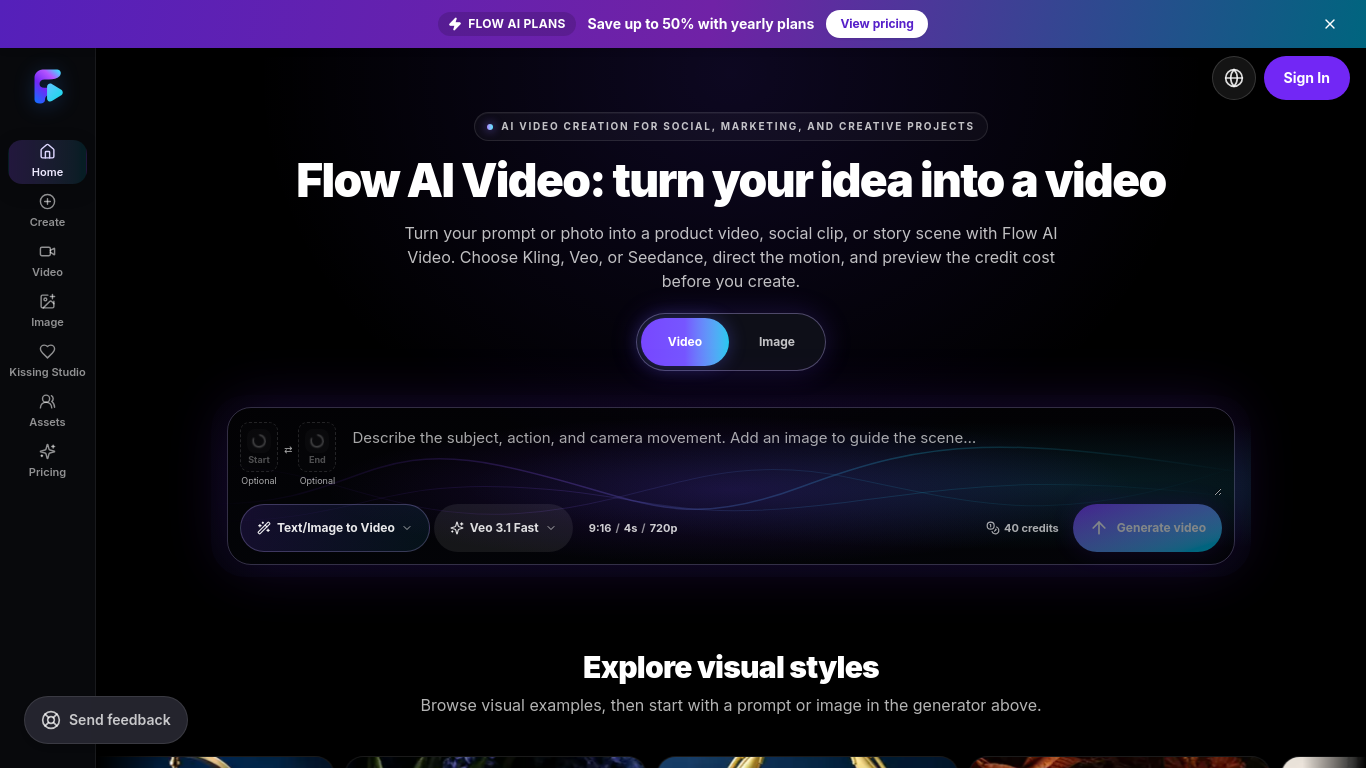
Flow AI Video is an online tool that generates videos from text prompts or reference images.
Enter a prompt or add an image, choose an available model and settings, sign in, and review the credit estimate before generating. Preview and download the completed video.
Create product videos, social clips, campaign concepts, and creative scenes.
Text-to-video and image-to-video workflows; model-specific aspect ratios, resolutions, and durations; credit estimates; video previews and downloads.
Q: Is Flow AI Video free to use? A: New accounts may receive welcome credits when enabled, but the amount can vary. Q: How many credits does a video use? A: The cost depends on the model, resolution, and duration; check the estimate before generating.
Tools in the same categories, ranked by shared categories and then total views. Compare their features to find a suitable alternative.
Turn food photos into W Chews videos.
Create longer AI story videos with consistent characters and scenes using ViewMax. VidRush AI alternative for multi-scene story videos: http
All-in-one AI video and image creation platform powered by cutting-edge models.
AI video generator with 16 models including Veo 3.1, Kling 3.0, Seedance 2.5 and Hailuo H3.
Generate AI videos, images and music with Veo 3.1, Kling, Seedance and Suno in one studio.
Freemium browser video creation uses a shared credit pool across Wan 3.0, Veo, and other models; failed renders are refunded automatically.
More tools to explore, ranked by total views on ToolsBot. Newer listings come first when view counts are equal.
Blur faces in video online. Keep the people you choose clear. Blurring strangers in vlogs, interviews, dashcam and event footage while keepi
Turn a photo and an idea into a short rap video. Birthday raps, wedding toasts, team shoutouts and short AI rap videos from a photo you can
Remove watermark and text from video online. Cleaning TikTok, CapCut and other on-screen marks out of MP4/MOV/WebM clips without cropping th
Pumli is an AI assistant for iPhone and iPad. Download a compatible model for local, offline conversations, or choose supported online servi
TryAnyOutfit is an AI try-on app. Add your photo and any outfit image or store screenshot and it shows the clothes on you. Free on iOS and A
Free fruit drop-and-merge puzzle game in your browser.
Product reference: Flow AI Video — Product website.
Check the product website for current capabilities, pricing and policies before adopting this tool.
ToolsBot provides directory information for discovery and comparison. A listing is not an endorsement or a guarantee of product claims.