DeepMaker AI
AI Image Editing Tools for Professionals
HeyPhoto is a free AI photo editor that uses artificial intelligence to make various changes to photos. Users can modify faces by making them smile, changing hairstyles, adding emotions, makeup, and even edit age. The service is available online and can be accessed with just a few clicks.
Published and maintained by ToolsBot Editorial Team
| Product website | HeyPhoto AI Photo Editor Online |
|---|---|
| Category |
Dates refer to this ToolsBot listing, not the product’s launch date or a new independent review.
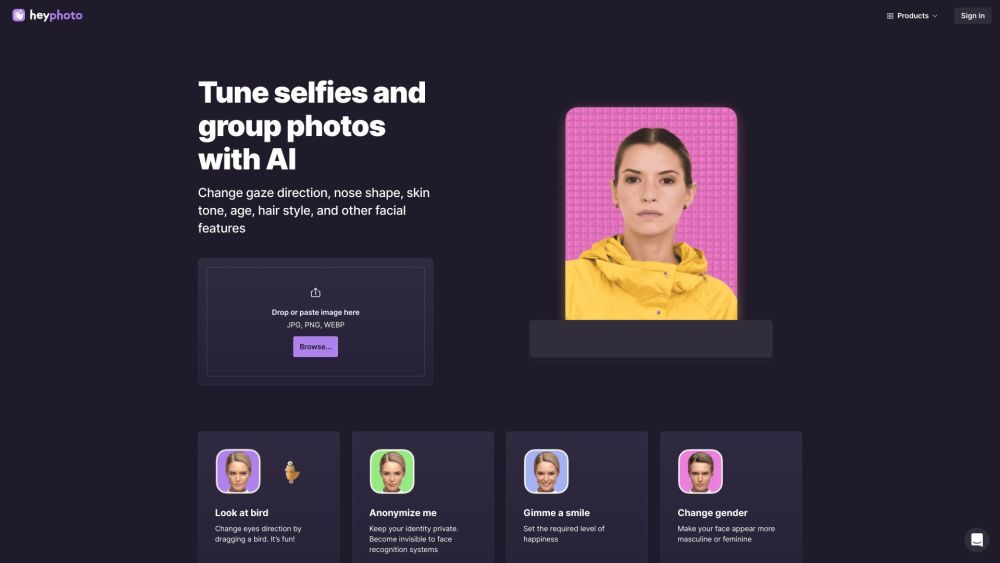
HeyPhoto is a free AI photo editor that uses artificial intelligence to make various changes to photos. Users can modify faces by making them smile, changing hairstyles, adding emotions, makeup, and even edit age. The service is available online and can be accessed with just a few clicks.
To use HeyPhoto, simply visit the website and upload a photo. The AI will automatically detect faces in the photo. Users can then choose from a range of editing tools to make desired changes to the faces. The service is intuitive and requires no special skills. Once the desired changes are made, users can save or download the edited photo.
#1 Tune selfies and group photos with AI #2 Anonymize yourself and protect your identity #3 Improve dating profile pictures #4 Experiment with different facial features and expressions #5 Create realistic headshots using AI #6 Enhance image resolution #7 Remove unwanted backgrounds #8 Create production-quality face swaps #9 Generate unique AI-generated faces
Change faces online: make a smiling face, change hairstyles, add emotions, makeup, and edit age AI-powered photo editing Face detection and recognition Ability to adjust various facial features Enhance image resolution with AI Remove the background from any photo Make production-quality face swaps with AI Generate unique and expressive AI-generated faces in real time
How does HeyPhoto work? Do you store the images I upload? What about privacy? What type of images work best with HeyPhoto? Is HeyPhoto free to use?
Tools in the same categories, ranked by shared categories and then total views. Compare their features to find a suitable alternative.
AI Image Editing Tools for Professionals
All-In-One AI Content Creation Platform for Social media
Create stunning graphic designs effortlessly with AI.
Free AI photo editing service with powerful tools for image enhancement.
AI image and faceswap generator available on multiple platforms.
AI platform for image editing and enhancement.
More tools to explore, ranked by total views on ToolsBot. Newer listings come first when view counts are equal.
Free online recap video maker: add your photos, pick a template, download a beat-synced MP4. No app, no sign-up. Photos deleted after your v
Transform photos into anime, watercolor, 3D avatars and other creative styles inside Telegram. Make personalized photo greeting cards. New a
Turn product updates into channel-ready marketing copy and visuals.
The LinkedIn MCP for AI agents.
AI product photography for clothing sellers: create on-model, ghost mannequin and flat lay images from garment photos, or remove backgrounds
AI Photo Detector checks photos for AI generation and editing. View classification, confidence and available region analysis. English and Ch
Product reference: HeyPhoto AI Photo Editor Online — Product website.
Check the product website for current capabilities, pricing and policies before adopting this tool.
ToolsBot provides directory information for discovery and comparison. A listing is not an endorsement or a guarantee of product claims.