RemoveBG
RemoveBG removes photo backgrounds, refines edges and exports transparent PNGs. Preview and low-resolution downloads are free up to 3 guest
Free browser GIF toolkit with local AI background removal. Create, compress, resize and reverse GIFs, adjust speed and extract frames. No account required; processing runs on the user device.
Published and maintained by ToolsBot Editorial Team
| Product website | GIFFrame |
|---|---|
| Category | |
| Listed on ToolsBot | |
| Listing record updated |
Dates refer to this ToolsBot listing, not the product’s launch date or a new independent review.
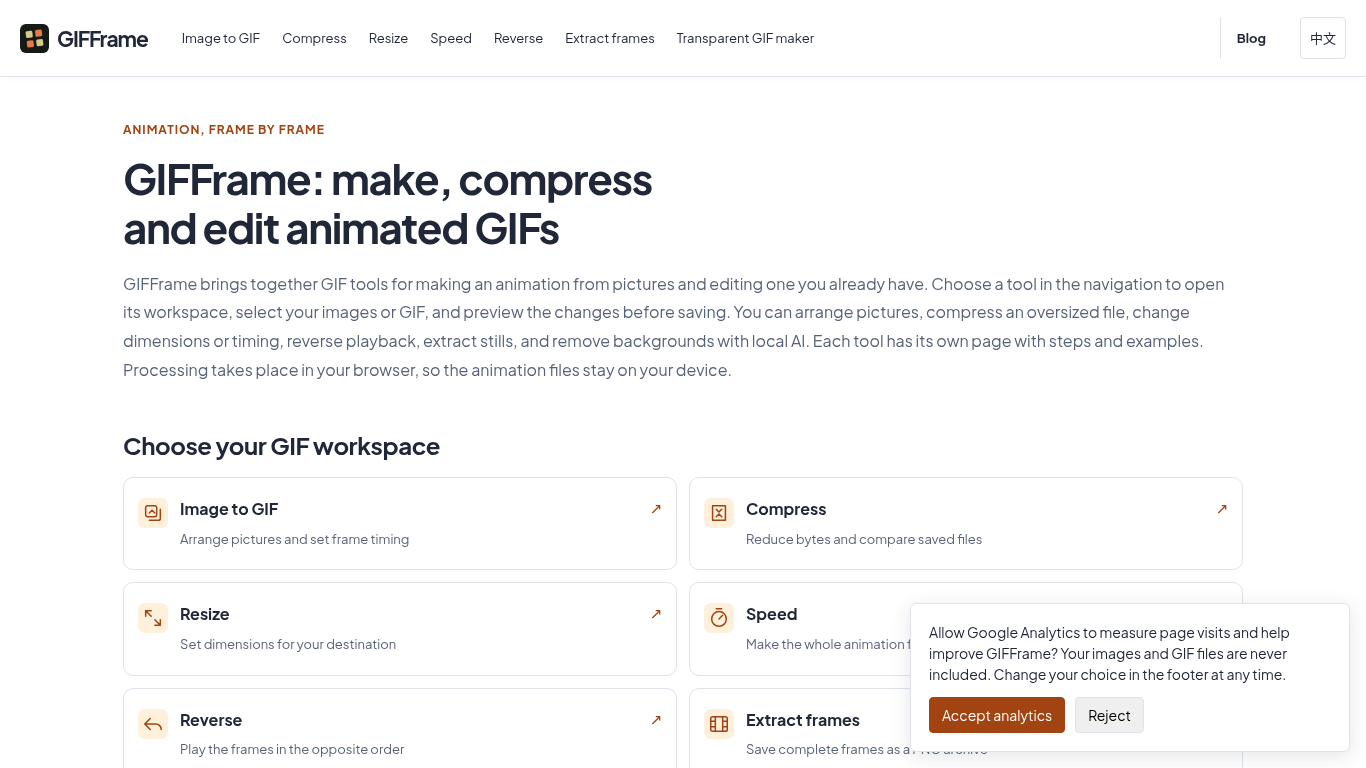
GIFFrame helps creators edit animated GIFs in the browser, including local AI background removal.
Choose a tool, select images or a GIF, preview changes, and save the result. Processing takes place on the user's device.
Create tutorial animations from screenshots, prepare GIFs for sharing, extract still frames, or make transparent stickers.
Images to GIF; compression; resizing; playback speed; reverse; frame extraction; local AI background removal.
Q: Are the GIF tools free to use? A: The local browser workflows require neither an account nor a paid export. Q: Which operation should I try first? A: Choose the tool that addresses the change you need and check the saved result before combining edits.
Tools in the same categories, ranked by shared categories and then total views. Compare their features to find a suitable alternative.
RemoveBG removes photo backgrounds, refines edges and exports transparent PNGs. Preview and low-resolution downloads are free up to 3 guest
Prepare photos, logos and PDFs in one place. Five standard tools currently offer complete downloads free without an account; optional AI res
Turn any product photo into an Amazon-compliant main image on pure RGB(255,255,255) white, with automated outer-edge pixel validation and a
Quitar Fondo is a Spanish-language online background remover. Upload a JPG, PNG or WebP, and the AI model cuts out the subject so you can do
Free AI tool for background removal and image enhancement.
VideoTube is free AI video generator that turns text and images into videos within minutes.
More tools to explore, ranked by total views on ToolsBot. Newer listings come first when view counts are equal.
Free online recap video maker: add your photos, pick a template, download a beat-synced MP4. No app, no sign-up. Photos deleted after your v
Transform photos into anime, watercolor, 3D avatars and other creative styles inside Telegram. Make personalized photo greeting cards. New a
Turn product updates into channel-ready marketing copy and visuals.
The LinkedIn MCP for AI agents.
AI product photography for clothing sellers: create on-model, ghost mannequin and flat lay images from garment photos, or remove backgrounds
AI Photo Detector checks photos for AI generation and editing. View classification, confidence and available region analysis. English and Ch
Product reference: GIFFrame — Product website.
Check the product website for current capabilities, pricing and policies before adopting this tool.
ToolsBot provides directory information for discovery and comparison. A listing is not an endorsement or a guarantee of product claims.