AI Video Cut
Transform long videos into engaging short clips for social media.
AI-powered Twitch clip creation tool
Publié et maintenu par Équipe éditoriale ToolsBot
| Site du produit | https://easyclips.app/ |
|---|---|
| Catégorie |
Les dates concernent la fiche ToolsBot, et non le lancement du produit ou une nouvelle évaluation indépendante.
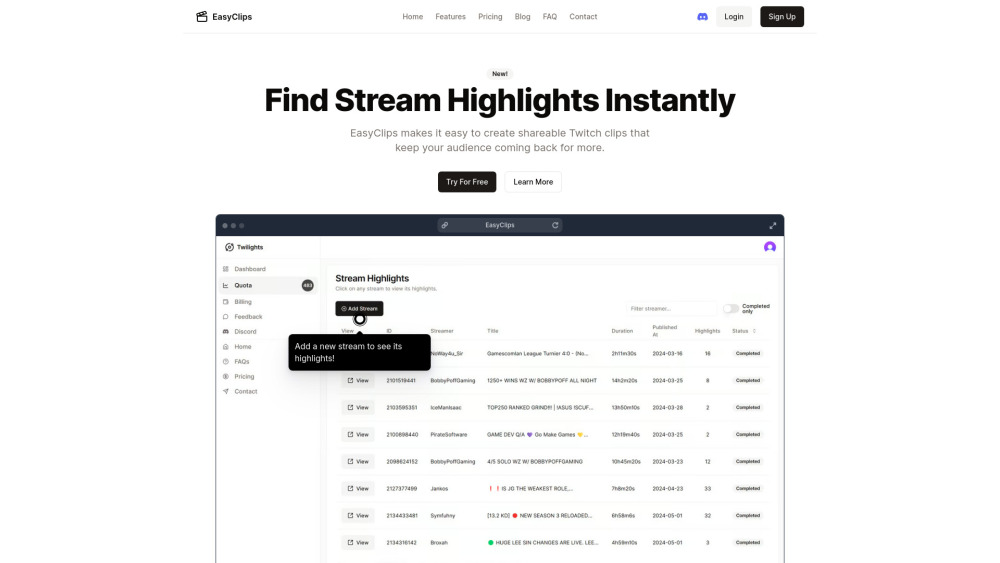
EasyClips is an AI-powered tool that simplifies the process of finding and creating shareable Twitch clips. It analyzes hours of Twitch streams to identify the funniest and most engaging moments, enabling content creators to quickly compile captivating highlight videos for their audience.
To use EasyClips, simply select the Twitch stream you want to extract highlights from, input the stream's URL, let the AI-powered algorithm analyze the footage, review and select the generated highlights, and then download and share the selected clips on platforms like YouTube and TikTok.
#1 Quickly generate highlight videos from Twitch streams for engaging content creation #2 Repurpose stream footage into short, shareable clips for social media platforms #3 Discover new and unique content to keep an audience coming back for more
AI-powered analysis of Twitch streams to find engaging highlights One-click generation of up to 100 highlights per stream Ability to repurpose streams into short, shareable clips for social media posting Seamless compilation of highlights from different streams into engaging videos AI uncovers fresh and unique moments for content creation
Is EasyClips free to use? How accurate is EasyClips' AI in detecting highlights? Can I customize the highlights generated by EasyClips?
Outils des mêmes catégories, classés par catégories communes puis par nombre total de visites. Comparez leurs fonctions pour trouver une alternative adaptée.
Transform long videos into engaging short clips for social media.
AI-driven tool for personal branding and content creation.
AI platform for efficient video production and ad creation.
Create and optimize influencer ads with AI-generated content.
Enhances Terminal and Markdown workflows with personal AI.
Repurpose long-form content for social media effortlessly.
Autres outils classés par nombre total de visites sur ToolsBot. À égalité, les fiches les plus récentes apparaissent en premier.
RapVideo AI turns one or two photos into an AI rap video, including the viral Hotel Lobby trend. It writes the lyrics, makes the beat, gener
AI video generation turning text and images into videos and animations for creators.
Online AI face swap for videos and photos, fast and free to try.
All-in-one AI image and video generator using many top models in one place.
输入一段文字描述或上传草图,即可在几分钟内生成符合制图规范的专业平面图,无需 CAD 基础。
Capafy AI is a browser-based AI video generator. Add up to 9 photos or write a prompt, pick one of 5 models (Seedance 2.5, Seedance 2.0, Kli
Référence du produit : EasyClips — Site du produit.
Consultez le site du produit pour vérifier ses fonctionnalités, tarifs et politiques actuels avant de l’adopter.
ToolsBot facilite la découverte et la comparaison. Une fiche ne constitue ni une approbation ni une garantie des affirmations du produit.