TerraPrime
TerraPrime is a broker-free platform revolutionizing commercial real estate by directly connecting developers with investors globally. Its T
tl;dv is an AI-powered meeting recorder for Zoom and Google Meet. It allows you to video record, transcribe, highlight, and share your online meetings.
Publié et maintenu par Équipe éditoriale ToolsBot
| Site du produit | https://tldv.cello.so/FsxaC4PyPpz |
|---|---|
| Catégorie |
Les dates concernent la fiche ToolsBot, et non le lancement du produit ou une nouvelle évaluation indépendante.
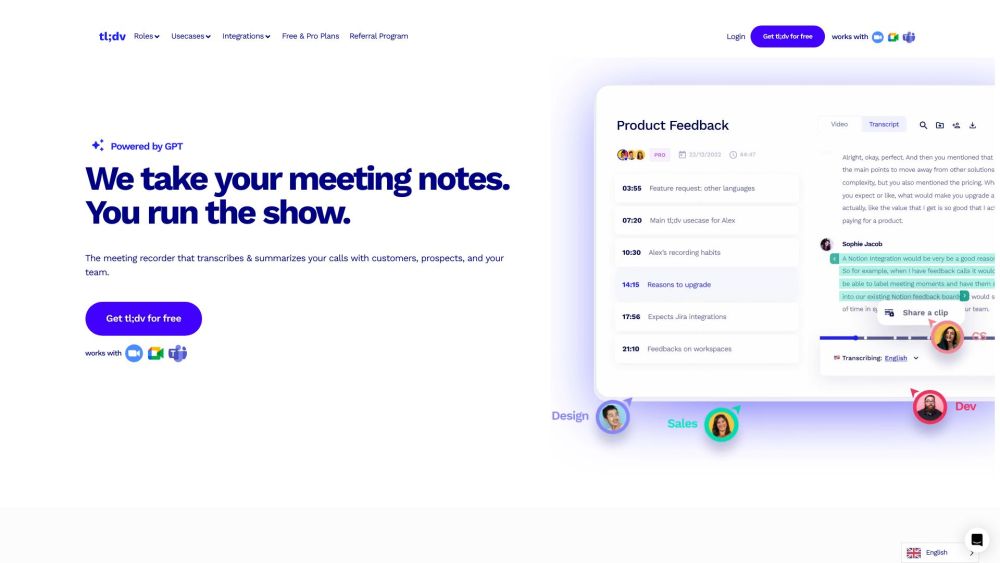
tl;dv is an AI-powered meeting recorder for Zoom and Google Meet. It allows you to video record, transcribe, highlight, and share your online meetings.
To use tl;dv, simply install the app or Chrome extension for Zoom or Google Meet. Once installed, you can start recording your meetings and accessing the recorded video and transcriptions in your meetings library.
#1 Boosting reports with AI notes, clips, and cross-meeting AI insights #2 Scaling candidates screening with recording, AI notes, and integrations #3 Promoting team cohesion through automated meeting summaries and recordings #4 Automating data from deals, getting AI insights, and scaling sales reps training #5 Gaining exceptional support insights with AI notes and cross-meeting summaries #6 Analyzing meetings using conversation intelligence #7 Scaling onboarding with an engaging and effective knowledge base #8 Gaining valuable insights and a deeper understanding of customer needs #9 Easily drafting reports with automated notes, clips, and cross-meeting prompts #10 Promoting upskilling and knowledge-sharing across the organization
Video recording Transcription Highlights Sharing
What languages does tl;dv support for meeting transcription? Can I create clips from my meeting recordings? Can I search for keywords in my meeting transcripts? Does tl;dv integrate with other collaboration platforms and CRMs?
Outils des mêmes catégories, classés par catégories communes puis par nombre total de visites. Comparez leurs fonctions pour trouver une alternative adaptée.
TerraPrime is a broker-free platform revolutionizing commercial real estate by directly connecting developers with investors globally. Its T
Bondr uses AI to connect your employees for personalised 1-on-1 meetings, fostering stronger bonds, teamwork, and enhancing your company cul
Supercharge your sales with AI. Automate prospecting, qualifying, and meeting scheduling, so you can focus on closing deals while we grow yo
1Page empowers sales teams with real-time insights, ensuring every meeting is a success. Dive into tailored summaries, boost productivity, a
Bluedot est une extension Chrome basée sur l'IA qui automatise les notes de réunion en enregistrant, transcrivant et résumant les réunions a
Free AI tool for transforming images into engaging videos.
Autres outils classés par nombre total de visites sur ToolsBot. À égalité, les fiches les plus récentes apparaissent en premier.
RapVideo AI turns one or two photos into an AI rap video, including the viral Hotel Lobby trend. It writes the lyrics, makes the beat, gener
AI video generation turning text and images into videos and animations for creators.
Online AI face swap for videos and photos, fast and free to try.
All-in-one AI image and video generator using many top models in one place.
输入一段文字描述或上传草图,即可在几分钟内生成符合制图规范的专业平面图,无需 CAD 基础。
Capafy AI is a browser-based AI video generator. Add up to 9 photos or write a prompt, pick one of 5 models (Seedance 2.5, Seedance 2.0, Kli
Référence du produit : tl;dv — Site du produit.
Consultez le site du produit pour vérifier ses fonctionnalités, tarifs et politiques actuels avant de l’adopter.
ToolsBot facilite la découverte et la comparaison. Une fiche ne constitue ni une approbation ni une garantie des affirmations du produit.