Stack AI
Stack AI is a no-code platform for enterprise AI.
Yay! Forms is an AI-powered form and survey builder that allows you to create forms and surveys that capture your audience's feelings.
Publié et maintenu par Équipe éditoriale ToolsBot
| Site du produit | https://yayforms.com/ |
|---|---|
| Catégorie |
Les dates concernent la fiche ToolsBot, et non le lancement du produit ou une nouvelle évaluation indépendante.
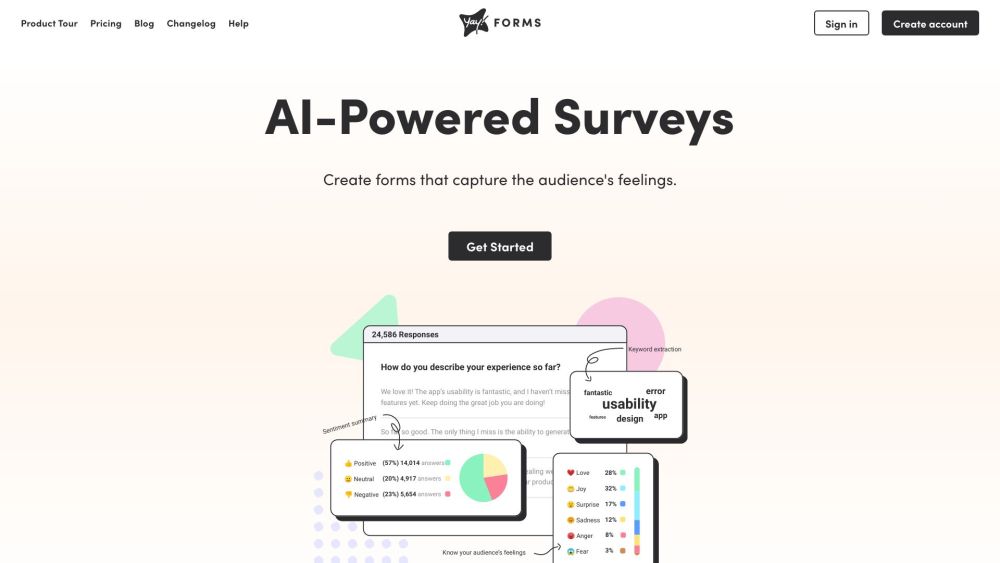
Yay! Forms is an AI-powered form and survey builder that allows you to create forms and surveys that capture your audience's feelings.
To use Yay! Forms, simply create an account and start designing your forms. You can choose from a variety of pre-designed themes or create your own. Use advanced logic to customize the user's journey and segment your target audience based on their responses. Integrate your form responses with popular tools like Google Sheets, Slack, and Zapier. Upgrade your plan if you need more responses.
#1 Market research #2 Collecting customer feedback #3 Event registration #4 Lead generation
Responsive forms that fit any device Ready-to-use themes or custom brand design Drop-off analysis to improve form conversions Advanced logic for audience segmentation Integrations with popular tools
Can I try Yay! Forms before paying? How to cancel if I don't like it? What happens when my plan reaches the responses limit for the month? Can I use more than the 20k response limit per month on the "Professional" plan? Can I share access with other people like teammates or clients? I already have several forms created in Typeform. Is there a way to migrate them to Yay! Forms?
Outils des mêmes catégories, classés par catégories communes puis par nombre total de visites. Comparez leurs fonctions pour trouver une alternative adaptée.
Stack AI is a no-code platform for enterprise AI.
An AI tool to audit and optimize online forms.
Alfred is a virtual assistant that helps you engage with your users and collect their contact information easily. It provides a complete set
AI-driven platform for customer service and sales automation.
AI toolkit for websites, emails, and project management.
AI marketing platform for website and content creation.
Autres outils classés par nombre total de visites sur ToolsBot. À égalité, les fiches les plus récentes apparaissent en premier.
RapVideo AI turns one or two photos into an AI rap video, including the viral Hotel Lobby trend. It writes the lyrics, makes the beat, gener
AI video generation turning text and images into videos and animations for creators.
Online AI face swap for videos and photos, fast and free to try.
All-in-one AI image and video generator using many top models in one place.
输入一段文字描述或上传草图,即可在几分钟内生成符合制图规范的专业平面图,无需 CAD 基础。
Capafy AI is a browser-based AI video generator. Add up to 9 photos or write a prompt, pick one of 5 models (Seedance 2.5, Seedance 2.0, Kli
Référence du produit : Yay! Forms — Site du produit.
Consultez le site du produit pour vérifier ses fonctionnalités, tarifs et politiques actuels avant de l’adopter.
ToolsBot facilite la découverte et la comparaison. Une fiche ne constitue ni une approbation ni une garantie des affirmations du produit.