Anime AI
Anime AI is an anime AI video generator and creator studio for turning text and photos into anime art and short anime videos.
Turn a photo into a playful portrait with CarioApp's Caricature AI. Explore styles, create a career caricature, and personalize your avatar. Start creating.
公開・管理: ToolsBot 編集チーム
| 製品サイト | CarioApp |
|---|---|
| カテゴリー | |
| ToolsBot 掲載日 | |
| 掲載情報の更新日 |
日付は ToolsBot の掲載記録を示し、製品の公開日や新たな独立評価の実施日ではありません。
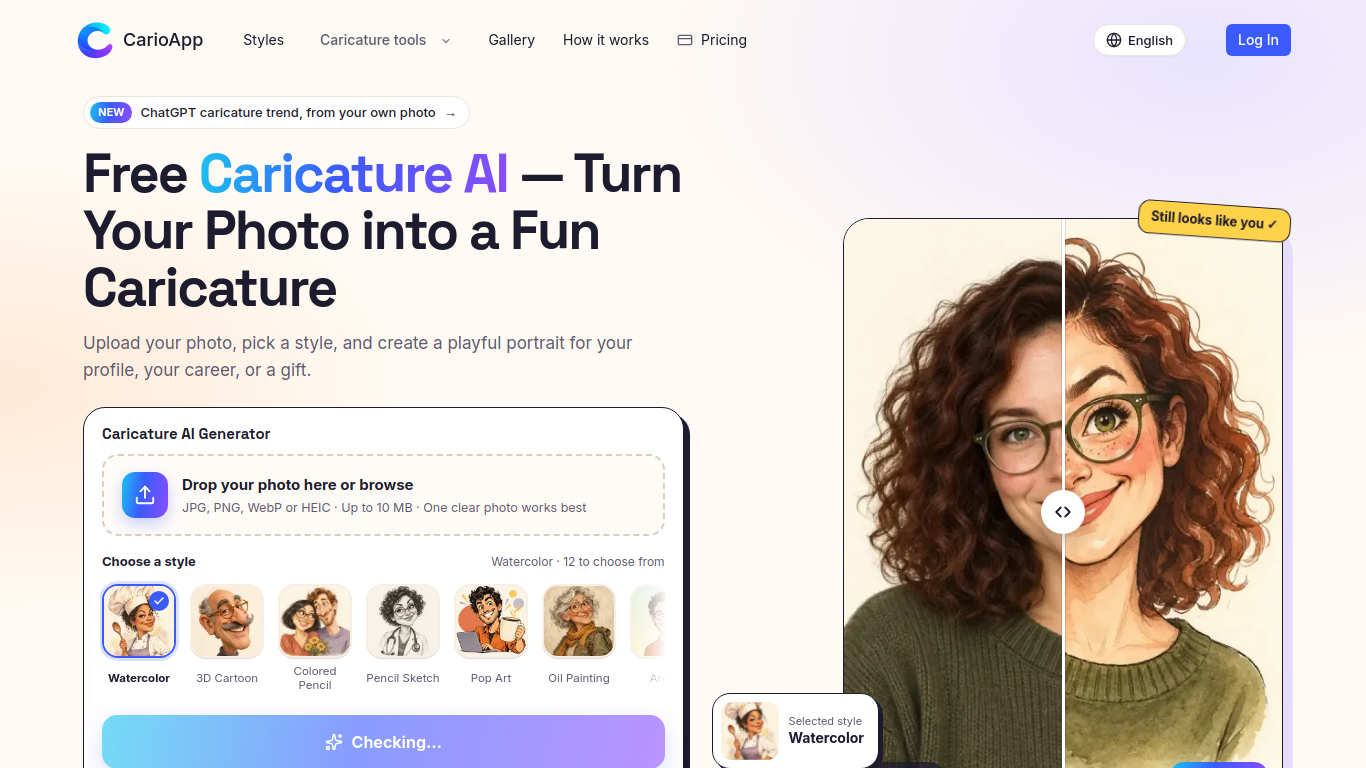
CarioApp's Caricature AI turns a clear portrait photo into a stylized caricature. Upload JPG/PNG/WebP/HEIC (up to 10 MB), pick one of 12 styles (Watercolor, 3D Cartoon, Colored Pencil, Pencil Sketch, Pop Art, Oil Painting, Anime, Line Ink, Chibi, Claymation, Vintage Comic, Collectible Figure), optionally add a prompt, and generate. The site emphasizes keeping the person recognizable while exaggerating expression. Positioning includes profile avatars, career caricatures, and gifts.
Upload a clear photo or describe an original character, choose a style, optionally edit the prompt, and generate and download the result.
Create profile avatars, career caricatures, couple portraits, or personalized gifts.
12 art styles; photo upload; optional prompt; before-and-after style comparison; public gallery; multi-language UI
Q: Can I create a caricature without a photo? A: Yes. Describe an original character in the prompt box. Q: Is the first caricature free? A: Yes. The first creation is free and does not require sign-up.
同じカテゴリのツールを、共通カテゴリ数、累計閲覧数の順に表示します。機能を比較して適切な代替ツールを探しましょう。
Anime AI is an anime AI video generator and creator studio for turning text and photos into anime art and short anime videos.
AI photo-to-anime generator that turns real photos into anime-style avatars and illustrations online.
VideoTube is free AI video generator that turns text and images into videos within minutes.
A library of Midjourney style codes and prompts for artists.
Community platform for sharing MidJourney prompts and SREF codes.
Remember when AI was supposed to make things faster? Stop waiting on image generation and start creating with lightning speed on GenTube tod
ToolsBot の累計閲覧数順で表示するその他のツールです。同数の場合は新しく掲載されたツールを優先します。
独立したデイリーパズルのページです。SumbreakはLinkedInが提供するデイリーゲームです。このサイトはLinkedInとは提携しておらず、LinkedInの承認も
答えを見る前にクイズのヒントをチェック。ネタバレを抑えた例題を試してから、Krillion Dailyで制限時間付きの7問に挑戦しましょう。
非公式のTrollheim: Gnomes wiki。公式情報に基づき、リリース状況、対応プラットフォーム、Steamプレイテストの仕組み、8人協力プレイ、Väsen、PCの
Anime Crusaders Xのフィールドガイド:報告されたコード、検索可能なユニットのティア、保存できるチーム編成ツール、召喚確率計算ツールを掲載。次
独立したCork7のゲームガイドです。操作を覚え、スノーボードを入手し、コークトリックを練習して、公式のブラウザ版、デスクトップ版、iOS版を見つけ
Realistic Ragdoll MMAのコードを公式情報源と照合。SORRY4UPDに対応するゲームを確認し、報酬を比較して、よくあるコード引き換えの問題を解決します
製品の参照先: CarioApp — 製品サイト.
導入前に製品サイトで最新の機能、料金、ポリシーを確認してください。
ToolsBot は製品の発見と比較のための情報を提供します。掲載は推奨や製品の主張の保証を意味しません。