SrefHunt
Community platform for sharing MidJourney prompts and SREF codes.
AI animation tool for lifelike cartoon animations
公開・管理: ToolsBot 編集チーム
| 製品サイト | ToonCrafter |
|---|---|
| カテゴリー |
日付は ToolsBot の掲載記録を示し、製品の公開日や新たな独立評価の実施日ではありません。
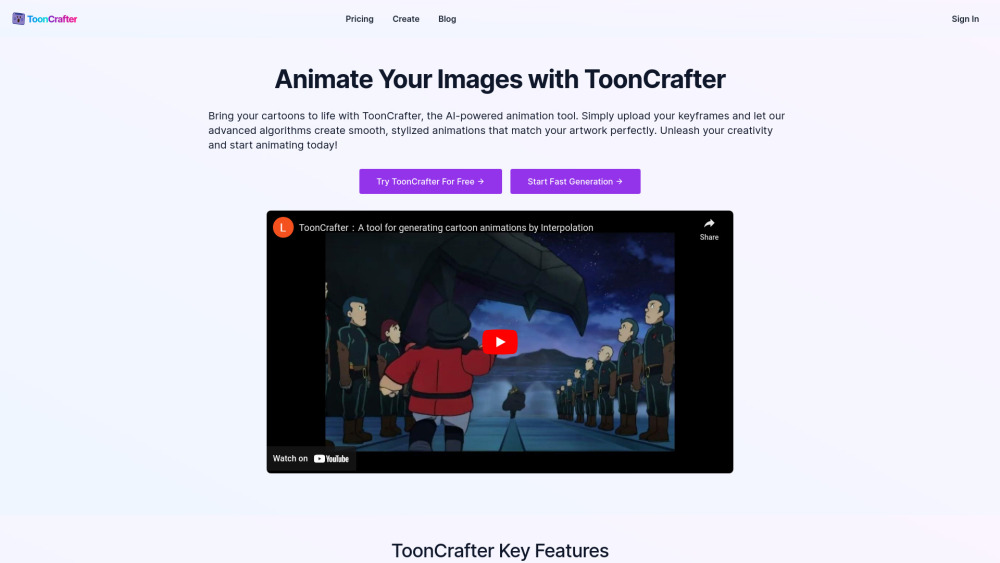
ToonCrafter is an AI-powered animation tool that brings static cartoons to life by automatically generating fluid, lifelike animation clips. It utilizes style transfer learning to maintain visual consistency with the original art style and extracts pixel-level details for realistic animations.
To use ToonCrafter, upload 2 to 4 keyframe images representing the animation's starting and ending points, describe the desired animation effects using text prompts, and click 'Generate'. Preview, download, and share the animation in MP4 format.
#1 Enhance social media marketing with eye-catching cartoon animations #2 Bring drawings and sketches to life for personal creative projects #3 Design custom animated stickers for chat apps and social media #4 Incorporate animated characters and scenes into presentations for a captivating effect #5 Create engaging animated explanations and tutorials for educational content #6 Explore various creative animation ideas from blog decorations to greeting cards
AI-Driven Animation Generation Style Transfer Learning Pixel-Level Detail Extraction Smooth and Seamless Transitions Efficient Animation Generation Creation History Management
What skills do I need to use ToonCrafter? Can I adjust the generated animation effects? How long does it take to process an animation clip? What image formats does ToonCrafter support? In what format can the generated animations be exported? Does using ToonCrafter require payment? Is there a free trial?
同じカテゴリのツールを、共通カテゴリ数、累計閲覧数の順に表示します。機能を比較して適切な代替ツールを探しましょう。
Community platform for sharing MidJourney prompts and SREF codes.
AI tool for transforming static cartoons & photos
AI-enabled creative platform for anime fandom
Ai Drawing Generator is a free online Ai Image Generator that turns your simple scribbles into detailed images.
AnimeGeniusは無料のアニメAI生成器で、誰もが自分のAIアニメ芸術を作成できるようにしています。私たちのアニメAIを使うと、驚くべきアニメ芸術を生
A library of Midjourney style codes and prompts for artists.
ToolsBot の累計閲覧数順で表示するその他のツールです。同数の場合は新しく掲載されたツールを優先します。
無料のオンライン総集編動画メーカー。写真を追加し、テンプレートを選んで、ビートに同期したMP4をダウンロードできます。アプリや登録は不要。写真
Telegram内で写真をアニメ、水彩画、3Dアバターなどのクリエイティブなスタイルに変換できます。パーソナライズされた写真グリーティングカードも作成
製品アップデートを、各チャネルですぐに使えるマーケティングコピーとビジュアルに変えます。
AIエージェント向けのLinkedIn MCP。
衣料品販売者向けのAI商品撮影:衣服の写真からモデル着用画像、ゴーストマネキン画像、平置き画像を作成したり、背景を削除したりできます。
AI Photo Detectorは、写真がAIで生成または編集されたものかをチェックします。分類結果、信頼度、利用可能な領域分析を確認できます。英語と中国語
製品の参照先: ToonCrafter — 製品サイト.
導入前に製品サイトで最新の機能、料金、ポリシーを確認してください。
ToolsBot は製品の発見と比較のための情報を提供します。掲載は推奨や製品の主張の保証を意味しません。