AI Sales Co-Pilot
Leverage your winning Gmail messages
Use the latest GPT in Gmail. Write emails that sound like you, and get responses. Compose emails in any language and tone. Supports images using GPT-Vision. Uses context from the recipients website and your company to write much better quality emails.
게시 및 관리: ToolsBot 편집팀
| 제품 웹사이트 | ReplyAI |
|---|---|
| 범주 |
날짜는 ToolsBot 등록 기록에 관한 것으로, 제품 출시일이나 새로운 독립 평가일을 의미하지 않습니다.
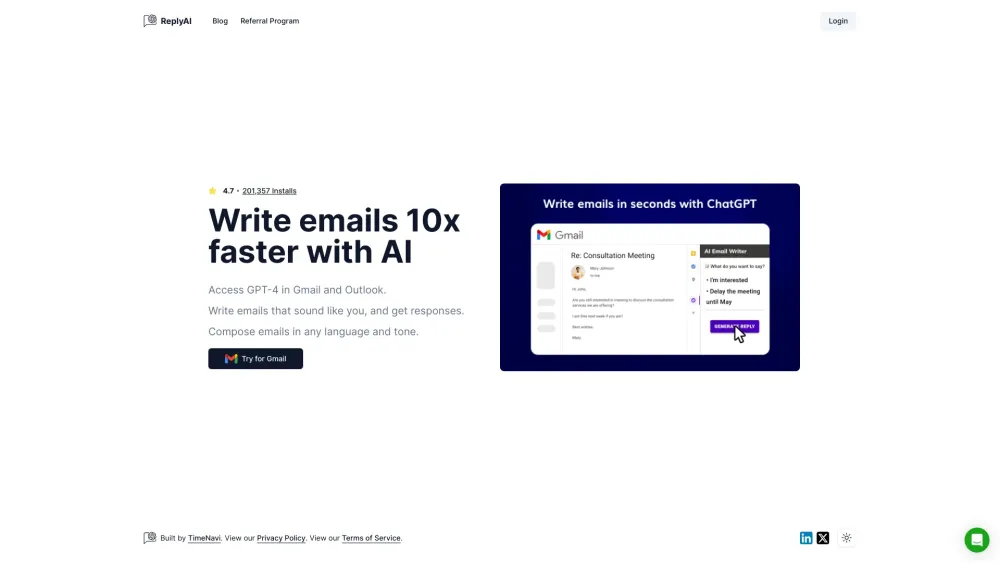
Use the latest GPT in Gmail. Write emails that sound like you, and get responses. Compose emails in any language and tone. Supports images using GPT-Vision. Uses context from the recipients website and your company to write much better quality emails.
Use ReplyAI within Gmail and Outlook to write emails 10x faster using AI. Simply install the ReplyAI plugin and start composing your emails. ReplyAI will generate engaging email responses in seconds, saving you time and effort.
#1 Streamline your email communication #2 Improve the quality of your email responses #3 Increase productivity by writing emails faster
Write emails that sound like you Get responses to your emails Compose emails in any language and tone Supports images using GPT-Vision Uses context from the recipients website and your company
How does ReplyAI generate email responses?
같은 카테고리의 도구를 공통 카테고리 수, 누적 조회수 순으로 표시합니다. 기능을 비교하여 적합한 대안을 찾아보세요.
Leverage your winning Gmail messages
The smartest AI personalization tool for entrepreneurs. Scale your outreach with AI-generated, personalized lines and grow your business 10X
EverMail AI automates the process of generating and sending personalized cold emails. No more overused email templates, craft dozens of emai
Salesforge는 AI 기반 이메일 접속 플랫폼으로 사용자가 AI 매치 판매자 및 구매자 데이터를 사용하여 독특하고 개인화된 이메일을 작성할 수 있습니
AI assistant for writing and replying to emails.
AI email assistant for Gmail and Outlook that boosts email management and productivity by providing AI-powered assistance in writing emails
ToolsBot 누적 조회수순으로 정렬한 다른 도구입니다. 조회수가 같으면 최근 등록된 도구를 먼저 표시합니다.
이미지, 동영상, 음악, 음성 내레이션을 생성하는 올인원 AI 크리에이티브 스튜디오입니다.
Magi2AI는 Sand.ai MAGI-2를 기반으로 텍스트나 이미지에서 자체적으로 동기화된 오디오가 포함된 영화 같은 1080p AI 영상을 생성하는 독립 웹 애플
SiftingIO MCP 도구를 통해 ChatGPT, Claude 및 개발자 클라이언트를 미국 주식, 외환, 원자재, 암호화폐의 실시간 및 과거 시장 데이터에 연결하세요
AI 얼굴 비노출 영상 생성기: 어떤 주제든 음성과 자막이 포함된 YouTube Shorts, TikTok, Reels용 숏폼 영상으로 몇 분 만에 만들어 보세요. 카메라
마당 사진을 바탕으로 식재 아이디어를 살펴보세요. 이름이 지정된 구역, 식물 추천, 구역별 수정, 공유 가능한 요약 자료를 제공합니다. 공개 베타
독립 작가를 위한 AI 책 표지 디자인. 장르에 맞는 이미지를 생성하고, 타이포그래피를 편집하고, 전자책 표지와 페이퍼백 전체 표지를 준비하세요.
제품 참고 링크: ReplyAI — 제품 웹사이트.
도입 전에 제품 웹사이트에서 최신 기능, 가격 및 정책을 확인하세요.
ToolsBot은 제품 탐색과 비교를 위한 정보를 제공합니다. 등록이 제품에 대한 보증이나 주장의 정확성을 보장하지는 않습니다.