Cisel Media
Windows video editor with local AI subtitles, screen recording and silence cleanup.
Animated word-by-word captions for Shorts, TikTok and Reels, made in your browser so your video never uploads.
게시 및 관리: ToolsBot 편집팀
| 제품 웹사이트 | Cuecaps |
|---|---|
| 범주 | |
| ToolsBot 등록일 | |
| 등록 정보 수정일 |
날짜는 ToolsBot 등록 기록에 관한 것으로, 제품 출시일이나 새로운 독립 평가일을 의미하지 않습니다.
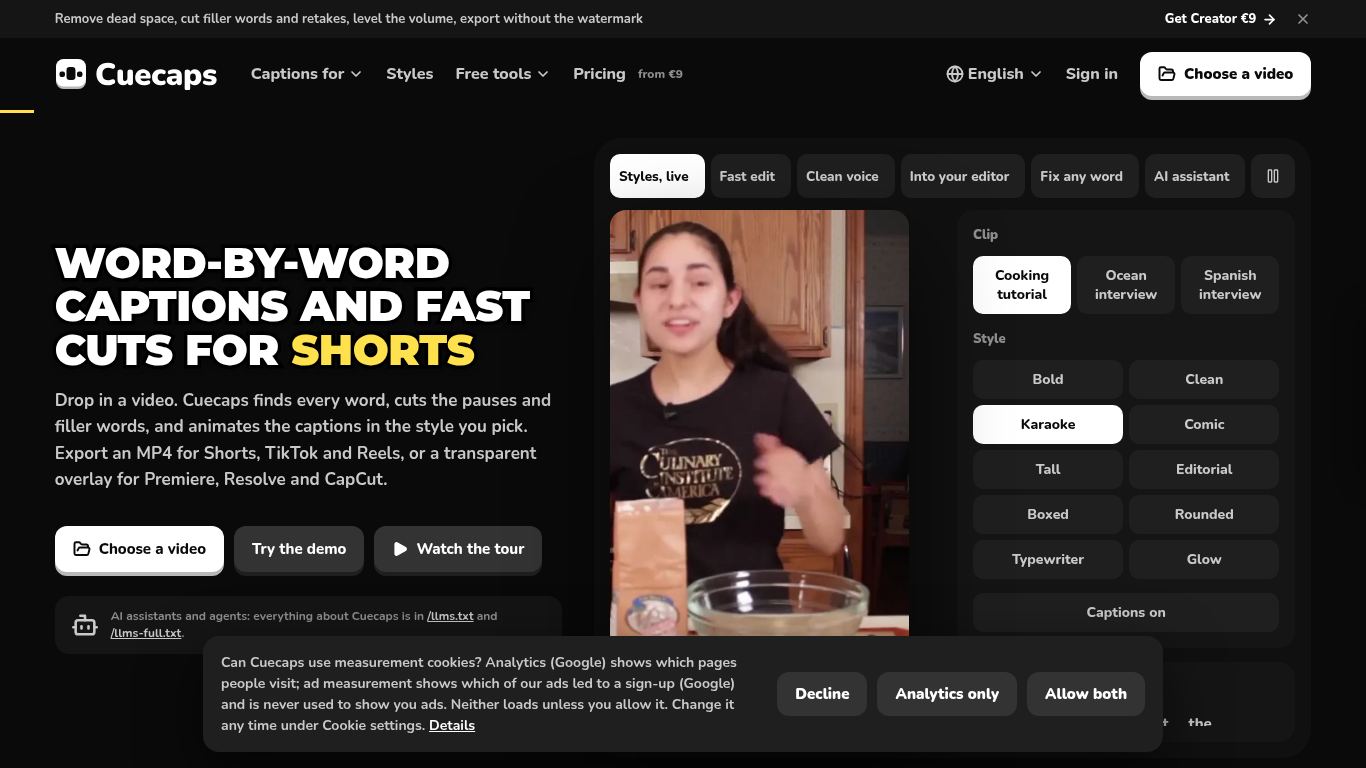
Cuecaps finds every word in a video, times it on the audio waveform and animates it in one of ten caption styles. Transcription and rendering run in the browser, so the video never uploads. Free plan; Creator from $9 a month.
Choose a video, transcribe its speech, adjust captions and timing, then export the video or caption files. Video previews and exports render in the browser.
Create captioned videos for YouTube Shorts, TikTok and Instagram Reels, or export overlays for video editors.
Ten animated caption styles; free on-device transcription and 90+ languages in the cloud; Fast edit cuts pauses and filler words; transparent overlays for Premiere Pro, DaVinci Resolve and CapCut; SRT, VTT and ASS export
Q: Does Cuecaps upload my video? A: No. Video previews and exports render in the browser. Cloud transcription sends a compressed audio track, which is deleted when the transcript returns. Q: Can I try it free? A: Yes. On-device transcription is free and unlimited, and free video exports have a watermark.
같은 카테고리의 도구를 공통 카테고리 수, 누적 조회수 순으로 표시합니다. 기능을 비교하여 적합한 대안을 찾아보세요.
Windows video editor with local AI subtitles, screen recording and silence cleanup.
MP3 to text online — export TXT or SRT in minutes.
AI tool for quickly generating viral video clips and captions.
AI-powered transcription service for audio and video data.
Clarity.Tube: Transform YouTube videos into structured AI insights. With 11 data extraction templates, get key quotes, expert opinions, numb
Tool for preparing FLUX LoRA training image datasets.
ToolsBot 누적 조회수순으로 정렬한 다른 도구입니다. 조회수가 같으면 최근 등록된 도구를 먼저 표시합니다.
독립적으로 운영되는 일일 퍼즐 페이지입니다. Sumbreak는 LinkedIn이 만든 일일 게임이며, 이 사이트는 LinkedIn과 제휴 관계가 없고 LinkedIn의 승
정답을 공개하기 전에 퀴즈 힌트를 확인해 보세요. 스포일러를 최소화한 예제를 풀어 본 다음, Krillion Daily에서 제한 시간이 있는 일곱 문제로 연
비공식 Trollheim: Gnomes 위키. 공식 자료를 바탕으로 출시 현황, 플랫폼, Steam 플레이테스트 참여 방식, 8인 협동 플레이, Väsen 및 PC 사양을 안
Anime Crusaders X 현장 가이드: 제보된 코드, 검색 가능한 유닛 티어, 저장 가능한 팀 구성 도구와 소환 확률 계산기를 확인하세요. 다음 Roblox 플
독립적인 Cork7 게임 가이드입니다. 조작법을 익히고, 스노보드를 마련하고, 코크 트릭을 연습하고, 공식 브라우저, 데스크톱 및 iOS 버전을 찾아보세
공식 출처를 통해 확인한 Realistic Ragdoll MMA 코드입니다. SORRY4UPD에 맞는 게임을 찾고, 보상을 비교하고, 흔한 코드 사용 문제를 해결하세요.
제품 참고 링크: Cuecaps — 제품 웹사이트.
도입 전에 제품 웹사이트에서 최신 기능, 가격 및 정책을 확인하세요.
ToolsBot은 제품 탐색과 비교를 위한 정보를 제공합니다. 등록이 제품에 대한 보증이나 주장의 정확성을 보장하지는 않습니다.