AI UGC
AI UGC는 제품 사진이나 링크를 편집 가능한 스크립트와 합성 프레젠테이터로 UGC 스타일 비디오 광고로 변환합니다.생성 전에 계획과 신용 비용을 검
DesignUGC turns product photos and AI avatars into realistic, creator-style UGC video ads for brands and ecommerce teams. Import listings from TikTok Shop, Amazon, or Shopify, write a scene brief, and generate social-ready clips without filming or shipping samples to creators.
게시 및 관리: ToolsBot 편집팀
| 제품 웹사이트 | DesignUGC |
|---|---|
| 범주 | |
| ToolsBot 등록일 | |
| 등록 정보 수정일 |
날짜는 ToolsBot 등록 기록에 관한 것으로, 제품 출시일이나 새로운 독립 평가일을 의미하지 않습니다.
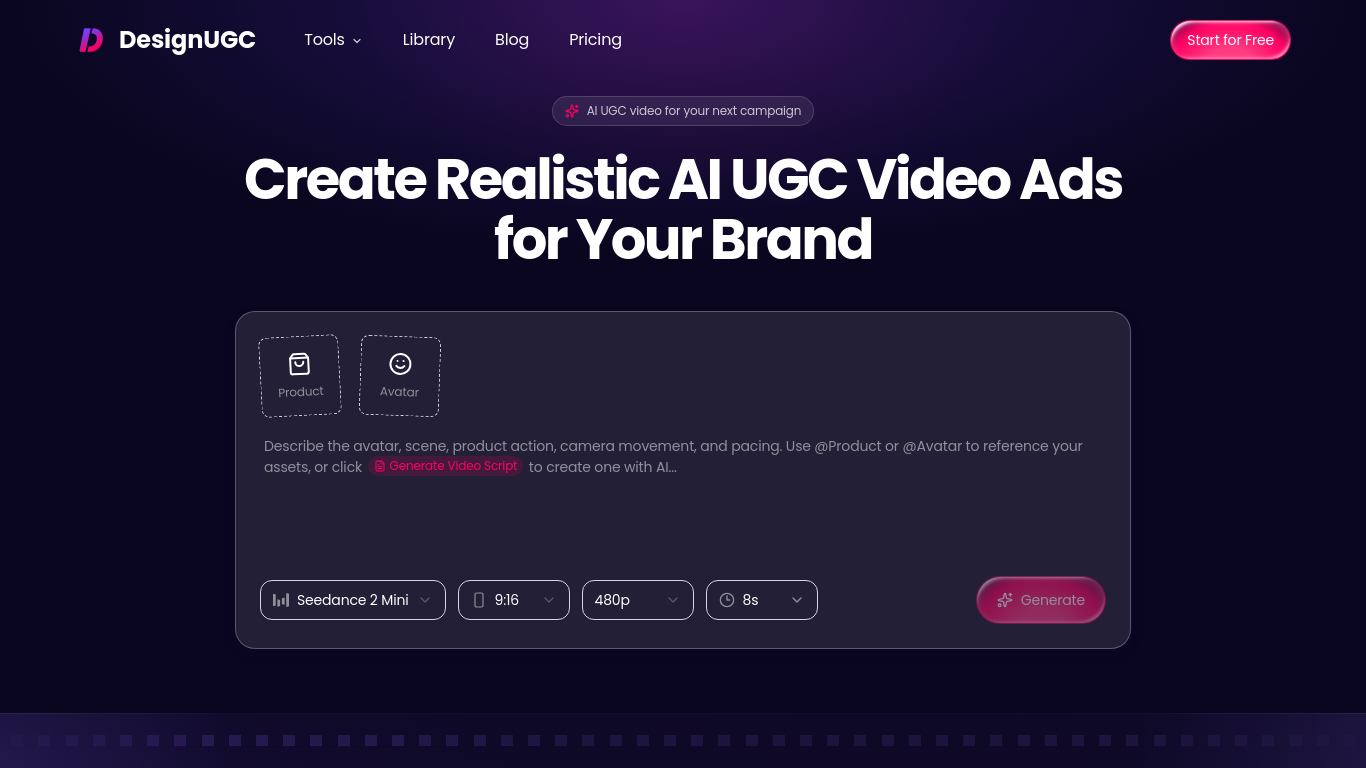
DesignUGC is built for marketers who need more UGC-style video ads than a shoot calendar can deliver. Add product images—or pull them from TikTok Shop, Amazon, Shopify, and similar links—choose a preset, prompt-generated, or reference-image avatar, and describe the setting, dialogue, product moments, and camera movement. @Product and @Avatar mentions keep each clip tied to the right assets so you can test hooks, avatars, and settings from one shared library.
Choose or create an avatar, add product images, describe the scene and dialogue or generate a script, then generate and review the video.
Brands, marketers, agencies, and creators can produce product demonstrations, unboxing concepts, try-on videos, and ad variations.
Teams use DesignUGC for unboxing, try-on, handheld demos, and selling-point stories. Saved products and avatars can be reused across campaigns, so a new variation does not require another production cycle. Compare openings, spokespeople, and scenes, then keep the combinations that work. Review outputs for product accuracy, claims, likeness permissions, and platform rules before publishing. Pricing is freemium; start on a free path and add paid capacity when you need more volume.
Q: Can I create my own avatar? A: Yes. You can create one from a prompt or reference photo and save it for future videos. Q: Can DesignUGC generate scripts? A: Yes. It can draft scripts from product selling points, which you can edit before generating a video.
같은 카테고리의 도구를 공통 카테고리 수, 누적 조회수 순으로 표시합니다. 기능을 비교하여 적합한 대안을 찾아보세요.
AI UGC는 제품 사진이나 링크를 편집 가능한 스크립트와 합성 프레젠테이터로 UGC 스타일 비디오 광고로 변환합니다.생성 전에 계획과 신용 비용을 검
Research, remix, and create short-form ads and commerce content with AI.
VideoTube is free AI video generator that turns text and images into videos within minutes.
All-In-One AI Content Creation Platform for Social media
AI platform for efficient video production and ad creation.
Transform Google Slides into AI videos effortlessly.
ToolsBot 누적 조회수순으로 정렬한 다른 도구입니다. 조회수가 같으면 최근 등록된 도구를 먼저 표시합니다.
독립적으로 운영되는 일일 퍼즐 페이지입니다. Sumbreak는 LinkedIn이 만든 일일 게임이며, 이 사이트는 LinkedIn과 제휴 관계가 없고 LinkedIn의 승
정답을 공개하기 전에 퀴즈 힌트를 확인해 보세요. 스포일러를 최소화한 예제를 풀어 본 다음, Krillion Daily에서 제한 시간이 있는 일곱 문제로 연
비공식 Trollheim: Gnomes 위키. 공식 자료를 바탕으로 출시 현황, 플랫폼, Steam 플레이테스트 참여 방식, 8인 협동 플레이, Väsen 및 PC 사양을 안
Anime Crusaders X 현장 가이드: 제보된 코드, 검색 가능한 유닛 티어, 저장 가능한 팀 구성 도구와 소환 확률 계산기를 확인하세요. 다음 Roblox 플
독립적인 Cork7 게임 가이드입니다. 조작법을 익히고, 스노보드를 마련하고, 코크 트릭을 연습하고, 공식 브라우저, 데스크톱 및 iOS 버전을 찾아보세
공식 출처를 통해 확인한 Realistic Ragdoll MMA 코드입니다. SORRY4UPD에 맞는 게임을 찾고, 보상을 비교하고, 흔한 코드 사용 문제를 해결하세요.
제품 참고 링크: DesignUGC — 제품 웹사이트.
도입 전에 제품 웹사이트에서 최신 기능, 가격 및 정책을 확인하세요.
ToolsBot은 제품 탐색과 비교를 위한 정보를 제공합니다. 등록이 제품에 대한 보증이나 주장의 정확성을 보장하지는 않습니다.