MP3 to Text (TXT/SRT)
MP3 to text online — export TXT or SRT in minutes.
A video editing web app offering an all-in-one solution for video captioning, translation, and optimization.
게시 및 관리: ToolsBot 편집팀
| 제품 웹사이트 | https://subcapgenie.com/ |
|---|---|
| 범주 |
날짜는 ToolsBot 등록 기록에 관한 것으로, 제품 출시일이나 새로운 독립 평가일을 의미하지 않습니다.
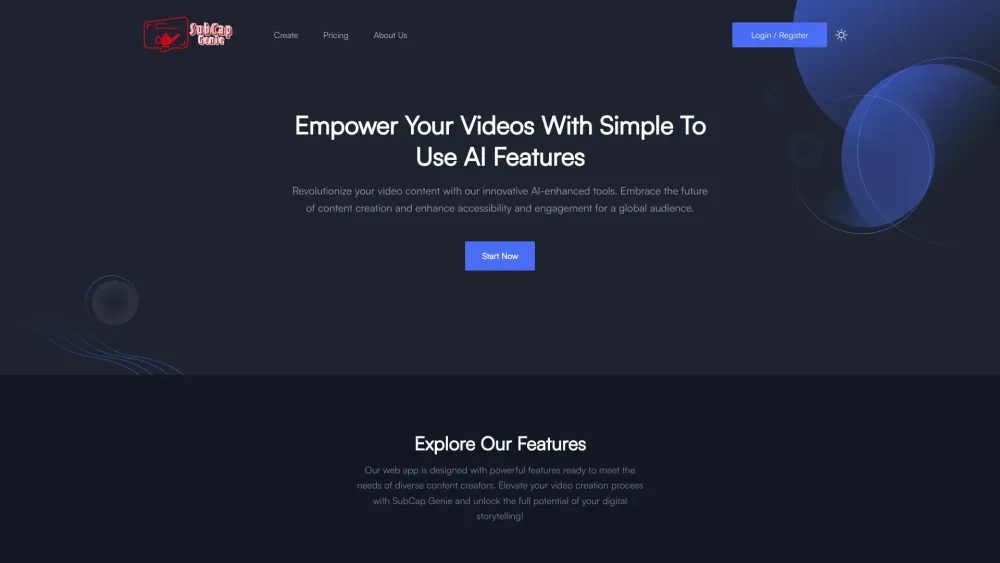
A video editing web app offering an all-in-one solution for video captioning, translation, and optimization.
1. Sign up or log in to your account. 2. Upload your video for editing. 3. Use the snip and clip feature to select different aspect ratios and crop the video. 4. Generate accurate captions and translate them into multiple languages. 5. Enhance the video with music from our curated selection or your own tunes. 6. Organize the video content with AI-generated chapters and timestamps. 7. Utilize AI to generate a concise video summary and captivating titles with relevant keywords. 8. Save and download the edited video.
#1 Create social media videos with different aspect ratios. #2 Make videos accessible to a global audience by generating accurate captions and translations. #3 Add music to enhance the mood of the video. #4 Organize video content with chapters and timestamps for better navigation. #5 Generate concise video summaries and captivating titles with relevant keywords.
Snip & Clip Caption & Translate Enhance with Music Chapters/Timestamps Video Summary Title(s) and Keywords Generation
Is SubCap Genie only for professional video editors? Can I upload my own music for the videos?
같은 카테고리의 도구를 공통 카테고리 수, 누적 조회수 순으로 표시합니다. 기능을 비교하여 적합한 대안을 찾아보세요.
MP3 to text online — export TXT or SRT in minutes.
AI tool for quickly generating viral video clips and captions.
AI-powered transcription service for audio and video data.
Clarity.Tube: Transform YouTube videos into structured AI insights. With 11 data extraction templates, get key quotes, expert opinions, numb
Tool for preparing FLUX LoRA training image datasets.
AI plugin for automating image metadata generation in WordPress.
ToolsBot 누적 조회수순으로 정렬한 다른 도구입니다. 조회수가 같으면 최근 등록된 도구를 먼저 표시합니다.
Free online AI video generator: create cinematic text-to-video and image-to-video clips with native audio and lip sync using Seedance 2.5, K
一站开通 ChatGPT Plus / Pro、Grok、Cursor、Gemini 会员,支付宝付款,充到你自己的账号,服务费公开,30 天质保。
ChatGPT Plus、Pro 5x、Pro 20x 会员充值,支付宝付款,充到你自己的账号,没有美金卡也能开通,30 天质保。
Create fictional desk-concert videos with original audio from authorized adult portraits. Choose a lead and up to four optional bandmates, t
SyncStudy helps students turn public YouTube playlists into structured courses. Organize video lessons, track your progress, take timestampe
FaceTiers is a free attractiveness test. An on-device face landmark model places 478 points on your photo inside the browser, so the image n
제품 참고 링크: SubCap Genie — 제품 웹사이트.
도입 전에 제품 웹사이트에서 최신 기능, 가격 및 정책을 확인하세요.
ToolsBot은 제품 탐색과 비교를 위한 정보를 제공합니다. 등록이 제품에 대한 보증이나 주장의 정확성을 보장하지는 않습니다.