CVPIC
AI-powered service to generate studio-quality headshots.
CherryPick is a user-friendly Chrome extension designed to help professionals easily organize, tag, and manage their LinkedIn contacts, boosting networking opportunities and professional growth.
Published and maintained by ToolsBot Editorial Team
| Product website | https://usecherrypick.com/ |
|---|---|
| Category |
Dates refer to this ToolsBot listing, not the product’s launch date or a new independent review.
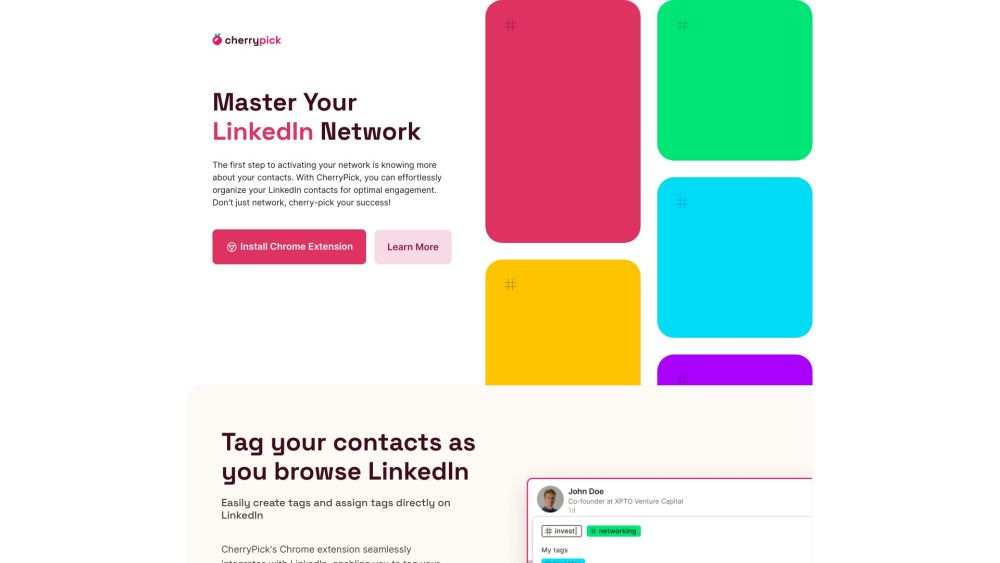
CherryPick is a user-friendly Chrome extension designed to help professionals easily organize, tag, and manage their LinkedIn contacts, boosting networking opportunities and professional growth.
To use CherryPick, simply install the Chrome extension, create your CherryPick account, and browse LinkedIn as usual. CherryPick's functions will appear as you navigate LinkedIn, allowing you to create and assign tags to your contacts. You can also review and export your tagged contacts through CherryPick's dashboard.
#1 HR professionals #2 Recruiters #3 Sales representatives #4 Marketers #5 Entrepreneurs #6 Freelancers #7 Team managers #8 Consultants #9 Students #10 Job seekers
Tag and organize LinkedIn contacts Search capabilities Export tagged contacts in CSV or JSON formats User-friendly dashboard
What is CherryPick? Why did you build CherryPick? How do I get started? Who can use CherryPick? What are the key features? How do I export my tagged contacts? Is CherryPick Free? How secure is my data? Can I use CherryPick with my CRM? Is CherryPick compatible with my device? How do I get support?
Tools in the same categories, ranked by shared categories and then total views. Compare their features to find a suitable alternative.
AI-powered service to generate studio-quality headshots.
Comprehensive HR platform for hiring and managing talent.
Instant CV feedback and optimization for job applications.
AI tests for job candidate filtering and analytics.
AI assurance platform for bias auditing in HR tech.
AI tool for mock interview preparation and feedback.
More tools to explore, ranked by total views on ToolsBot. Newer listings come first when view counts are equal.
Free online AI video generator: create cinematic text-to-video and image-to-video clips with native audio and lip sync using Seedance 2.5, K
一站开通 ChatGPT Plus / Pro、Grok、Cursor、Gemini 会员,支付宝付款,充到你自己的账号,服务费公开,30 天质保。
ChatGPT Plus、Pro 5x、Pro 20x 会员充值,支付宝付款,充到你自己的账号,没有美金卡也能开通,30 天质保。
Create fictional desk-concert videos with original audio from authorized adult portraits. Choose a lead and up to four optional bandmates, t
SyncStudy helps students turn public YouTube playlists into structured courses. Organize video lessons, track your progress, take timestampe
FaceTiers is a free attractiveness test. An on-device face landmark model places 478 points on your photo inside the browser, so the image n
Product reference: CherryPick — Product website.
Check the product website for current capabilities, pricing and policies before adopting this tool.
ToolsBot provides directory information for discovery and comparison. A listing is not an endorsement or a guarantee of product claims.