Voice to clean notes
Talk in any order, or upload a voice memo, and get clean notes with headings, bullet points and a to-do list - or an email, journal entry, l
ClipShrink converts video and audio to text online with clear credit pricing, and also compresses video, PDF, and images in the browser.
Published and maintained by ToolsBot Editorial Team
| Product website | ClipShrink |
|---|---|
| Category | |
| Listed on ToolsBot | |
| Listing record updated |
Dates refer to this ToolsBot listing, not the product’s launch date or a new independent review.
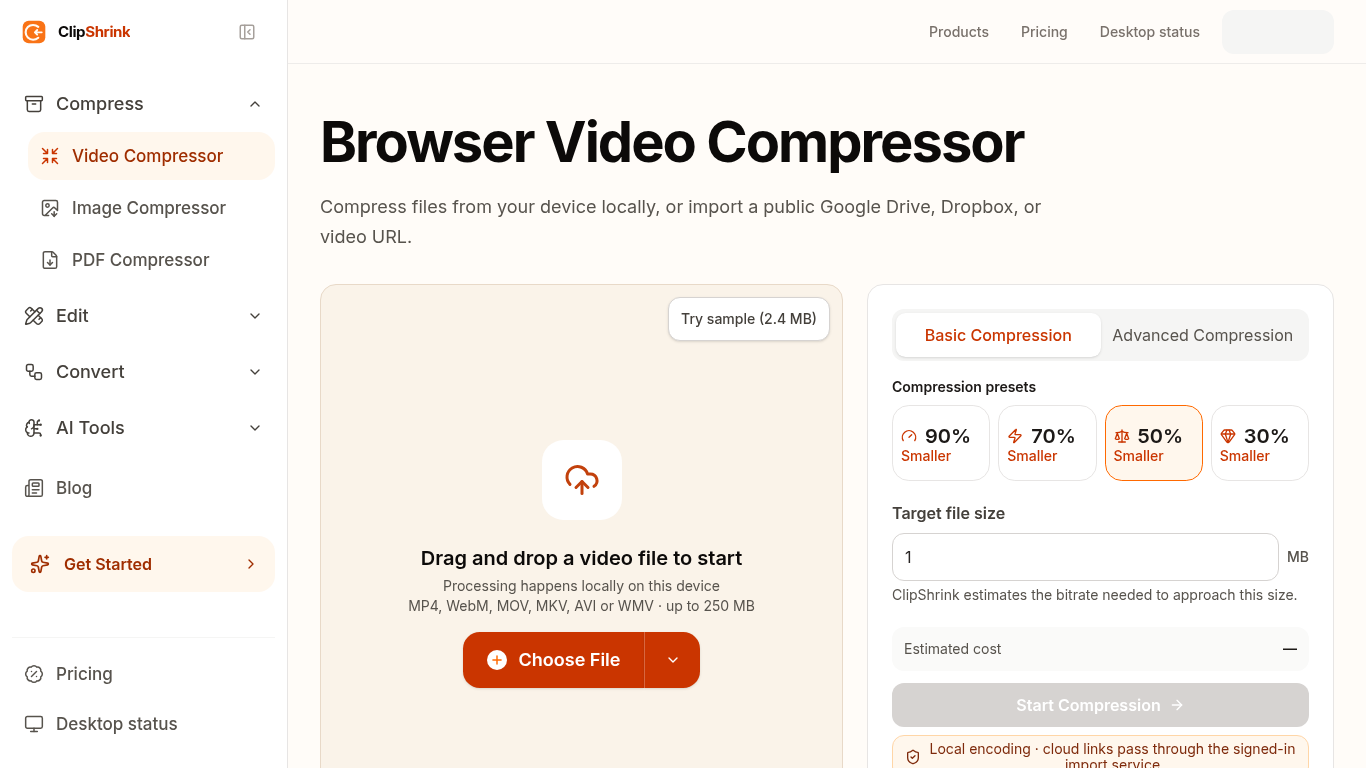
ClipShrink is a browser-based AI tool for video-to-text transcription with transparent credit pricing. It also compresses video, PDF, and images so creators can ship media workflows without guessing credit cost.
Choose a device file or import a public cloud link, select compression settings, then preview and download the result. Encoding runs locally in the browser.
Create smaller videos for email, community sharing, or storage.
Supports six input formats and files up to 250 MB; offers target-size presets, advanced controls, progress tracking, previews, and size comparisons.
Q: Are device files uploaded? A: No. Device files stay local; cloud links pass through the import service before local encoding. Q: How are video compression credits charged? A: One credit per started 100 MiB, with the cost shown before processing.
Tools in the same categories, ranked by shared categories and then total views. Compare their features to find a suitable alternative.
Talk in any order, or upload a voice memo, and get clean notes with headings, bullet points and a to-do list - or an email, journal entry, l
AI dictation for macOS and Windows that turns speech into formatted text in any app and adapts tone to context.
WhisperTranscribe.ai is a web-based speech-to-text platform for creators and professionals who turn interviews, lectures, and meetings into
Lovelace Loom의 iPhone(iOS) 앱으로, 클라우드에서 음성을 텍스트로 변환합니다. 녹음하거나 오디오를 가져오면 전사본과 요약을 받고, 녹음 내용에
Native Swift dictation for Mac that turns speech into clean text in your current app. Includes a correction-learning dictionary and translat
Fast, private Mac dictation that puts spoken words at the cursor, with on-device transcription and fixed-rule cleanup.
More tools to explore, ranked by total views on ToolsBot. Newer listings come first when view counts are equal.
All-in-one AI creative studio for generating images, videos, music, and voiceovers.
Magi2AI is an independent web application powered by Sand.ai MAGI-2 for generating cinematic 1080p AI videos with native synchronized audio
Connect ChatGPT, Claude and developer clients to real-time and historical market data for US stocks, Forex, commodities and crypto through S
AI faceless video generator: turn any topic into a voiced, captioned short for YouTube Shorts, TikTok and Reels in minutes. No camera. Try o
Explore planting ideas from yard photos: named areas, plant suggestions, area refinements and a shareable brief. Public Beta includes six on
AI book cover design for independent authors. Generate genre-guided artwork, edit typography, and prepare ebook covers and paperback wraps.
Product reference: ClipShrink — Product website.
Check the product website for current capabilities, pricing and policies before adopting this tool.
ToolsBot provides directory information for discovery and comparison. A listing is not an endorsement or a guarantee of product claims.