Mochii
AI assistant for efficient web browsing and interaction.
Kombai is an AI-powered Figma to code conversion tool that allows designers to effortlessly convert their Figma designs into flawless front-end code. It uses deep learning and heuristic models to interpret UI designs and generate high-quality UI code with pixel-perfect precision.
Published and maintained by ToolsBot Editorial Team
| Product website | https://kombai.com/ |
|---|---|
| Category |
Dates refer to this ToolsBot listing, not the product’s launch date or a new independent review.
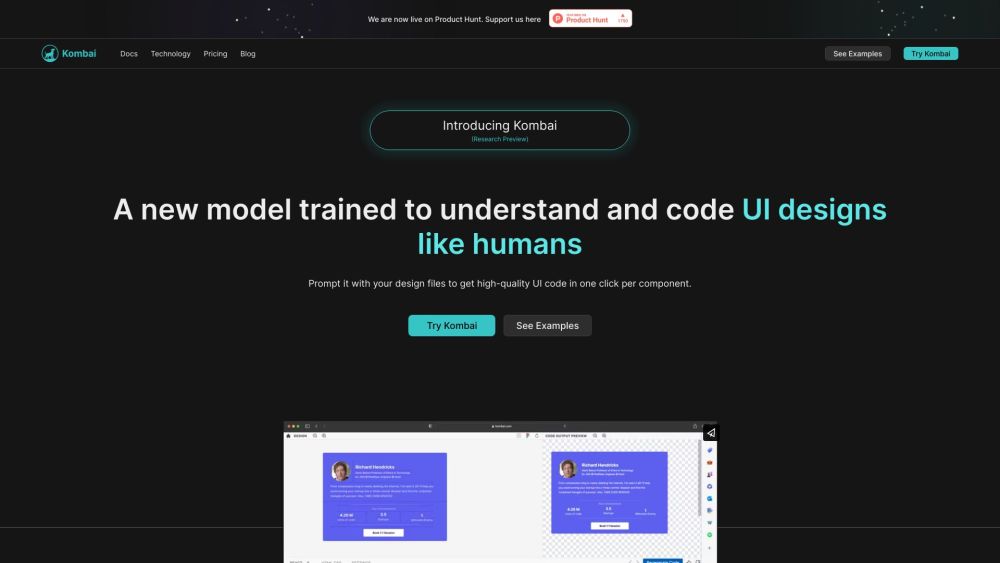
Kombai is an AI-powered Figma to code conversion tool that allows designers to effortlessly convert their Figma designs into flawless front-end code. It uses deep learning and heuristic models to interpret UI designs and generate high-quality UI code with pixel-perfect precision.
To use Kombai, simply open your design file in Figma and import it into Kombai. The tool will automatically generate code for each component in your design. You can then download the generated code and use it in your front-end development project.
#1 Kombai can be used in the following scenarios: 1. Design-to-code handoff: Quickly convert Figma designs into front-end code for developers to implement. 2. Rapid prototyping: Generate code to bring your design ideas to life quickly. 3. Code generation for non-technical designers: Allow designers with limited coding knowledge to generate functional front-end code from their designs.
Kombai offers the following core features: 1. Automated development handoff: Convert Figma designs to front-end code with one click per component. 2. Pixel-perfect precision: Ensure that your designs are accurately translated into code. 3. Logical div structure & React components: Generate code with human-like names for classes and components. 4. CSS for flex: Automatically generate appropriate flex-related CSS properties for flexible layout design. 5. High-quality JS code: Generate code with loops, conditions, and mock data from design inputs. 6. Form elements as functional components: Easily create buttons, inputs, selects, checkboxes, and switches using MUI Base or HTML.
Can I get all the UI code from Figma itself? Do I need to tag or name layers in Figma? What technologies power Kombai? Is Kombai using publicly available models? What frontend languages and frameworks does Kombai support? Is Kombai free to use? The generated code from Kombai doesn't look right. What should I do?
Tools in the same categories, ranked by shared categories and then total views. Compare their features to find a suitable alternative.
AI assistant for efficient web browsing and interaction.
Flojoy Studio is the leading open-source desktop app for automating test, measurement, and control of hardware devices such as circuit board
Composable Prompts is the premier platform for crafting, testing, and deploying tasks and APIs powered by Large Language Models (LLMs). It b
Professional DynamoDB GUI Client
DeepUnit is the AI that writes verified unit tests for you every time. With one command, you can generate an entire test suite for your code
Code Fundi is an AI coding assistant that helps businesses and developers write better code faster by offering code debugging, code generati
More tools to explore, ranked by total views on ToolsBot. Newer listings come first when view counts are equal.
RapVideo AI turns one or two photos into an AI rap video, including the viral Hotel Lobby trend. It writes the lyrics, makes the beat, gener
AI video generation turning text and images into videos and animations for creators.
Online AI face swap for videos and photos, fast and free to try.
All-in-one AI image and video generator using many top models in one place.
输入一段文字描述或上传草图,即可在几分钟内生成符合制图规范的专业平面图,无需 CAD 基础。
Capafy AI is a browser-based AI video generator. Add up to 9 photos or write a prompt, pick one of 5 models (Seedance 2.5, Seedance 2.0, Kli
Product reference: Kombai — Product website.
Check the product website for current capabilities, pricing and policies before adopting this tool.
ToolsBot provides directory information for discovery and comparison. A listing is not an endorsement or a guarantee of product claims.