TellReel
AI faceless video generator: turn any topic into a voiced, captioned short for YouTube Shorts, TikTok and Reels in minutes. No camera. Try o
PicTempo turns 2 to 24 photos into an MP4 slideshow video in the browser: per-photo duration, cuts or fades, optional music, preview and export. Free, no sign-in.
Published and maintained by ToolsBot Editorial Team
| Product website | PicTempo |
|---|---|
| Category | |
| Listed on ToolsBot | |
| Listing record updated |
Dates refer to this ToolsBot listing, not the product’s launch date or a new independent review.
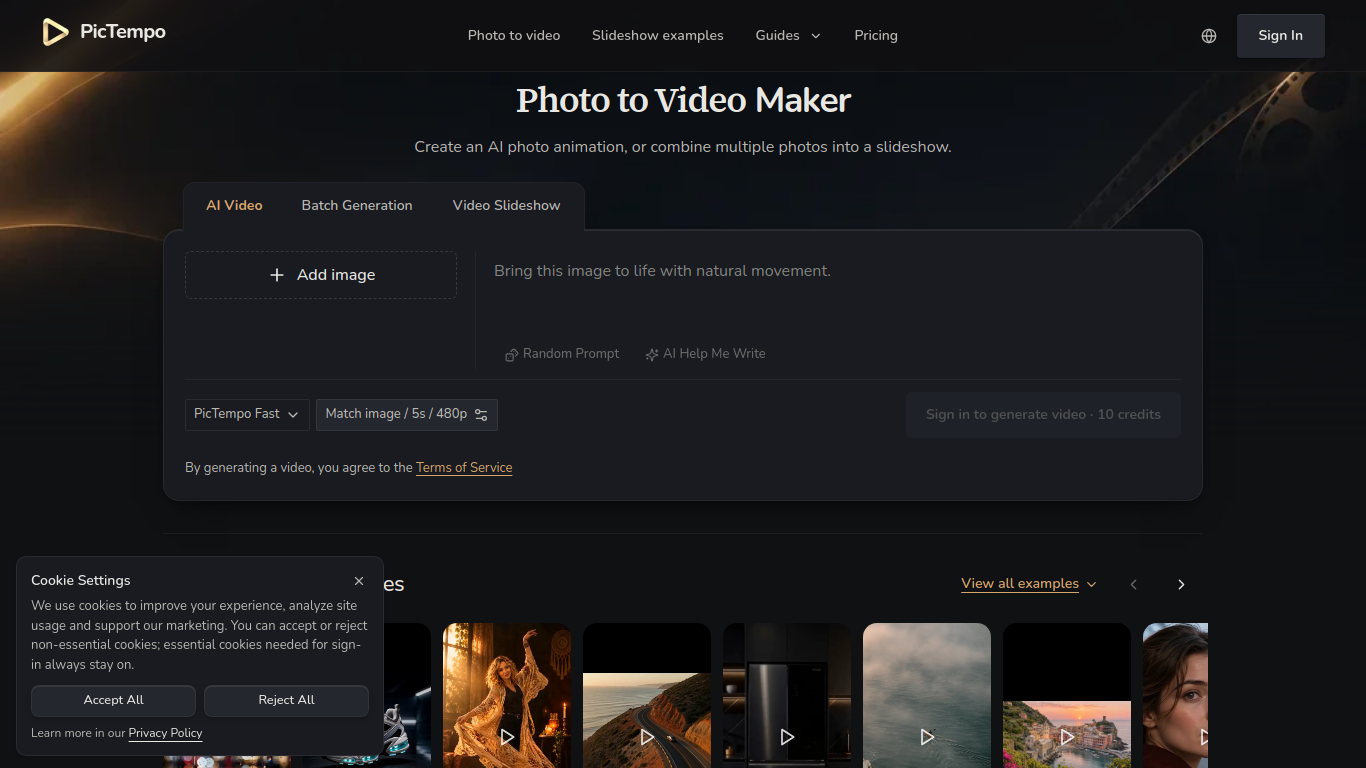
PicTempo creates videos from photos, including MP4 slideshows.
Upload and arrange photos, adjust timing and transitions, preview the slideshow, and export it in the browser.
Create slideshows from travel photos, family moments, or event highlights.
Supports 2–24 photos per slideshow, aspect ratios, cuts or fades, optional music, and local draft recovery. AI generation is not yet available.
Q: Is slideshow creation free? A: Yes, slideshows can be exported without an account or credits. Q: Is there a watermark? A: The slideshow exporter adds no site watermark.
Tools in the same categories, ranked by shared categories and then total views. Compare their features to find a suitable alternative.
AI faceless video generator: turn any topic into a voiced, captioned short for YouTube Shorts, TikTok and Reels in minutes. No camera. Try o
FlashEdit is a browser studio that turns prompts and references into videos, images, music, and voiceovers, then lets you enhance and export
Browser-based text match cut generator that keeps one chosen word fixed while paper-style layouts change around it. Three free templates exp
AI Product Video turns one ecommerce product photo into a short reviewed showcase clip. Choose from nine shot templates, see credit cost bef
Vellm turns your photos into AI videos inspired by TikTok and Reels trends. Pick a template, upload a photo of you or your pet, and get your
Seedance 3.0 is an AI workspace for generating videos, images and audio from text prompts and supported media references. It offers browser
More tools to explore, ranked by total views on ToolsBot. Newer listings come first when view counts are equal.
All-in-one AI creative studio for generating images, videos, music, and voiceovers.
Magi2AI is an independent web application powered by Sand.ai MAGI-2 for generating cinematic 1080p AI videos with native synchronized audio
Connect ChatGPT, Claude and developer clients to real-time and historical market data for US stocks, Forex, commodities and crypto through S
Explore planting ideas from yard photos: named areas, plant suggestions, area refinements and a shareable brief. Public Beta includes six on
AI book cover design for independent authors. Generate genre-guided artwork, edit typography, and prepare ebook covers and paperback wraps.
Browser-only JPEG to PDF converter turning phone and desktop photos into one ordered PDF locally. No upload, no account, no watermark.
Product reference: PicTempo — Product website.
Check the product website for current capabilities, pricing and policies before adopting this tool.
ToolsBot provides directory information for discovery and comparison. A listing is not an endorsement or a guarantee of product claims.