Floor Plan AI
Floor Plan AI turns a room list, plot size, or rough sketch into 2D, 2.5D, or 3D floor plan concepts.
RoomFloat uses AI to generate interior design previews from room photos, helping users explore styles and compare room redesigns.
Published and maintained by ToolsBot Editorial Team
| Product website | RoomFloat |
|---|---|
| Category | |
| Listed on ToolsBot | |
| Listing record updated |
Dates refer to this ToolsBot listing, not the product’s launch date or a new independent review.
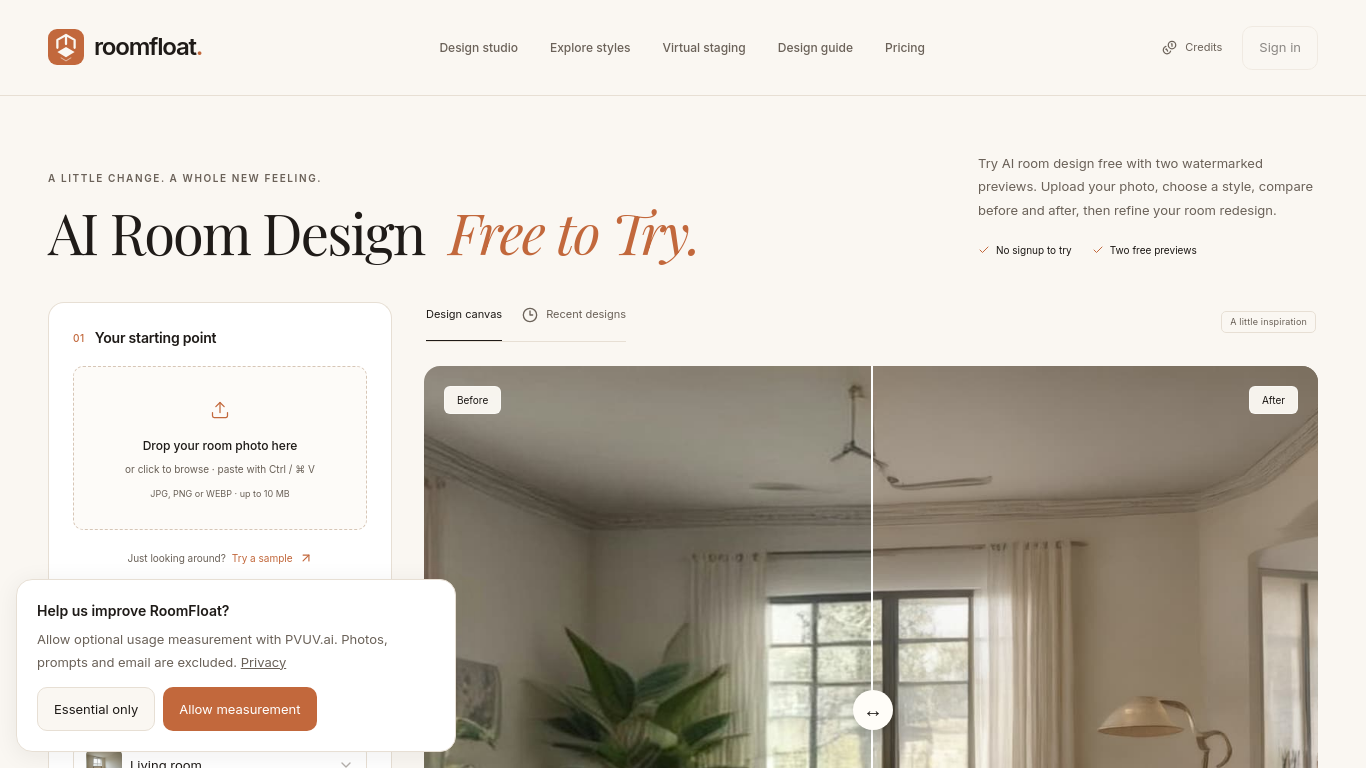
RoomFloat generates interior design concepts from room photos.
Upload a room photo, choose a design scope and style, then compare the generated image with the original. Paid users can refine designs with text instructions.
Explore a room renovation, refresh furnishings, or create a virtual staging concept.
Offers 16 styles, 12 room types, renovation and furnishing modes, virtual staging, and before-and-after comparison. Eligible free runs provide two watermarked previews.
Q: Can I try RoomFloat for free? A: Eligible free runs provide two watermarked 1K previews without signup or a card, subject to usage and capacity limits.
Tools in the same categories, ranked by shared categories and then total views. Compare their features to find a suitable alternative.
Floor Plan AI turns a room list, plot size, or rough sketch into 2D, 2.5D, or 3D floor plan concepts.
Explore GetRender's AI architectural rendering tools for buildings, interiors, and landscapes, from sketch-to-render to design presentations
输入一段文字描述或上传草图,即可在几分钟内生成符合制图规范的专业平面图,无需 CAD 基础。
AI-powered platform enhancing creativity for individuals and brands.
Integrated AI for efficient 3D rendering and workflow enhancement.
Redesign your yard with AI
More tools to explore, ranked by total views on ToolsBot. Newer listings come first when view counts are equal.
An independent daily puzzle page. Sumbreak is a daily game made by LinkedIn; this site is not affiliated with or endorsed by LinkedIn. The a
Get a quiz hint before you reveal the answer. Try a spoiler-light example, then play Krillion Daily and practise on seven timed prompts.
Unofficial Trollheim: Gnomes wiki. Release status, platforms, how the Steam playtest works, 8-player co-op, Väsen and PC requirements, from
Your Anime Crusaders X field guide: reported codes, searchable unit tiers, a saved team builder and summon probability calculator. Plan your
Your independent Cork7 game guide. Learn the controls, get a snowboard, practise cork tricks and find the official browser, desktop and iOS
Realistic Ragdoll MMA codes checked against official sources. Find the right game for SORRY4UPD, compare rewards and fix common redemption p
Product reference: RoomFloat — Product website.
Check the product website for current capabilities, pricing and policies before adopting this tool.
ToolsBot provides directory information for discovery and comparison. A listing is not an endorsement or a guarantee of product claims.