Transcribe interviews by role
Interview transcripts that label the interviewer and the interviewee, with timestamps, verbatim or clean.
An online audio-to-text converter for MP3, M4A, WAV, MP4 and other media files.
Published and maintained by ToolsBot Editorial Team
| Product website | TranscribeBolt |
|---|---|
| Category | |
| Listed on ToolsBot | |
| Listing record updated |
Dates refer to this ToolsBot listing, not the product’s launch date or a new independent review.
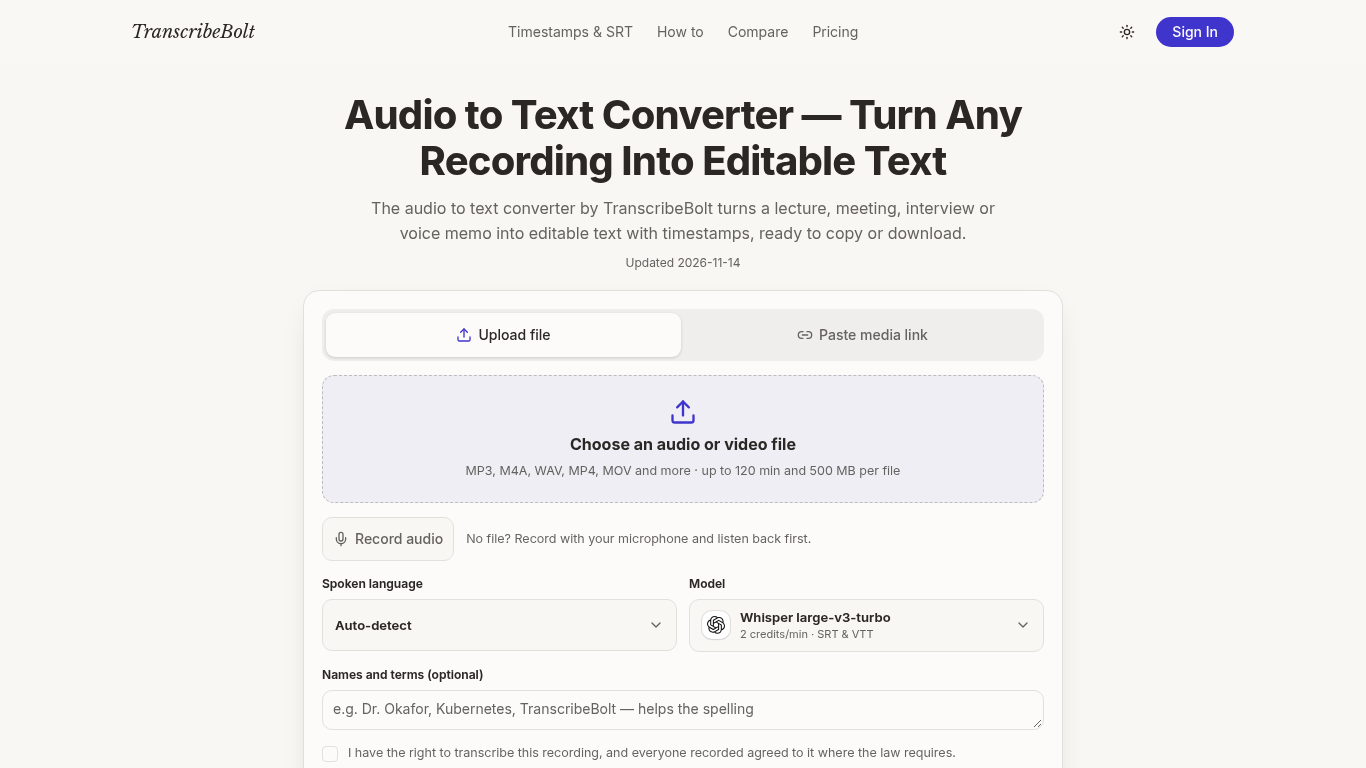
TranscribeBolt converts audio and video recordings into text and subtitle files.
Choose a file or direct media link, select a language and optional terms, confirm consent, and transcribe. The browser sends audio in parts to the Whisper large-v3-turbo speech model.
Students, reporters and podcasters can transcribe recordings for research, articles, show notes or captions.
Supports files up to 120 minutes and 500 MB; provides timestamps and TXT, SRT, VTT, PDF, Word and CSV downloads. Transcripts can be reopened, renamed or deleted.
Q: Is transcription free? A: No. A credit pack is needed before the first transcript; files cost 2 credits per started minute with a 5-credit minimum. Q: Does it identify speakers? A: No, speaker labels are not available. Q: Can it transcribe video? A: Yes, the browser extracts the audio from supported video files.
Tools in the same categories, ranked by shared categories and then total views. Compare their features to find a suitable alternative.
Interview transcripts that label the interviewer and the interviewee, with timestamps, verbatim or clean.
AccurateScribe.ai is an online audio and video transcription service for journalists, students, and teams who need searchable text from reco
Offline speech-to-text for Windows, macOS, Linux and Android. Batch-transcribe audio and video locally with timestamps and speaker labels; f
Transcribe audio and video locally with speaker labels, timestamps, editing and export. Available for Windows, macOS, Linux and Android.
AITranscribe turns video and audio files into text transcripts and TXT, SRT or VTT subtitle files. Transcription runs with Whisper in your b
A voice-based quick-capture app for thoughts and ideas.
More tools to explore, ranked by total views on ToolsBot. Newer listings come first when view counts are equal.
Data-story, whiteboard and keynote looks; AI writes the script, narrates, draws and scores a 15-60 second film with SRT subtitles.
Talk in any order, or upload a voice memo, and get clean notes with headings, bullet points and a to-do list - or an email, journal entry, l
SMS-first dispatch software for field-service shops running 2–10 trucks. Techs never install an app — they reply to a text. Flat pricing fro
Free AI coloring page generator that turns text or photos into printable coloring pages, and photos into cartoon portraits.
AI character chat and interactive storytelling. Create custom fictional characters and explore text-based roleplay.
Animate Photo Online – Bring Portraits and Memories to Life
Product reference: TranscribeBolt — Product website.
Check the product website for current capabilities, pricing and policies before adopting this tool.
ToolsBot provides directory information for discovery and comparison. A listing is not an endorsement or a guarantee of product claims.