FaceBlur
Blur faces in video online. Keep the people you choose clear. Blurring strangers in vlogs, interviews, dashcam and event footage while keepi
Free AI clip and caption generator: word-by-word captions and ranked 9:16 clips in your browser. Video never uploaded, no watermark.
Veröffentlicht und gepflegt von ToolsBot-Redaktion
| Produktwebsite | Burncaps |
|---|---|
| Kategorie | |
| Auf ToolsBot gelistet | |
| Eintrag aktualisiert |
Die Daten beziehen sich auf den ToolsBot-Eintrag, nicht auf den Produktstart oder eine neue unabhängige Prüfung.
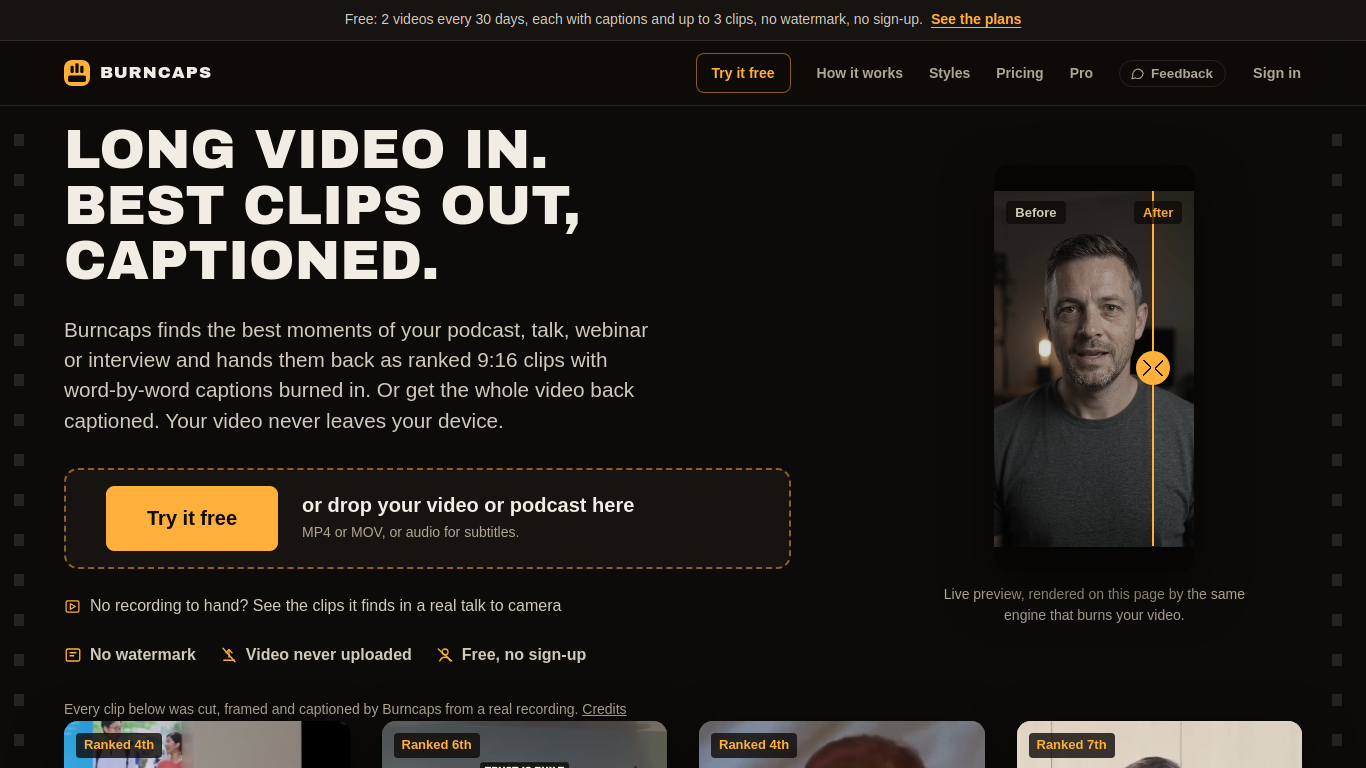
Burncaps turns a long podcast, talk, webinar or interview into ranked, captioned 9:16 clips, framed on whoever is talking, with ums and dead air cut. It also burns animated word-by-word captions into a whole video, in sixty caption styles and 59 languages. It runs in the browser and the video is never uploaded. Free: 2 videos every 30 days, each with captions and up to 3 clips, no watermark, no sign-up. Pro is $29 a month for unlimited clips and captions; Starter is $9.98 a month or $49 once.
Add a video or audio recording, choose clips or whole-video captions, edit the transcript and appearance, then export. Video stays on the device; audio or transcript text may be sent to services depending on settings.
Turn podcasts, talks, webinars or interviews into captioned clips for social media, or caption a complete talking video.
Ranked AI clips from long recordings; word-by-word animated captions; sixty caption styles; 59 languages; SRT, VTT and ASS files; B-roll with Pro; video never uploaded; no watermark; works on phones.
Q: Is Burncaps free? A: The free plan includes two videos every 30 days, with captions and up to three clips per video, without a watermark or sign-up. Q: Is my video uploaded? A: The page says the video stays on your device, though audio or transcript text may be sent to services unless device-only settings are chosen.
Tools aus denselben Kategorien, sortiert nach gemeinsamen Kategorien und dann nach Gesamtaufrufen. Vergleiche die Funktionen, um eine passende Alternative zu finden.
Blur faces in video online. Keep the people you choose clear. Blurring strangers in vlogs, interviews, dashcam and event footage while keepi
Remove watermark and text from video online. Cleaning TikTok, CapCut and other on-screen marks out of MP4/MOV/WebM clips without cropping th
Wan3.0, das neue Videomodell der Alibaba Cloud, produziert bis zu 30 Sekunden 1080P-Videos. Es verfügt über native audiovisuelle Synchronisa
Remove watermarks from videos effortlessly with AI, preserving the original quality. Perfect for content creators and social media managers.
AI-Powered Video Ad Optimization SaaS Boost ROI & CTR
AI-powered app for quick creation of short videos.
Weitere Tools nach Gesamtaufrufen auf ToolsBot. Bei gleicher Aufrufzahl erscheinen neuere Einträge zuerst.
Turn a photo and an idea into a short rap video. Birthday raps, wedding toasts, team shoutouts and short AI rap videos from a photo you can
Pumli is an AI assistant for iPhone and iPad. Download a compatible model for local, offline conversations, or choose supported online servi
TryAnyOutfit is an AI try-on app. Add your photo and any outfit image or store screenshot and it shows the clothes on you. Free on iOS and A
Free fruit drop-and-merge puzzle game in your browser.
Turn food photos into W Chews videos.
Upload a photo and find out if it is AI-generated in seconds.
Produktreferenz: Burncaps — Produktwebsite.
Prüfe aktuelle Funktionen, Preise und Richtlinien auf der Produktwebsite, bevor du das Tool einsetzt.
ToolsBot hilft bei der Suche und beim Vergleich. Ein Eintrag ist keine Empfehlung oder Garantie für Produktangaben.