2000+ ChatGPT Mega-Prompts Bundle
AI prompts for marketing, writing, and productivity enhancement.
AI integration for enhanced productivity in Windows tasks.
Veröffentlicht und gepflegt von ToolsBot-Redaktion
| Produktwebsite | GPTBox |
|---|---|
| Kategorie |
Die Daten beziehen sich auf den ToolsBot-Eintrag, nicht auf den Produktstart oder eine neue unabhängige Prüfung.
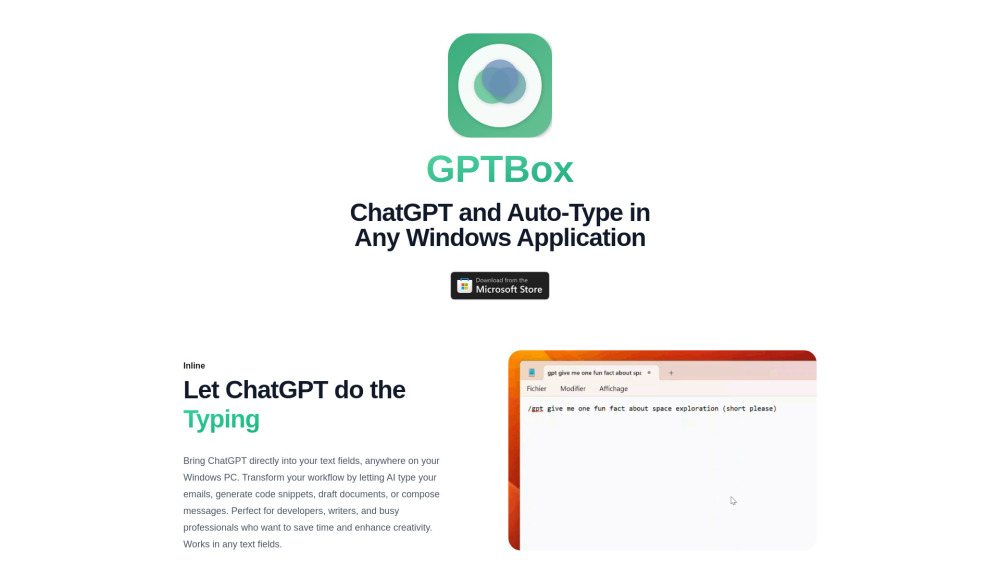
GPTBox is a productivity tool integrating ChatGPT and DeepSeek directly into the Windows taskbar for improved text generation and workflow efficiency.
To use GPTBox, install it on your Windows PC, obtain an OpenAI and Deepseek API key, and access AI features via a keyboard shortcut.
#1 Type emails using AI assistance #2 Generate code snippets seamlessly #3 Draft documents quickly
Inline text generation in any Windows application Global access to ChatGPT and DeepSeek Fast and efficient AI support directly from the taskbar
Is GPTBox free for Windows users? How do I get an OpenAI API key? How can I resolve technical issues with GPTBox?
Tools aus denselben Kategorien, sortiert nach gemeinsamen Kategorien und dann nach Gesamtaufrufen. Vergleiche die Funktionen, um eine passende Alternative zu finden.
AI prompts for marketing, writing, and productivity enhancement.
An AI-powered desktop app that acts as your personal assistant
All-in-one AI-powered content creation platform
Worgit.ai enhances business productivity with over 150 AI-powered tools for automating tasks in marketing, HR, legal, and finance fields.
AI Writer AI Images AI Voiceovers AI ChatBots
cFlow is a desktop tool that can turn any text across apps and browsers into a ChatGPT query, simply by selecting & pressing a hotkey. It ca
Weitere Tools nach Gesamtaufrufen auf ToolsBot. Bei gleicher Aufrufzahl erscheinen neuere Einträge zuerst.
KI-Kreativstudio für die Erstellung von Bildern, Videos, Musik und Sprachaufnahmen – alles an einem Ort.
Magi2AI ist eine unabhängige Webanwendung, die Sand.ai MAGI-2 nutzt, um filmreife KI-Videos in 1080p mit nativ synchronisiertem Audio aus Te
Verbinden Sie ChatGPT, Claude und Entwickler-Clients über SiftingIO MCP-Tools mit Echtzeit- und historischen Marktdaten für US-Aktien, Devis
KI-Generator für Videos ohne Gesicht: Verwandle jedes Thema in wenigen Minuten in ein vertontes und untertiteltes Kurzvideo für YouTube Shor
Entdecken Sie Pflanzideen anhand von Gartenfotos: benannte Bereiche, Pflanzenvorschläge, Verfeinerungen von Bereichen und eine teilbare Über
KI-Buchcoverdesign für unabhängige Autorinnen und Autoren. Generiere genreorientierte Illustrationen, bearbeite die Typografie und bereite E
Produktreferenz: GPTBox — Produktwebsite.
Prüfe aktuelle Funktionen, Preise und Richtlinien auf der Produktwebsite, bevor du das Tool einsetzt.
ToolsBot hilft bei der Suche und beim Vergleich. Ein Eintrag ist keine Empfehlung oder Garantie für Produktangaben.