GPT Plus|AI 会员充值
一站开通 ChatGPT Plus / Pro, Grok, Cursor und Gemini 会员,支付宝付款,充到你自己的账号,服务费公开,30 天质保。
The First Chrome Extension To Get A ChatGPT Instant Access On Any Site. Take Quick Access Ai To Any Site To Simplify Your Daily Tasks Without Leaving Your Favorite Sites just by using specific commands. Increase a 20x Productivity with Quick Access Ai.
Veröffentlicht und gepflegt von ToolsBot-Redaktion
| Produktwebsite | Quick Access Ai |
|---|---|
| Kategorie |
Die Daten beziehen sich auf den ToolsBot-Eintrag, nicht auf den Produktstart oder eine neue unabhängige Prüfung.
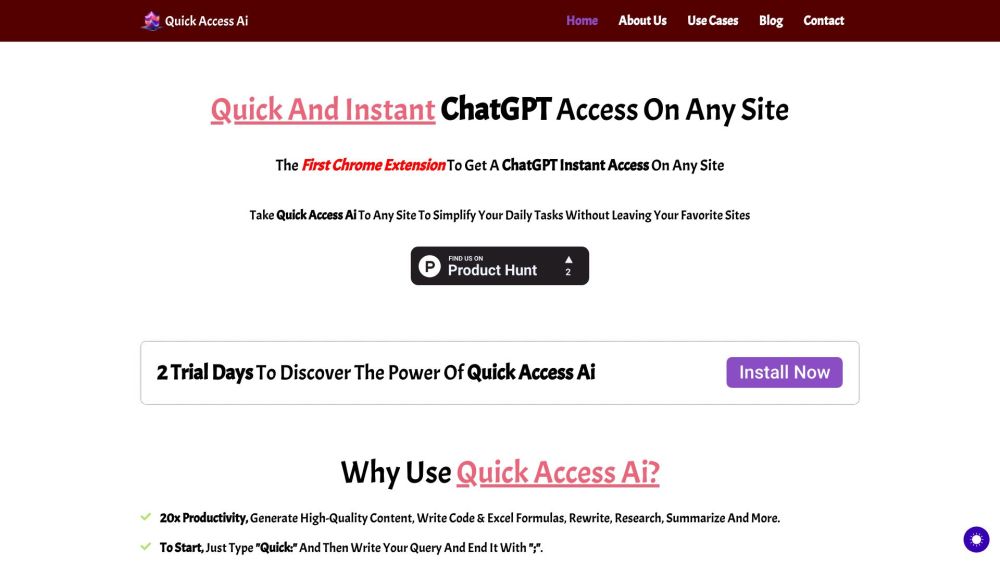
The First Chrome Extension To Get A ChatGPT Instant Access On Any Site. Take Quick Access Ai To Any Site To Simplify Your Daily Tasks Without Leaving Your Favorite Sites just by using specific commands. Increase a 20x Productivity with Quick Access Ai.
To use Quick Access Ai, simply install the Chrome extension and start typing specific commands using the prefix 'Quick:'. Just write your query and end it with ';'. No subscription required, just a one-time payment of $15.
#1 Simplifying daily tasks on any site #2 Generating high-quality content #3 Writing code and Excel formulas #4 Rewriting, researching, and summarizing
Instant access to ChatGPT on any site 20x productivity increase Generate high-quality content Write code & Excel formulas Rewrite, research, summarize and more
What is Quick Access Ai? How much does Quick Access Ai cost? What can I do with Quick Access Ai? How do I install Quick Access Ai? Does Quick Access Ai work on all websites?
Tools aus denselben Kategorien, sortiert nach gemeinsamen Kategorien und dann nach Gesamtaufrufen. Vergleiche die Funktionen, um eine passende Alternative zu finden.
一站开通 ChatGPT Plus / Pro, Grok, Cursor und Gemini 会员,支付宝付款,充到你自己的账号,服务费公开,30 天质保。
Ein Datenschutz-fokussiertes Browser-Tool, das unsichtbaren Unicode, Nullbreiten-Leerzeichen und unerwünschte Markdown aus der KI-Ausgabe en
AI-powered platform enhancing creativity for individuals and brands.
AI-powered financial tracking and insights platform for better decision making.
A voice-based quick-capture app for thoughts and ideas.
AI-driven platform for managing test cases and enhancing collaboration.
Weitere Tools nach Gesamtaufrufen auf ToolsBot. Bei gleicher Aufrufzahl erscheinen neuere Einträge zuerst.
Entdecken Sie GetRenders KI-architektonische Rendering-Tools für Gebäude, Innenräume und Landschaften, von Skizze zu Render bis hin zu Desig
Erstellen Sie Songs aus Text oder Text mit FloatSongs KI-Musikgenerator. Wählen Sie Suno oder Flow Music, schreiben Sie Texte und machen Sie
AI Sprite Animation Generator und Sprite Sheet Maker für Spiele. Erstellen Sie in Minuten fertige Sprite-Sheets, Walking Cycles und JSON-Atl
MemoTune ist ein webbasierter KI-Song-Generator. Verwandeln Sie Ideen, Texte, Geschichten und Bilder in komplette Lieder mit Vocals oder Ins
Laden Sie ein MP3 hoch oder fügen Sie einen Song-Link ein und lassen Sie SongScene es in ein intelligentes KI-Musikvideo mit beat-synchronis
Erstellen Sie Bilder, Videoclips und Musik in einem KI-Kreativstudio. Wählen Sie ein Modell, beginnen Sie mit Text oder Bild und überprüfen
Produktreferenz: Quick Access Ai — Produktwebsite.
Prüfe aktuelle Funktionen, Preise und Richtlinien auf der Produktwebsite, bevor du das Tool einsetzt.
ToolsBot hilft bei der Suche und beim Vergleich. Ein Eintrag ist keine Empfehlung oder Garantie für Produktangaben.