NotLikeAI
AI text converter for generating human-like content.
Rulta is a DMCA takedown service that helps content creators protect their brand and content from copyright infringements. With daily scans and the issuance of DMCA takedown notices, Rulta ensures that unauthorized copies of your content are removed from the internet.
Veröffentlicht und gepflegt von ToolsBot-Redaktion
| Produktwebsite | Rulta |
|---|---|
| Kategorie |
Die Daten beziehen sich auf den ToolsBot-Eintrag, nicht auf den Produktstart oder eine neue unabhängige Prüfung.
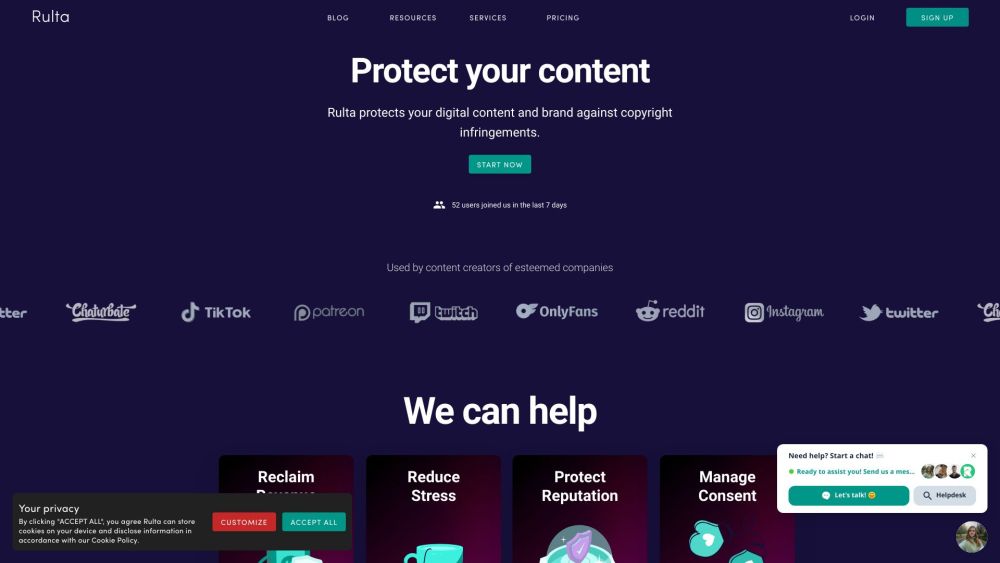
Rulta is a DMCA takedown service that helps content creators protect their brand and content from copyright infringements. With daily scans and the issuance of DMCA takedown notices, Rulta ensures that unauthorized copies of your content are removed from the internet.
To use Rulta, simply sign up for an account and provide your username and keywords of your choice. Rulta's software will crawl the internet for copyright infringements related to your brand and content. Detected infringements will be flagged, and trained agents will issue DMCA takedown notices on your behalf to remove the infringing content.
#1 Shielding brand and content from copyright infringements #2 Reclaiming revenue lost due to piracy #3 Reducing stress caused by content leaks #4 Protecting reputation by defending against impersonators #5 Managing consent and preserving bodily autonomy
Daily scans for copyright infringements Issuance of DMCA takedown notices Comprehensive scans by trained agents Detection and removal of infringing content Close relationships with file hosting sites for quick takedowns Membership in Google's Trusted Copyright Removal Program
What does Rulta do? How does Rulta work? Is Rulta accredited by any programs? What platforms does Rulta monitor for copyright infringements? Does Rulta protect the anonymity of content creators?
Tools aus denselben Kategorien, sortiert nach gemeinsamen Kategorien und dann nach Gesamtaufrufen. Vergleiche die Funktionen, um eine passende Alternative zu finden.
AI text converter for generating human-like content.
All-in-one AI tools for content creation and automation.
AI tool for analyzing and summarizing competitor ads.
Free tool to convert AI text into human-like content.
AI or Not is an AI detector that identifies AI generated images, audio, and KYC documents for free. It helps businesses prevent fraud, enhan
Cat's Eye is an AI-powered software designed to detect and proactively prevent instances of bullying or violence within schools. Complementi
Weitere Tools nach Gesamtaufrufen auf ToolsBot. Bei gleicher Aufrufzahl erscheinen neuere Einträge zuerst.
Ein Online-Konverter für die Umwandlung von Audio in Text für MP3, M4A, WAV, MP4 und andere Mediendateien.
Data-Story-, Whiteboard- und Keynote-Looks; die KI schreibt das Skript, spricht den Kommentar, zeichnet und vertont einen 15-60 Sekunden lan
Sprich in beliebiger Reihenfolge oder lade eine Sprachnotiz hoch und erhalte übersichtliche Notizen mit Überschriften, Aufzählungspunkten un
SMS-basierte Einsatzplanung für Außendienstbetriebe mit 2–10 Einsatzfahrzeugen. Techniker müssen keine App installieren – sie antworten auf
Kostenloser KI-Ausmalbildgenerator, der Texte oder Fotos in ausdruckbare Ausmalbilder und Fotos in Cartoon-Porträts verwandelt.
KI-Charakter-Chat und interaktives Geschichtenerzählen. Erstelle eigene fiktive Charaktere und entdecke textbasiertes Rollenspiel.
Produktreferenz: Rulta — Produktwebsite.
Prüfe aktuelle Funktionen, Preise und Richtlinien auf der Produktwebsite, bevor du das Tool einsetzt.
ToolsBot hilft bei der Suche und beim Vergleich. Ein Eintrag ist keine Empfehlung oder Garantie für Produktangaben.