SpeedTranscript
SpeedTranscript turns a voice recording into an editable transcript with timestamps and speaker labels. Upload a voice memo, meeting recordi
Free transcripts for YouTube, TikTok and Instagram videos.
Publicado y mantenido por Equipo editorial de ToolsBot
| Sitio web del producto | PasteQuill |
|---|---|
| Categoría | |
| Publicado en ToolsBot | |
| Registro actualizado |
Las fechas corresponden al registro de ToolsBot, no al lanzamiento del producto ni a una nueva evaluación independiente.
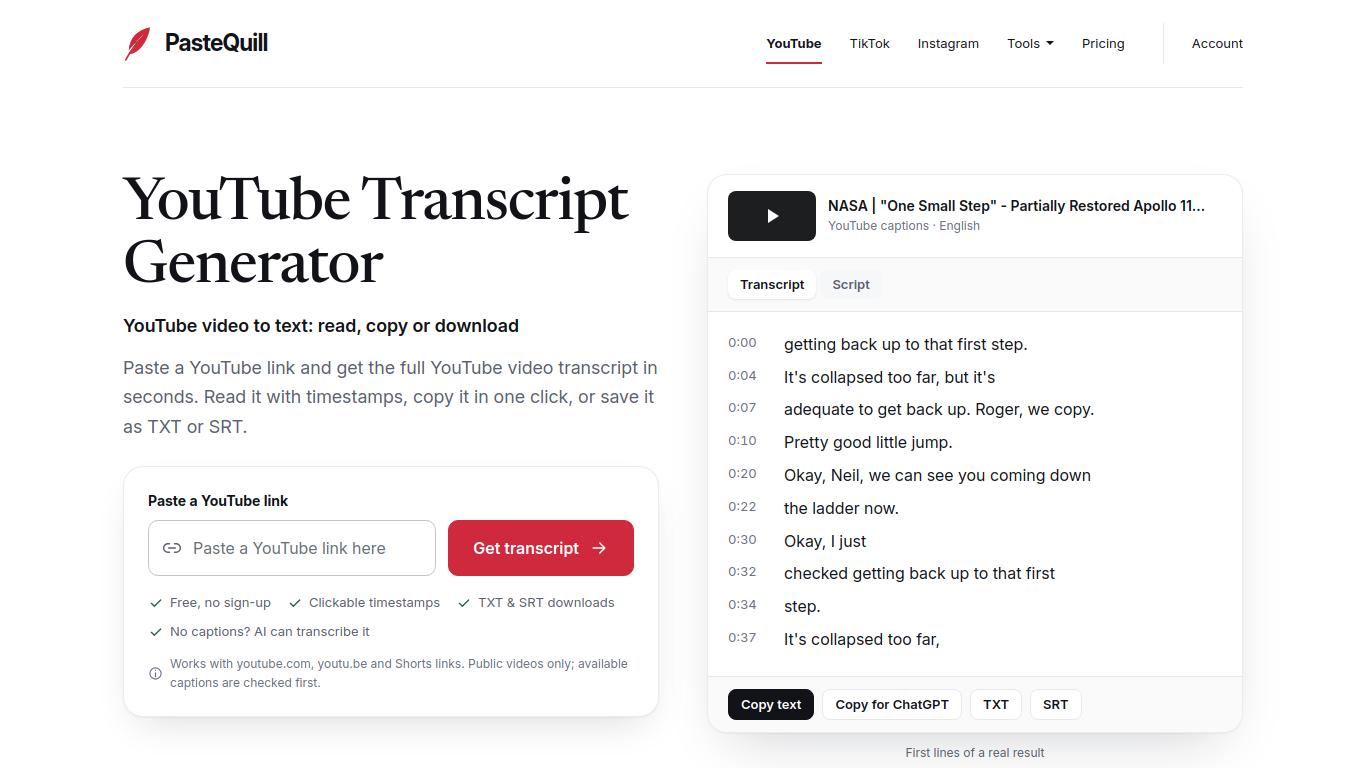
PasteQuill turns YouTube, TikTok and Instagram videos into readable text. Paste a link to pull the captions with timestamps or as a clean paragraph-style transcript, then copy it in one click with Copy for ChatGPT, or download it as TXT or SRT. Basic caption extraction is free and needs no account. An optional Pro plan adds AI transcription for videos that have no captions.
Paste a video link to load its captions. Read the transcript with timestamps or as paragraphs, then copy or download it. Confirm AI transcription if captions are unavailable.
Summarize videos, take study notes, check quotes, find moments in videos, or create subtitle files.
YouTube, TikTok, and Instagram transcripts Copy for ChatGPT TXT and SRT download Basic caption extraction is free with no sign-up Optional Pro adds AI transcription when a video has no captions
Q: Is PasteQuill free? A: Caption extraction is free without an account. Free AI transcription has daily and video-length limits. Q: Does it work with YouTube Shorts? A: Yes, including Shorts without captions when AI transcription is confirmed.
Herramientas de las mismas categorías, ordenadas por categorías compartidas y luego por visitas totales. Compara sus funciones para encontrar una alternativa adecuada.
SpeedTranscript turns a voice recording into an editable transcript with timestamps and speaker labels. Upload a voice memo, meeting recordi
Transcribe Audio to Text turns audio into text in the browser. Freemium: 15 minutes per day when not signed in, 30 minutes per day when sign
Transcribe video and audio to text online — upload a file, paste a YouTube/TikTok link, or record live.
AnyScript creates timestamped YouTube, Shorts, TikTok and Instagram transcripts for AI-assisted source research and original script preparat
Transcripción de vídeo y audio desde el navegador con detección automática del idioma, marcas de tiempo y edición directa. Plan gratuito: pr
FastScribe convierte entrevistas, pódcast y grabaciones de vídeo en transcripciones editables y subtítulos SRT.
Más herramientas, ordenadas por visitas totales en ToolsBot. Con las mismas visitas, se muestran primero las publicaciones más recientes.
TaxBowl ofrece a startups y pequeñas empresas un equipo ágil para la gestión contable, la contabilidad, el apoyo con la nómina, la planifica
Genera videos cortos de hasta 1080p con audio sincronizado a partir de instrucciones, imágenes o medios de referencia. Regístrate para acced
Glasshand es un espacio de trabajo visible y revisable para agentes de IA que realizan tareas en pantalla. Delega la tarea, observa el sigui
Una interfaz para LLM dirigida a usuarios avanzados que desean un control detallado sobre los personajes, los prompts y los modelos locales.
HappyShrimp es una plataforma de música con IA todo en uno. Convierte una línea en una canción completa - con letra, voces y producción incl
AI直充 ofrece un servicio de recarga de suscripciones a GPT 5.6, compatible con pagos mediante WeChat, consulta de pedidos y reembolsos por
Referencia del producto: PasteQuill — Sitio web del producto.
Consulta las funciones, los precios y las políticas actuales en el sitio del producto antes de utilizarlo.
ToolsBot ofrece información para descubrir y comparar productos. La inclusión no implica respaldo ni garantiza las afirmaciones del producto.