Signlz
Signlz is an AI-powered PRD generator designed for product professionals. It creates requirement documents and technical specifications, and
Korl syncs and summarizes product roadmap data in a single place, then auto-generates consumable product presentations, each tailored for a specific use case and audience.
Publié et maintenu par Équipe éditoriale ToolsBot
| Site du produit | Korl |
|---|---|
| Catégorie |
Les dates concernent la fiche ToolsBot, et non le lancement du produit ou une nouvelle évaluation indépendante.
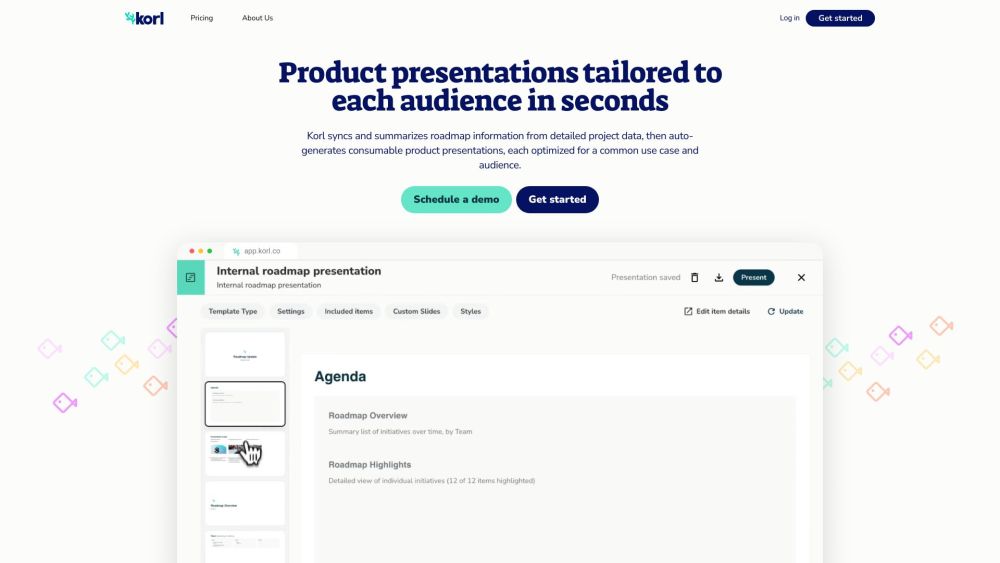
Korl syncs and summarizes product roadmap data in a single place, then auto-generates consumable product presentations, each tailored for a specific use case and audience.
Korl integrates with tools like Jira and your PRDs to sync data and auto-generate content about items on the roadmap. Users can create and customize slides from best practice templates, communicate and collaborate from a shared source of truth, and invite project owners and stakeholders to review and provide feedback on presentations.
#1 { "use_case": "Customer Meetings", "description": "Share the product direction with a customer using the External Roadmap template. It includes an introduction to notable investment themes, an externally-facing detail slide per feature, and a summary view of items organized by configurable time periods." } #2 { "use_case": "Company All Hands", "description": "Update the company on product plans with the Internal Roadmap template. It covers high-level takeaways upfront, a summary list of projects organized by key concepts (such as Priority, Goal, or Team), and the option to highlight any individual item with an internally-facing detail slide." } #3 { "use_case": "GTM Enablement", "description": "Enable GTM teams to sell and support key changes with the Release Review template. For a given release, it details what changes are included, how they align to different themes and user personas, and how they should be positioned externally." } #4 { "use_case": "Executive Updates", "description": "Keep leadership informed about product progress with the Status Update template. It provides visibility into important overall takeaways and progress metrics, the list of roadmap items added or removed since the last planning milestone, and whether any highly strategic projects are at risk." }
The core features of Korl include syncing and summarizing roadmap information, auto-generating product presentations, integrating with tools like Jira and PRDs, customizable templates, collaborative review and feedback, and a repository of past presentations.
Which tools can Korl integrate with? Can I customize the templates in Korl? How can I collaborate with others on presentations? Is there a free trial available for Korl?
Outils des mêmes catégories, classés par catégories communes puis par nombre total de visites. Comparez leurs fonctions pour trouver une alternative adaptée.
Signlz is an AI-powered PRD generator designed for product professionals. It creates requirement documents and technical specifications, and
Walling is the new medium for organizing work & presenting ideas. Simply ask Walling AI what you want to organize or present, and watch it b
Watto AI is an artificial intelligence-powered platform that seamlessly integrates information from multiple platforms and generates documen
AI platform for tracking yearly resolutions and personal goals.
AI-driven platform for smarter and faster project management.
AI knowledge system for building and automating businesses.
Autres outils classés par nombre total de visites sur ToolsBot. À égalité, les fiches les plus récentes apparaissent en premier.
Créateur gratuit de vidéos récapitulatives en ligne : ajoutez vos photos, choisissez un modèle et téléchargez un MP4 synchronisé sur le ryth
Transformez des photos en anime, aquarelles, avatars 3D et autres styles créatifs dans Telegram. Créez des cartes de vœux photo personnalisé
Transformez les mises à jour produit en textes marketing et visuels prêts pour chaque canal.
Le MCP LinkedIn pour les agents IA.
Photographie de produits par IA pour les vendeurs de vêtements : créez des images portées par un mannequin, sur mannequin invisible ou à pla
AI Photo Detector vérifie si des photos ont été générées ou modifiées par l’IA. Consultez la classification, le niveau de confiance et l’ana
Référence du produit : Korl — Site du produit.
Consultez le site du produit pour vérifier ses fonctionnalités, tarifs et politiques actuels avant de l’adopter.
ToolsBot facilite la découverte et la comparaison. Une fiche ne constitue ni une approbation ni une garantie des affirmations du produit.