ListingVideo
Turn property photos into six editable vertical Reels with 3D and 2D motion, music, branding and white-label client delivery. Built for real
Turn one photo into a Huss Huss Huss AI video clip for TikTok, Reels, and Shorts.
公開・管理: ToolsBot 編集チーム
| 製品サイト | Huss Huss Huss Video Generator |
|---|---|
| カテゴリー | |
| ToolsBot 掲載日 | |
| 掲載情報の更新日 |
日付は ToolsBot の掲載記録を示し、製品の公開日や新たな独立評価の実施日ではありません。
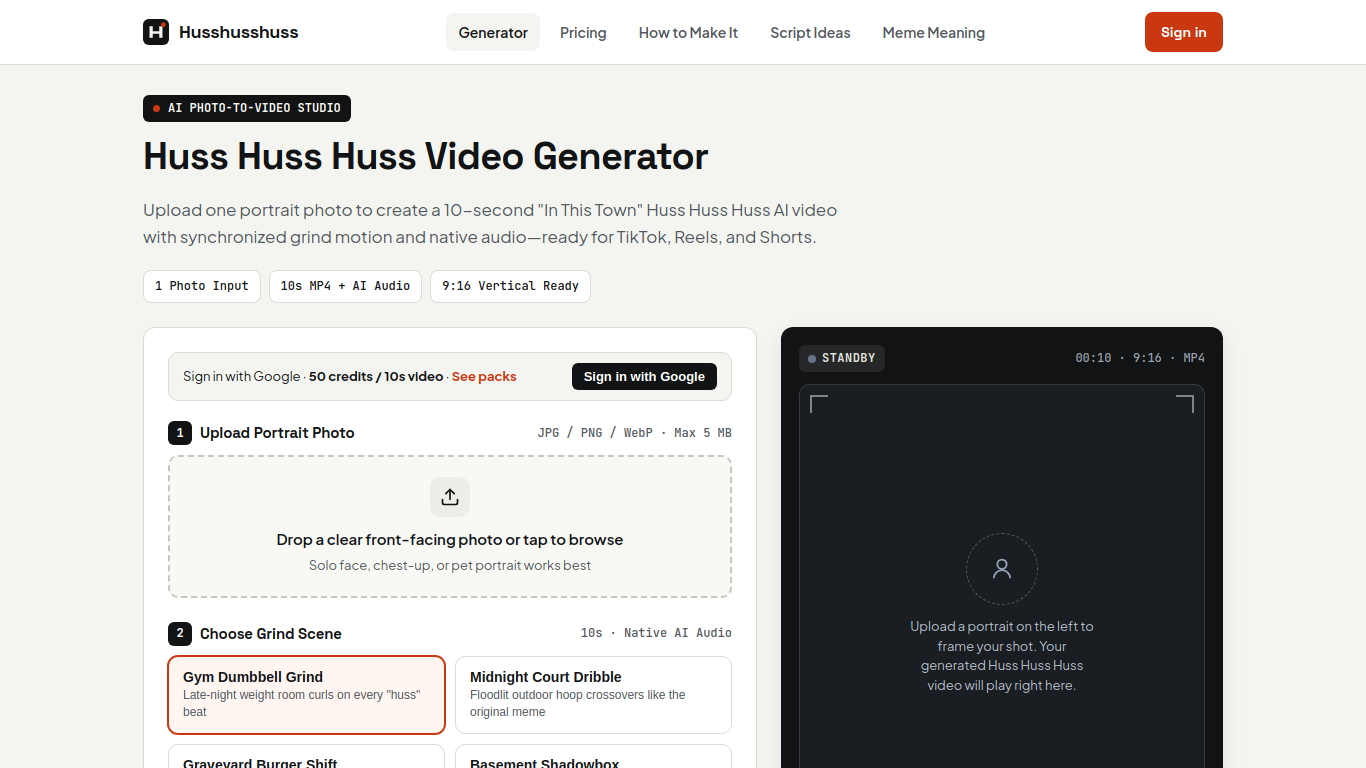
Upload one portrait, pick one of four grind scenes, and render a 10-second watermark-free MP4 with synchronized motion and native AI audio. Pricing is paid: 0 free renders per day; each clip costs 50 credits from one-time Stripe packs ($4.99/100, $9.99/300, $19.99/600); credits never expire; no subscription.
Upload a portrait, choose a scene and aspect ratio, optionally add a line, then sign in with Google and use credits to render and download an MP4.
Create short comedy clips for TikTok, Reels, and YouTube Shorts using portraits of yourself, a consenting friend, or a pet.
Four scene presets, AI-generated motion and audio, optional custom lines, four aspect ratios, and watermark-free MP4 downloads.
Q: How much does a video cost? A: Each video costs 50 credits; there are no free daily renders. Q: What happens to uploaded photos? A: The site says they are safety-checked and deleted from temporary storage within 24 hours. Q: Does the video include audio? A: Yes, clips include native AI audio matched to the scene.
同じカテゴリのツールを、共通カテゴリ数、累計閲覧数の順に表示します。機能を比較して適切な代替ツールを探しましょう。
Turn property photos into six editable vertical Reels with 3D and 2D motion, music, branding and white-label client delivery. Built for real
Turn one photo into a Boom Clap confetti meme video. Free still preview, then $6.99 once. Unofficial fan tool.
1枚の写真から、話題のWindow Peeperショットを再現。オリジナル音声付きの14秒、9:16のAI動画。
Sheru Bhai AI Videoは、アップロードした写真を、人気のSheru Bhaiのライオンボス風スタイルによる短いシネマティック動画に変換するWebツールです。
Create 5-second, 480p videos from two reference images and a motion prompt. The free generator needs no signup or credits, adds no watermark
Turn two photos into Hotel Lobby style AI duo videos for friends, couples and pets, with 1–15 second MP4 output. Limited one-time sign-in tr
ToolsBot の累計閲覧数順で表示するその他のツールです。同数の場合は新しく掲載されたツールを優先します。
Compare AI coding assistants, IDEs, and app builders, get a shortlist with the guided tool finder, and explore practical guides, prompts, an
Create heartfelt custom song & keepsake video gifts on Dearlume Gifts—no subscription, custom cover art, MP3 download, and easy unlisted gif
把抖音等支持平台的公开视频口播提取成可编辑文字。粘贴分享链接即可提交,也可批量处理多条作品。需要登录,新账号有10分钟试用,之后按用量购买。
Turn your lyrics into complete AI-generated songs with vocals. Start with 90 free credits — pick a style, generate multiple candidates, and
100+ free browser calculators for finance, health, and math
Expand 9:16 vertical video to 16:9 widescreen online
製品の参照先: Huss Huss Huss Video Generator — 製品サイト.
導入前に製品サイトで最新の機能、料金、ポリシーを確認してください。
ToolsBot は製品の発見と比較のための情報を提供します。掲載は推奨や製品の主張の保証を意味しません。