ListingVideo
Turn property photos into six editable vertical Reels with 3D and 2D motion, music, branding and white-label client delivery. Built for real
Turn one photo into a Huss Huss Huss AI video clip for TikTok, Reels, and Shorts.
게시 및 관리: ToolsBot 편집팀
| 제품 웹사이트 | Huss Huss Huss Video Generator |
|---|---|
| 범주 | |
| ToolsBot 등록일 | |
| 등록 정보 수정일 |
날짜는 ToolsBot 등록 기록에 관한 것으로, 제품 출시일이나 새로운 독립 평가일을 의미하지 않습니다.
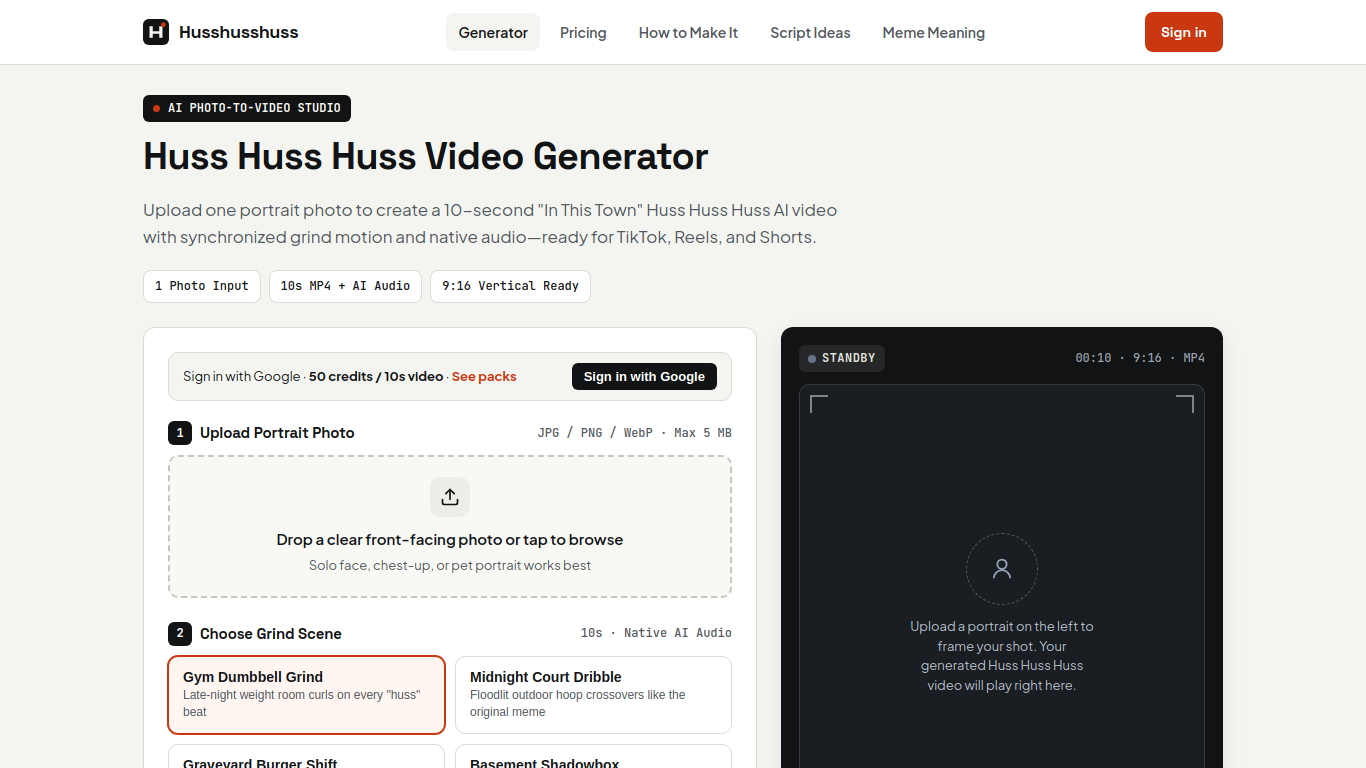
Upload one portrait, pick one of four grind scenes, and render a 10-second watermark-free MP4 with synchronized motion and native AI audio. Pricing is paid: 0 free renders per day; each clip costs 50 credits from one-time Stripe packs ($4.99/100, $9.99/300, $19.99/600); credits never expire; no subscription.
Upload a portrait, choose a scene and aspect ratio, optionally add a line, then sign in with Google and use credits to render and download an MP4.
Create short comedy clips for TikTok, Reels, and YouTube Shorts using portraits of yourself, a consenting friend, or a pet.
Four scene presets, AI-generated motion and audio, optional custom lines, four aspect ratios, and watermark-free MP4 downloads.
Q: How much does a video cost? A: Each video costs 50 credits; there are no free daily renders. Q: What happens to uploaded photos? A: The site says they are safety-checked and deleted from temporary storage within 24 hours. Q: Does the video include audio? A: Yes, clips include native AI audio matched to the scene.
같은 카테고리의 도구를 공통 카테고리 수, 누적 조회수 순으로 표시합니다. 기능을 비교하여 적합한 대안을 찾아보세요.
Turn property photos into six editable vertical Reels with 3D and 2D motion, music, branding and white-label client delivery. Built for real
Turn one photo into a Boom Clap confetti meme video. Free still preview, then $6.99 once. Unofficial fan tool.
사진 한 장으로 화제의 Window Peeper 장면을 재현하세요. 원본 사운드가 포함된 14초 9:16 AI 영상입니다.
Sheru Bhai AI Video는 업로드한 사진을 인기 있는 Sheru Bhai 라이언 보스 스타일의 짧은 시네마틱 영상으로 바꿔주는 웹 도구입니다. Palace walk,
Create 5-second, 480p videos from two reference images and a motion prompt. The free generator needs no signup or credits, adds no watermark
Turn two photos into Hotel Lobby style AI duo videos for friends, couples and pets, with 1–15 second MP4 output. Limited one-time sign-in tr
ToolsBot 누적 조회수순으로 정렬한 다른 도구입니다. 조회수가 같으면 최근 등록된 도구를 먼저 표시합니다.
Compare AI coding assistants, IDEs, and app builders, get a shortlist with the guided tool finder, and explore practical guides, prompts, an
Create heartfelt custom song & keepsake video gifts on Dearlume Gifts—no subscription, custom cover art, MP3 download, and easy unlisted gif
把抖音等支持平台的公开视频口播提取成可编辑文字。粘贴分享链接即可提交,也可批量处理多条作品。需要登录,新账号有10分钟试用,之后按用量购买。
Turn your lyrics into complete AI-generated songs with vocals. Start with 90 free credits — pick a style, generate multiple candidates, and
100+ free browser calculators for finance, health, and math
Expand 9:16 vertical video to 16:9 widescreen online
제품 참고 링크: Huss Huss Huss Video Generator — 제품 웹사이트.
도입 전에 제품 웹사이트에서 최신 기능, 가격 및 정책을 확인하세요.
ToolsBot은 제품 탐색과 비교를 위한 정보를 제공합니다. 등록이 제품에 대한 보증이나 주장의 정확성을 보장하지는 않습니다.