Image3D
参照画像から3 Dモデルを生成し、結果をチェックし、条件に合ったエクスポートを選択して編集、表示、または印刷の準備を行います。
Image to 3D Model turns a photo or illustration into a 3D model in the browser. Sign in for 20 welcome credits (one Trellis model). Export GLB for editing or STL for slicing. A multi-view workspace accepts 2–8 photos of the same object. Built for game assets, prototypes, and concept art.
公開・管理: ToolsBot 編集チーム
| 製品サイト | Image to 3D Model |
|---|---|
| カテゴリー | |
| ToolsBot 掲載日 | |
| 掲載情報の更新日 |
日付は ToolsBot の掲載記録を示し、製品の公開日や新たな独立評価の実施日ではありません。
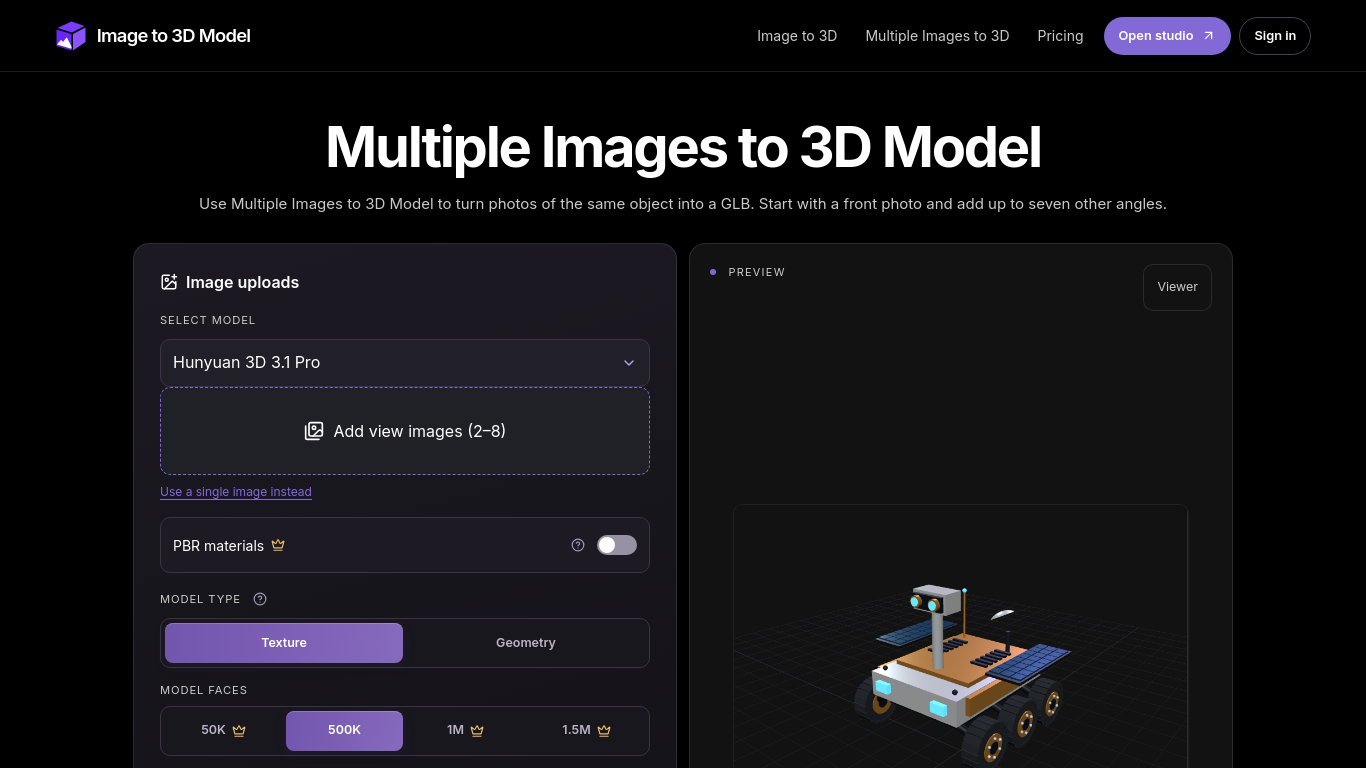
A tool that turns two to eight images of the same object into a 3D model.
Upload a front image and at least one other view, sign in, and generate a model. Compare the result with the reference images in the viewer.
Create 3D models of objects or props, such as a desk lamp, from photos taken at different angles.
Angle-labeled image uploads, GLB and STL output, model configuration options, and a 3D viewer with wireframe mode. Additional formats and options are marked Advanced.
Q: How many images can I use? A: Two to eight views, including a front image. Q: Should I use GLB or STL? A: Keep GLB for embedded materials, or export STL for slicing.
同じカテゴリのツールを、共通カテゴリ数、累計閲覧数の順に表示します。機能を比較して適切な代替ツールを探しましょう。
参照画像から3 Dモデルを生成し、結果をチェックし、条件に合ったエクスポートを選択して編集、表示、または印刷の準備を行います。
Create and customize 3D models using AI.
Discover the True Value of Your Coins and Banknotes with HeritCoin! HeritCoin is the ultimate app powered by artificial intelligence and exp
AI-powered 3D creation tool for visuals and scenes.
Transform your photo into a 3D motion video with motion parallax.
With Atlas, you can easily generate highly detailed and diverse 3D models from reference images and text. A cutting-edge generative 3D AI te
ToolsBot の累計閲覧数順で表示するその他のツールです。同数の場合は新しく掲載されたツールを優先します。
Turn one or two photos into a short AI trend video with original audio. Pick a template, upload, generate, download the MP4 for TikTok, Reel
AI Picture Checker is a free browser tool that analyzes an uploaded image to estimate whether it was generated by AI. It can flag likely AI
Score your college essay and get line-by-line feedback on structure, argument, language and grammar.
Wishora turns a recipient’s name, one memory, and an inside joke into a personalized gift song. Free 30-second preview; unlock the full song
AI role-play practice for customer-facing teams, with live video conversations and feedback. Three free owner practice challenges; team subs
TallyClip converts messy bank-statement PDFs into clean Excel, CSV, or QuickBooks Online imports. Built for bookkeepers, accountants, and sm
製品の参照先: Image to 3D Model — 製品サイト.
導入前に製品サイトで最新の機能、料金、ポリシーを確認してください。
ToolsBot は製品の発見と比較のための情報を提供します。掲載は推奨や製品の主張の保証を意味しません。