Image3D
從參攷影像生成3D模型,檢查結果,並選擇符合條件的匯出進行編輯、查看或列印準備。
Image to 3D Model turns a photo or illustration into a 3D model in the browser. Sign in for 20 welcome credits (one Trellis model). Export GLB for editing or STL for slicing. A multi-view workspace accepts 2–8 photos of the same object. Built for game assets, prototypes, and concept art.
發布與維護: ToolsBot 編輯團隊
| 產品網站 | Image to 3D Model |
|---|---|
| 分類 | |
| ToolsBot 收錄日期 | |
| 收錄紀錄更新日期 |
日期僅表示 ToolsBot 收錄紀錄的時間,不代表產品上線時間或完成了新的獨立評測。
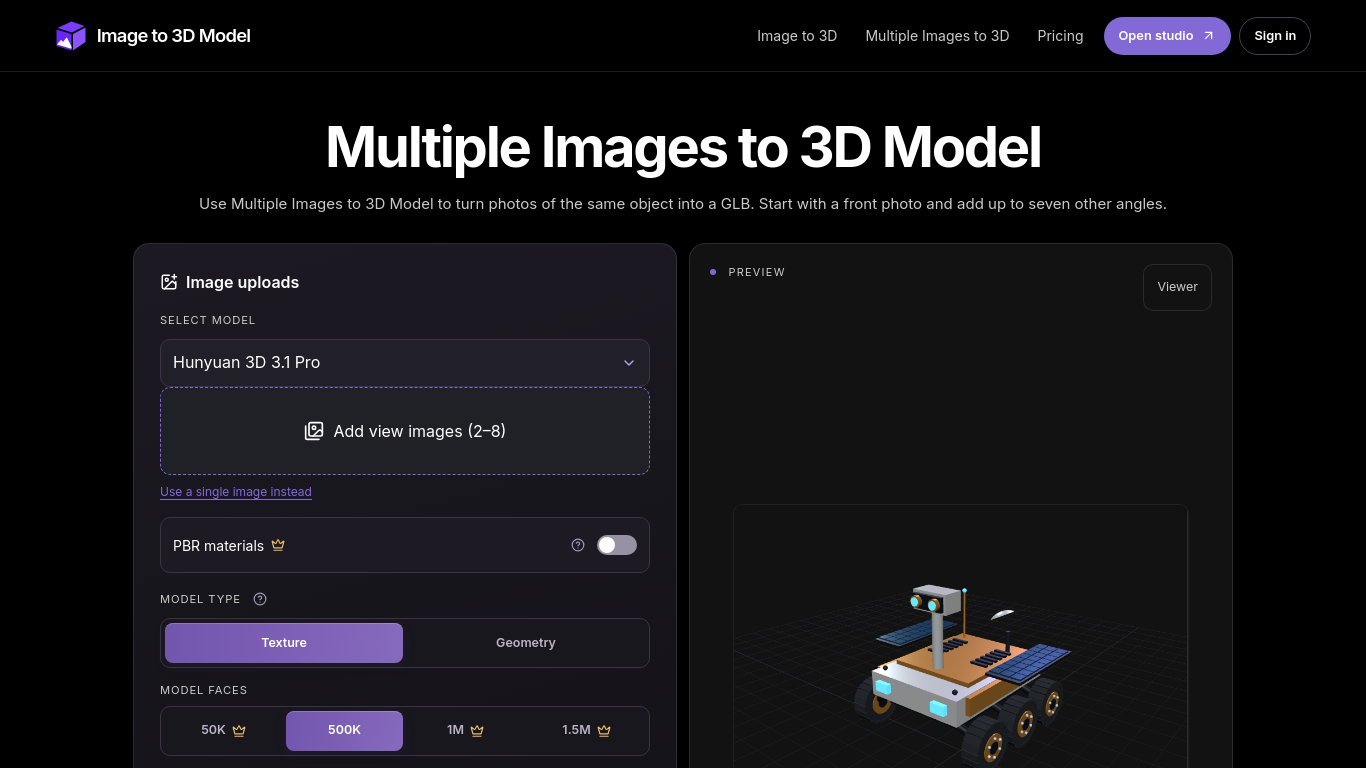
A tool that turns two to eight images of the same object into a 3D model.
Upload a front image and at least one other view, sign in, and generate a model. Compare the result with the reference images in the viewer.
Create 3D models of objects or props, such as a desk lamp, from photos taken at different angles.
Angle-labeled image uploads, GLB and STL output, model configuration options, and a 3D viewer with wireframe mode. Additional formats and options are marked Advanced.
Q: How many images can I use? A: Two to eight views, including a front image. Q: Should I use GLB or STL? A: Keep GLB for embedded materials, or export STL for slicing.
依共同分類數量及累計瀏覽量排序的相似工具,可比較功能後選擇合適的替代方案。
從參攷影像生成3D模型,檢查結果,並選擇符合條件的匯出進行編輯、查看或列印準備。
Create and customize 3D models using AI.
Discover the True Value of Your Coins and Banknotes with HeritCoin! HeritCoin is the ultimate app powered by artificial intelligence and exp
AI-powered 3D creation tool for visuals and scenes.
Transform your photo into a 3D motion video with motion parallax.
With Atlas, you can easily generate highly detailed and diverse 3D models from reference images and text. A cutting-edge generative 3D AI te
依 ToolsBot 累計瀏覽量排序的更多工具;瀏覽量相同時優先顯示較新收錄的工具。
Turn one or two photos into a short AI trend video with original audio. Pick a template, upload, generate, download the MP4 for TikTok, Reel
AI Picture Checker is a free browser tool that analyzes an uploaded image to estimate whether it was generated by AI. It can flag likely AI
Score your college essay and get line-by-line feedback on structure, argument, language and grammar.
Wishora turns a recipient’s name, one memory, and an inside joke into a personalized gift song. Free 30-second preview; unlock the full song
AI role-play practice for customer-facing teams, with live video conversations and feedback. Three free owner practice challenges; team subs
TallyClip converts messy bank-statement PDFs into clean Excel, CSV, or QuickBooks Online imports. Built for bookkeepers, accountants, and sm
產品參考連結: Image to 3D Model — 產品網站.
採用此工具前,請到產品網站核實最新功能、價格與政策。
ToolsBot 提供目錄資訊,協助發現與比較產品。收錄不代表背書,也不保證產品聲明的準確性。