Text2Go
AI rewriting tool for refining written text.
BulkCorrector is a text segmentation automation tool that allows for bulk corrections of large documents. It automatically segments the text, makes necessary edits, and reassembles the document, saving you time and effort.
게시 및 관리: ToolsBot 편집팀
| 제품 웹사이트 | BulkCorrector |
|---|---|
| 범주 |
날짜는 ToolsBot 등록 기록에 관한 것으로, 제품 출시일이나 새로운 독립 평가일을 의미하지 않습니다.
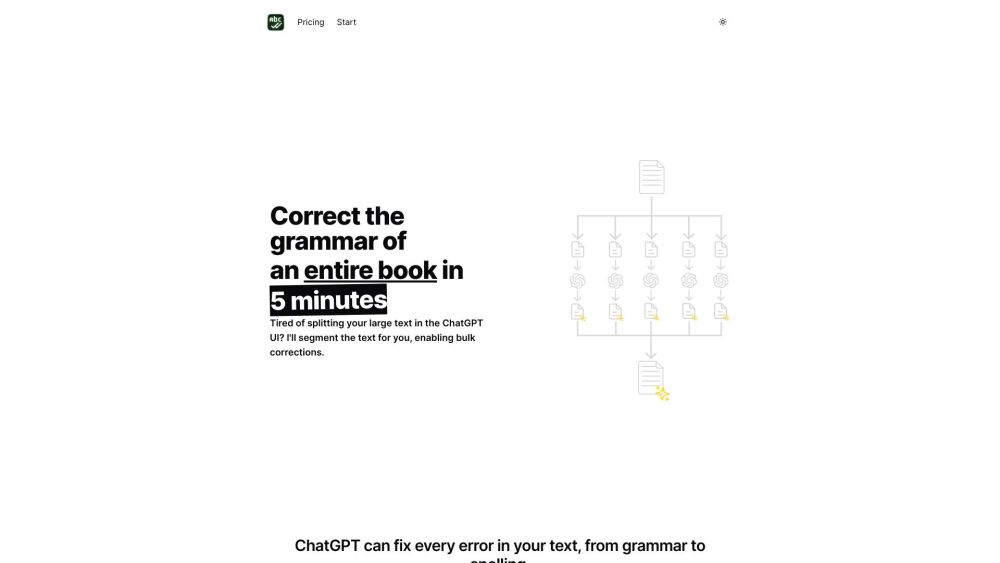
BulkCorrector is a text segmentation automation tool that allows for bulk corrections of large documents. It automatically segments the text, makes necessary edits, and reassembles the document, saving you time and effort.
To use BulkCorrector, simply upload your large document or text file to the platform. The tool will automatically segment the text into smaller sections and identify any grammatical errors. You can then review and make corrections to each segment individually or apply global changes, and BulkCorrector will reassemble the document with flawless edited text.
#1 Editing and proofreading large books or manuscripts #2 Correcting grammar in lengthy research papers #3 Reviewing and improving texts for publication #4 Ensuring flawless language in legal documents #5 Editing and correcting technical documentation
Automated text segmentation Bulk corrections for large documents Identification of grammatical errors Individual and global correction options Flawless reassembly of the document
Can BulkCorrector handle different file formats? Is the text segmentation accurate? Can I undo the corrections made by BulkCorrector? Is my data secure on BulkCorrector?
같은 카테고리의 도구를 공통 카테고리 수, 누적 조회수 순으로 표시합니다. 기능을 비교하여 적합한 대안을 찾아보세요.
AI rewriting tool for refining written text.
Free tool for creating professional resumes with AI.
Correct grammar and typos by entering a URL.
AI assistant for practicing English skills and correcting mistakes.
All-in-one AI tools for content creation and automation.
AI platform for personalized IELTS speaking practice and English learning.
ToolsBot 누적 조회수순으로 정렬한 다른 도구입니다. 조회수가 같으면 최근 등록된 도구를 먼저 표시합니다.
무료 온라인 리캡 영상 제작: 사진을 추가하고 템플릿을 선택한 다음 비트에 맞춰 편집된 MP4를 다운로드하세요. 앱 설치와 회원가입이 필요 없습니다
Telegram에서 사진을 애니메이션, 수채화, 3D 아바타 등 다양한 창작 스타일로 변환하세요. 맞춤형 사진 인사 카드도 만들 수 있습니다. 신규 계정에
제품 업데이트를 채널에 바로 활용할 수 있는 마케팅 문구와 시각 자료로 전환하세요.
AI 에이전트를 위한 LinkedIn MCP.
의류 판매자를 위한 AI 제품 사진: 의류 사진으로 모델 착용 이미지, 고스트 마네킹 이미지, 플랫레이 이미지를 만들거나 배경을 제거하세요.
AI Photo Detector는 사진이 AI로 생성되었거나 편집되었는지 확인합니다. 분류 결과, 신뢰도 및 제공되는 영역 분석을 확인할 수 있습니다. 영어와
제품 참고 링크: BulkCorrector — 제품 웹사이트.
도입 전에 제품 웹사이트에서 최신 기능, 가격 및 정책을 확인하세요.
ToolsBot은 제품 탐색과 비교를 위한 정보를 제공합니다. 등록이 제품에 대한 보증이나 주장의 정확성을 보장하지는 않습니다.