Mansaibots
Custom AI chatbot solutions tailored for businesses.
TallyClip converts messy bank-statement PDFs into clean Excel, CSV, or QuickBooks Online imports. Built for bookkeepers, accountants, and small businesses.
게시 및 관리: ToolsBot 편집팀
| 제품 웹사이트 | TallyClip |
|---|---|
| 범주 | |
| ToolsBot 등록일 | |
| 등록 정보 수정일 |
날짜는 ToolsBot 등록 기록에 관한 것으로, 제품 출시일이나 새로운 독립 평가일을 의미하지 않습니다.
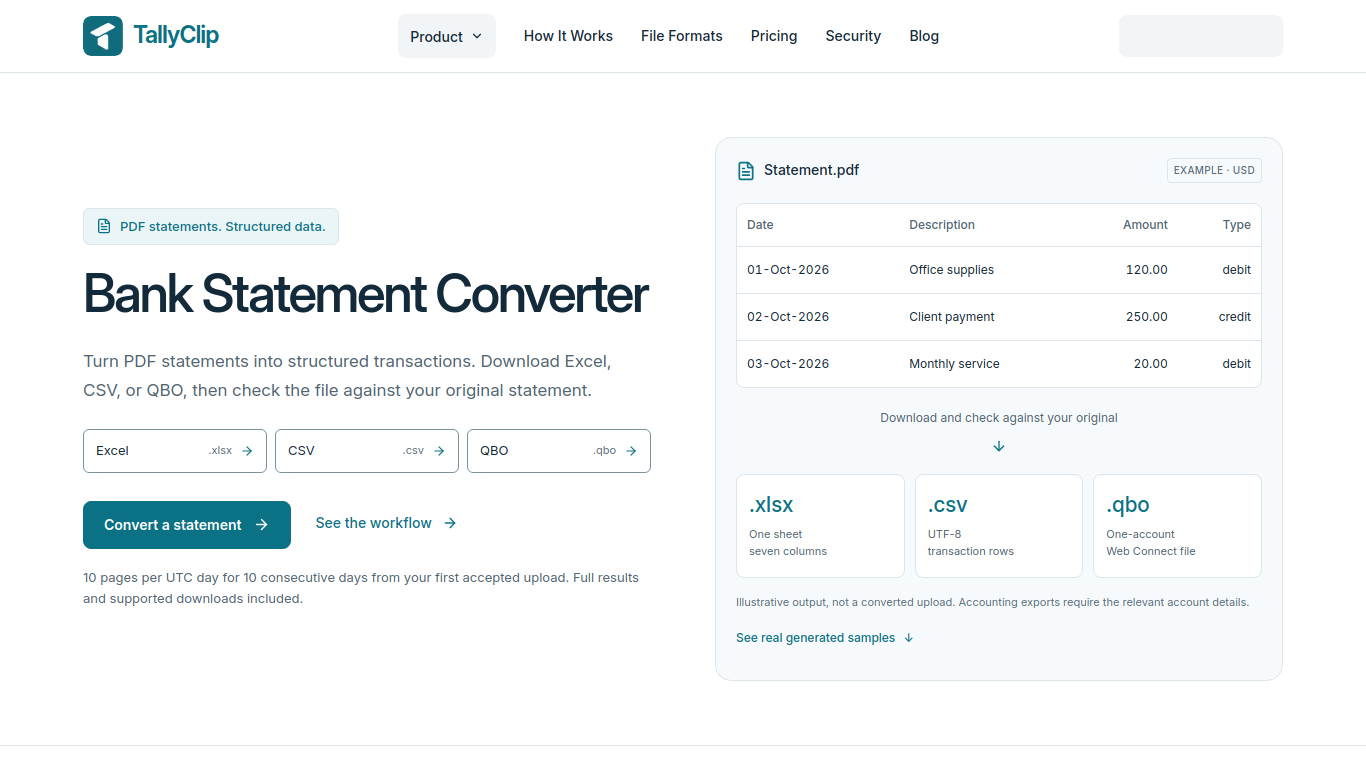
TallyClip turns messy bank-statement PDFs into structured Excel/CSV files ready for bookkeeping or QuickBooks Online import. Built for bookkeepers, accountants, and small businesses who waste hours retyping statements. A focused SaaS for converting bank statements into clean, import-ready data—without the spreadsheet grind.
Upload a digital PDF or readable English scan. The tool extracts transactions for download; users should check the results against the original statement.
Convert statement archives or client-sent documents into transaction rows for review or import.
TallyClip turns messy bank-statement PDFs into structured Excel/CSV files ready for bookkeeping or QuickBooks Online import. Built for bookkeepers, accountants, and small businesses who waste hours retyping statements. A focused SaaS for converting bank statements into clean, import-ready data—without the spreadsheet grind.
Q: Does TallyClip support scanned statements? A: It supports readable English scanned PDFs through OCR. Q: Is there free access? A: Users can process up to 10 pages per UTC day for 10 consecutive days from their first accepted upload.
같은 카테고리의 도구를 공통 카테고리 수, 누적 조회수 순으로 표시합니다. 기능을 비교하여 적합한 대안을 찾아보세요.
Custom AI chatbot solutions tailored for businesses.
AI tool for extracting data from invoices efficiently.
AI tool for web scraping and automation.
API for extracting product data from any webpage effortlessly.
AI-powered tool for chatting and interacting with PDF documents.
AI data extraction from financial documents with human-like accuracy.
ToolsBot 누적 조회수순으로 정렬한 다른 도구입니다. 조회수가 같으면 최근 등록된 도구를 먼저 표시합니다.
원하는 곡을 설명하거나 가사를 붙여넣으면 BestSong이 작곡·편곡·보컬까지 완성합니다. 스템 분리, 목소리 클론, MIDI 편집, 마스터링도 지원.
NanoAPI provides one API key and prepaid balance for AI video and image generation. Video is billed per second and images per image; no subs
Coherta combines B2B lead discovery, contact-data enrichment, lead monitoring and LinkedIn outreach. Its AI Personalisation feature creates
Web data API for AI applications and agents, returning Markdown, JSON, and structured search results.
Online AI image generator and editor built on Nano Banana 2 and other models. Make headshots, product photos and styled portraits up to 4K.
Upload one photo and AI puts you or your pet in the driver's seat of the viral "hit the road dude, this ain't state property" meme. No filmi
제품 참고 링크: TallyClip — 제품 웹사이트.
도입 전에 제품 웹사이트에서 최신 기능, 가격 및 정책을 확인하세요.
ToolsBot은 제품 탐색과 비교를 위한 정보를 제공합니다. 등록이 제품에 대한 보증이나 주장의 정확성을 보장하지는 않습니다.