Backx.ai
AI platform for rapid backend development and automation.
Zist is a revolutionary code snippets manager that allows you to easily organize and access your code snippets and GitHub Gists in one intuitive platform. With AI-based auto-tagging, advanced search, and a user-friendly editor, Zist turns coding chaos into streamlined success.
게시 및 관리: ToolsBot 편집팀
| 제품 웹사이트 | Zist |
|---|---|
| 범주 |
날짜는 ToolsBot 등록 기록에 관한 것으로, 제품 출시일이나 새로운 독립 평가일을 의미하지 않습니다.
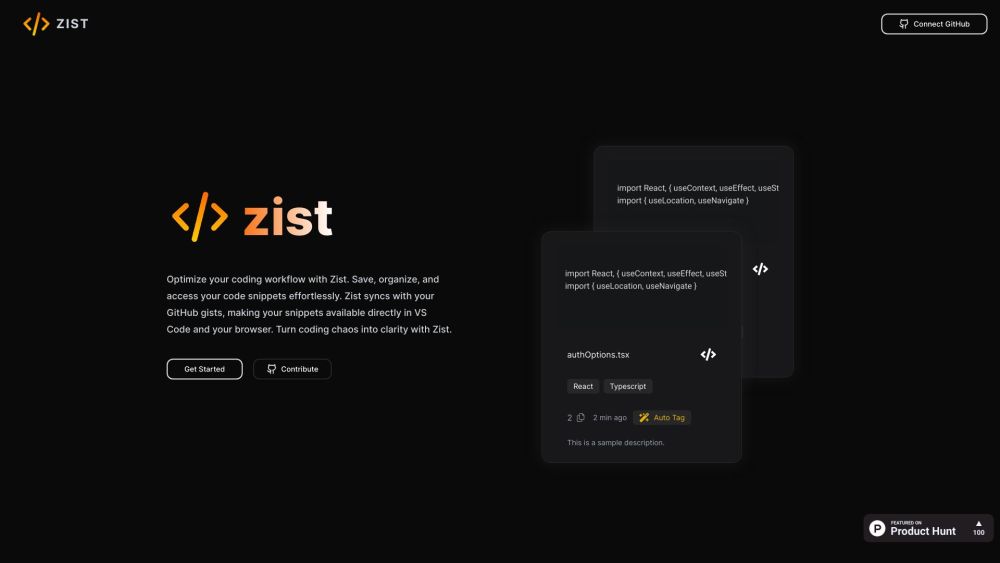
Zist is a revolutionary code snippets manager that allows you to easily organize and access your code snippets and GitHub Gists in one intuitive platform. With AI-based auto-tagging, advanced search, and a user-friendly editor, Zist turns coding chaos into streamlined success.
To use Zist, simply sign up for an account and connect your GitHub account. Once connected, you can start saving, organizing, and accessing your code snippets effortlessly. Zist syncs with your GitHub Gists, making your snippets available directly in VS Code and your browser. You can also use the AI-based auto-tagging feature to automatically tag your snippets for easy searching.
#1 Organize code snippets #2 Access code snippets easily #3 Improve coding workflow #4 Increase coding productivity
Code snippets management GitHub Gist integration AI-based auto-tagging Advanced search User-friendly editor Sync with VS Code and browser
How does Zist help improve coding efficiency? Can I sync my code snippets with VS Code and my browser? Is Zist free to use?
같은 카테고리의 도구를 공통 카테고리 수, 누적 조회수 순으로 표시합니다. 기능을 비교하여 적합한 대안을 찾아보세요.
AI platform for rapid backend development and automation.
AI-powered development environment for easy web application management.
AI coding assistance for developers in IDEs
AI tool for generating terminal commands easily.
Squire AI is a context-aware agent that assists in writing pull request descriptions, reviewing PRs, and learning individual code review pre
CodeHugo is an AI mentor platform powered by GPT for engineers to enhance their coding skills.
ToolsBot 누적 조회수순으로 정렬한 다른 도구입니다. 조회수가 같으면 최근 등록된 도구를 먼저 표시합니다.
MP3, M4A, WAV, MP4 및 기타 미디어 파일을 텍스트로 변환하는 온라인 도구입니다.
데이터 스토리, 화이트보드, 키노트 스타일로 제작할 수 있습니다. AI가 15-60초 분량의 영상 대본을 쓰고, 내레이션을 녹음하고, 그림을 그리고, 음
순서에 상관없이 말하거나 음성 메모를 업로드하면 제목, 글머리 기호, 할 일 목록이 포함된 깔끔한 노트를 받을 수 있습니다. 이메일, 일기, 강의 노
서비스 차량 2 10대를 운영하는 현장 서비스 업체를 위한 SMS 중심 배차 소프트웨어입니다. 기술자는 앱을 설치할 필요 없이 문자에 답장하면 됩니다.
텍스트나 사진을 인쇄 가능한 색칠 공부 페이지로, 사진을 만화풍 초상화로 변환하는 무료 AI 색칠 공부 페이지 생성기입니다.
AI 캐릭터와 채팅하고 인터랙티브 스토리를 즐겨보세요. 나만의 가상 캐릭터를 만들고 텍스트 기반 역할극을 경험할 수 있습니다.
제품 참고 링크: Zist — 제품 웹사이트.
도입 전에 제품 웹사이트에서 최신 기능, 가격 및 정책을 확인하세요.
ToolsBot은 제품 탐색과 비교를 위한 정보를 제공합니다. 등록이 제품에 대한 보증이나 주장의 정확성을 보장하지는 않습니다.