VirtualStaging.tools
AI virtual staging and furniture removal for real estate photos. Compare generated images with originals and choose final listing photos. Th
Architectural concept renders from sketches and model screenshots, with localized editing, enhancement and version management in a browser-based Studio.
Published and maintained by ToolsBot Editorial Team
| Product website | Airender |
|---|---|
| Category | |
| Listed on ToolsBot | |
| Listing record updated |
Dates refer to this ToolsBot listing, not the product’s launch date or a new independent review.
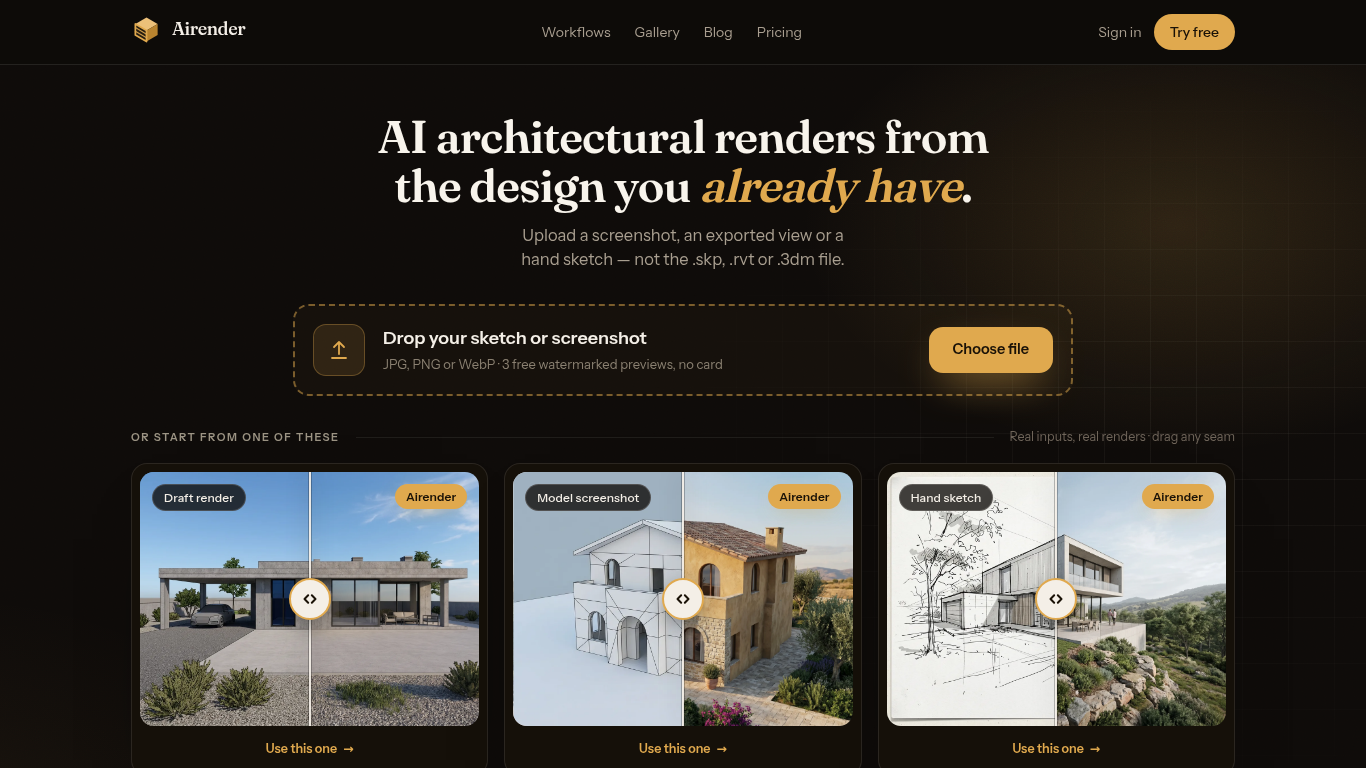
Airender is for architects and interior designers working from sketches or exported SketchUp and Revit views. Inputs are images, not native CAD/BIM files. Three watermarked previews are available; paid plans include commercial exports.
Upload a JPG, PNG or WebP image, choose a style and fidelity setting, and generate a render in the browser. Native model files are not supported.
Create and compare architectural concept renders from sketches or exported model views.
Concept rendering Localized image edits Image enhancement Version management
Q: Does Airender accept SketchUp or Revit files? A: No. Upload a screenshot or exported image instead. Q: What is included for free? A: Three watermarked previews after sign-in, without commercial rights. Q: Can renders be used commercially? A: Paid plans include a commercial license.
Tools in the same categories, ranked by shared categories and then total views. Compare their features to find a suitable alternative.
AI virtual staging and furniture removal for real estate photos. Compare generated images with originals and choose final listing photos. Th
Free bathroom remodel and deck cost calculators. Get a planning estimate range by size, scope and tier, with itemized material and labor cos
RoomFloat uses AI to generate interior design previews from room photos, helping users explore styles and compare room redesigns.
Floor Plan AI turns a room list, plot size, or rough sketch into 2D, 2.5D, or 3D floor plan concepts.
Explore GetRender's AI architectural rendering tools for buildings, interiors, and landscapes, from sketch-to-render to design presentations
输入一段文字描述或上传草图,即可在几分钟内生成符合制图规范的专业平面图,无需 CAD 基础。
More tools to explore, ranked by total views on ToolsBot. Newer listings come first when view counts are equal.
All-in-one AI creative studio for generating images, videos, music, and voiceovers.
Magi2AI is an independent web application powered by Sand.ai MAGI-2 for generating cinematic 1080p AI videos with native synchronized audio
Connect ChatGPT, Claude and developer clients to real-time and historical market data for US stocks, Forex, commodities and crypto through S
AI faceless video generator: turn any topic into a voiced, captioned short for YouTube Shorts, TikTok and Reels in minutes. No camera. Try o
Explore planting ideas from yard photos: named areas, plant suggestions, area refinements and a shareable brief. Public Beta includes six on
AI book cover design for independent authors. Generate genre-guided artwork, edit typography, and prepare ebook covers and paperback wraps.
Product reference: Airender — Product website.
Check the product website for current capabilities, pricing and policies before adopting this tool.
ToolsBot provides directory information for discovery and comparison. A listing is not an endorsement or a guarantee of product claims.