TailorTask
Automate tasks using AI agents to save time and reduce repetitive work.
A no-code tool for data querying and analytics. Leverage generative AI to work with your unstructured data.
Published and maintained by ToolsBot Editorial Team
| Product website | Tomat |
|---|---|
| Category |
Dates refer to this ToolsBot listing, not the product’s launch date or a new independent review.
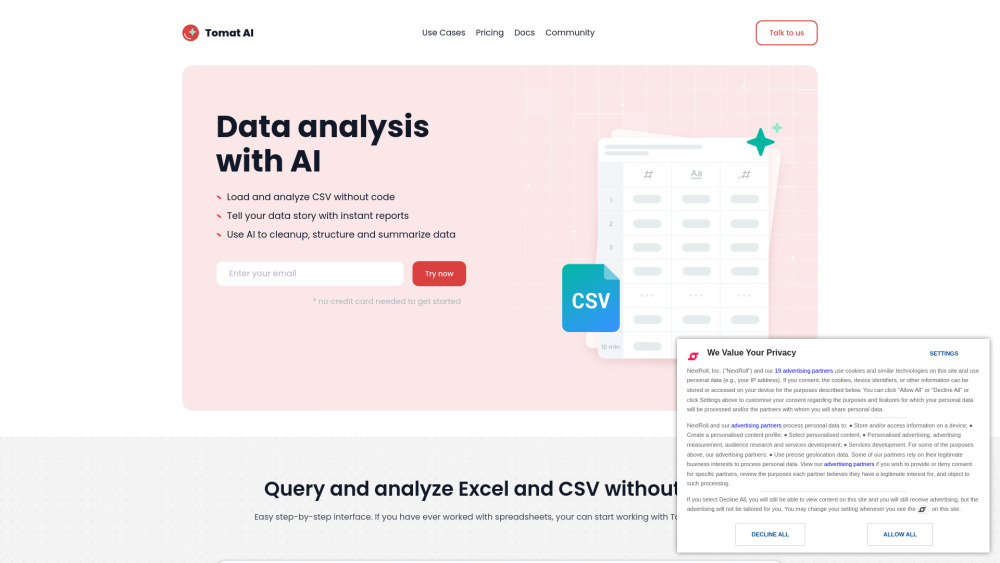
Tomat is a data preparation and analytics no-code tool that works perfectly with datasets of any size. Load CSV and Excel files or connect to PostgreSQL or Snowflake databases with one click. The intuitive step-by-step interface lets you clean up, merge, and transform your data. Use AI for complex analysis, such as sentiment analysis, data extraction, or summarization.
Open files of any size and add visual transformation steps to filter, group, or merge data — access over 20 visual transforms and 150+ functions. Add new columns with AI to extract, summarize, or clean up data. Automate your workflow — every step you create is saved and can be reapplied to new data with a single click. Export cleaned data to Excel or CSV, or create dynamic reports with powerful charts and custom text.
#1 Data cleanup and transform #2 Data analysis #3 Data automation #4 Data reporting #5 Sentiment analysis #6 Text summarization #7 Data standartization #8 Data formatting #9 Personalizing emails #10 Generating product descriptions #11 Generating content in bulk #12 Marketing reporting
Load files of any size (CSV, Excel) or connect your database Query and analyze datasets without code Use 20+ visual transforms and 150+ functions Build reports with powerful charts and custom text Run data transformation at scale Ask AI to make complex analyses, from summarizing to sentiment analytics Create visual workflows for multi-step chain prompts Automate data workflows Generate or enrich data in bulk
What are the use cases of using AI in Tomat? What skills are needed to start working with Tomat? Is Tomat safe and secure to use? Security and AI How to use AI? How to buy AI credits? What platforms does you support?
Tools in the same categories, ranked by shared categories and then total views. Compare their features to find a suitable alternative.
Automate tasks using AI agents to save time and reduce repetitive work.
An AI tool to audit and optimize online forms.
AI marketing platform for website and content creation.
No-code platform for fine-tuning AI models easily.
AI-powered platform for web development and digital marketing.
AI email builder for quick, high-converting email creation
More tools to explore, ranked by total views on ToolsBot. Newer listings come first when view counts are equal.
Free online recap video maker: add your photos, pick a template, download a beat-synced MP4. No app, no sign-up. Photos deleted after your v
Transform photos into anime, watercolor, 3D avatars and other creative styles inside Telegram. Make personalized photo greeting cards. New a
Turn product updates into channel-ready marketing copy and visuals.
The LinkedIn MCP for AI agents.
AI product photography for clothing sellers: create on-model, ghost mannequin and flat lay images from garment photos, or remove backgrounds
AI Photo Detector checks photos for AI generation and editing. View classification, confidence and available region analysis. English and Ch
Product reference: Tomat — Product website.
Check the product website for current capabilities, pricing and policies before adopting this tool.
ToolsBot provides directory information for discovery and comparison. A listing is not an endorsement or a guarantee of product claims.