TailorTask
Automate tasks using AI agents to save time and reduce repetitive work.
A no-code tool for data querying and analytics. Leverage generative AI to work with your unstructured data.
Veröffentlicht und gepflegt von ToolsBot-Redaktion
| Produktwebsite | Tomat |
|---|---|
| Kategorie |
Die Daten beziehen sich auf den ToolsBot-Eintrag, nicht auf den Produktstart oder eine neue unabhängige Prüfung.
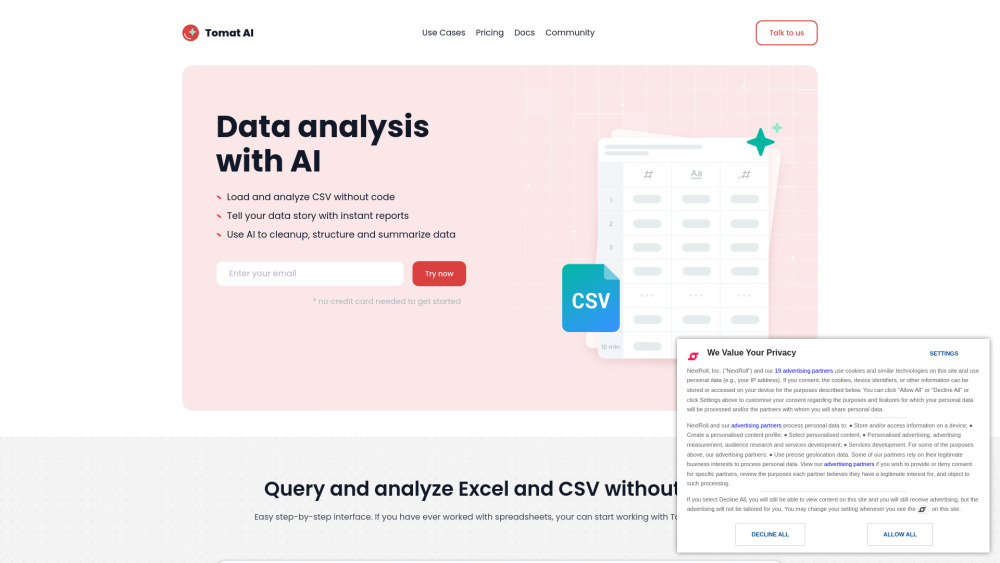
Tomat is a data preparation and analytics no-code tool that works perfectly with datasets of any size. Load CSV and Excel files or connect to PostgreSQL or Snowflake databases with one click. The intuitive step-by-step interface lets you clean up, merge, and transform your data. Use AI for complex analysis, such as sentiment analysis, data extraction, or summarization.
Open files of any size and add visual transformation steps to filter, group, or merge data — access over 20 visual transforms and 150+ functions. Add new columns with AI to extract, summarize, or clean up data. Automate your workflow — every step you create is saved and can be reapplied to new data with a single click. Export cleaned data to Excel or CSV, or create dynamic reports with powerful charts and custom text.
#1 Data cleanup and transform #2 Data analysis #3 Data automation #4 Data reporting #5 Sentiment analysis #6 Text summarization #7 Data standartization #8 Data formatting #9 Personalizing emails #10 Generating product descriptions #11 Generating content in bulk #12 Marketing reporting
Load files of any size (CSV, Excel) or connect your database Query and analyze datasets without code Use 20+ visual transforms and 150+ functions Build reports with powerful charts and custom text Run data transformation at scale Ask AI to make complex analyses, from summarizing to sentiment analytics Create visual workflows for multi-step chain prompts Automate data workflows Generate or enrich data in bulk
What are the use cases of using AI in Tomat? What skills are needed to start working with Tomat? Is Tomat safe and secure to use? Security and AI How to use AI? How to buy AI credits? What platforms does you support?
Tools aus denselben Kategorien, sortiert nach gemeinsamen Kategorien und dann nach Gesamtaufrufen. Vergleiche die Funktionen, um eine passende Alternative zu finden.
Automate tasks using AI agents to save time and reduce repetitive work.
An AI tool to audit and optimize online forms.
AI marketing platform for website and content creation.
No-code platform for fine-tuning AI models easily.
AI-powered platform for web development and digital marketing.
AI email builder for quick, high-converting email creation
Weitere Tools nach Gesamtaufrufen auf ToolsBot. Bei gleicher Aufrufzahl erscheinen neuere Einträge zuerst.
Ein Online-Konverter für die Umwandlung von Audio in Text für MP3, M4A, WAV, MP4 und andere Mediendateien.
Data-Story-, Whiteboard- und Keynote-Looks; die KI schreibt das Skript, spricht den Kommentar, zeichnet und vertont einen 15-60 Sekunden lan
Sprich in beliebiger Reihenfolge oder lade eine Sprachnotiz hoch und erhalte übersichtliche Notizen mit Überschriften, Aufzählungspunkten un
SMS-basierte Einsatzplanung für Außendienstbetriebe mit 2–10 Einsatzfahrzeugen. Techniker müssen keine App installieren – sie antworten auf
Kostenloser KI-Ausmalbildgenerator, der Texte oder Fotos in ausdruckbare Ausmalbilder und Fotos in Cartoon-Porträts verwandelt.
KI-Charakter-Chat und interaktives Geschichtenerzählen. Erstelle eigene fiktive Charaktere und entdecke textbasiertes Rollenspiel.
Produktreferenz: Tomat — Produktwebsite.
Prüfe aktuelle Funktionen, Preise und Richtlinien auf der Produktwebsite, bevor du das Tool einsetzt.
ToolsBot hilft bei der Suche und beim Vergleich. Ein Eintrag ist keine Empfehlung oder Garantie für Produktangaben.