Airender
在瀏覽器版 Studio 中,從草圖和模型截圖製作建築概念效果圖,並進行局部編輯、影像增強和版本管理。
AI home, kitchen, and landscape design visualizer: upload a room or yard photo and preview paint, cabinetry, landscaping, and lighting while Structure Lock keeps real walls and windows fixed.
發布與維護: ToolsBot 編輯團隊
| 產品網站 | PlanRemodel |
|---|---|
| 分類 | |
| ToolsBot 收錄日期 | |
| 收錄紀錄更新日期 |
日期僅表示 ToolsBot 收錄紀錄的時間,不代表產品上線時間或完成了新的獨立評測。
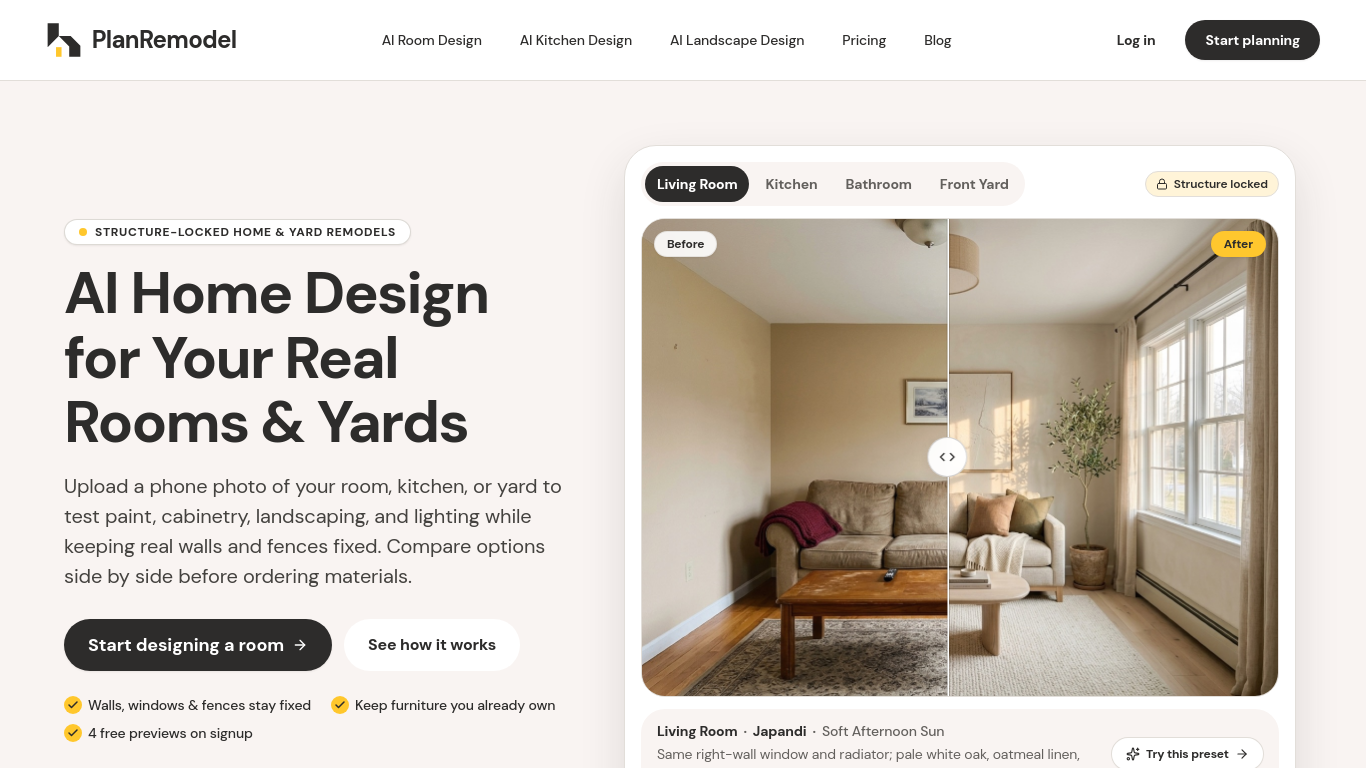
PlanRemodel is a web-based AI home, kitchen, and landscape design visualizer for homeowners and renters. Upload an eye-level smartphone photo of a room, kitchen, or yard to test ideas before spending money on a remodel.
Upload an eye-level photo or describe a space, then select styles, lighting, and design options to generate and compare previews.
Homeowners and renters can compare paint, cabinetry, furnishings, lighting, and landscaping ideas before buying materials or starting a remodel.
Structure Lock keeps walls, windows, plumbing, and fences fixed; 12 interior styles; 6 lighting moods; keep existing furniture; compare up to 4 looks side by side; 4 free previews per account, optional Pro plan and credit packs.
Q: Can I use PlanRemodel without a photo? A: Yes. Text to Design lets you describe a space. Q: Does it accept floor plans? A: No. It uses eye-level photos or written descriptions. Q: Are the previews construction documents? A: No. They are visual references; details should be verified with a licensed professional.
依共同分類數量及累計瀏覽量排序的相似工具,可比較功能後選擇合適的替代方案。
在瀏覽器版 Studio 中,從草圖和模型截圖製作建築概念效果圖,並進行局部編輯、影像增強和版本管理。
為房地產照片提供 AI 虛擬家具布置與家具移除服務。比較生成圖片與原始照片,並選擇最終刊登照片。免費試用包含三張帶浮水印的照片;之後使用需付費。
免費的浴室翻新與露台造價計算器。根據面積、工程範圍和等級取得規劃用的估算範圍,並查看逐項材料和人工成本、各州調整及公開資料來源。
RoomFloat 使用 AI 根據房間照片生成室內設計預覽,幫助使用者探索不同風格並比較房間改造方案。
Floor Plan AI 可將房間清單、地塊尺寸或粗略草圖轉換為 2D、2.5D 或 3D 平面配置概念圖。
探索GetRender的AI建築渲染工具,用於建築、室內和景觀,從草圖到渲染再到設計演示。
依 ToolsBot 累計瀏覽量排序的更多工具;瀏覽量相同時優先顯示較新收錄的工具。
Generate short 1080p videos with synchronized audio from prompts, images, or reference media. Sign up to open the studio immediately.
Glasshand is a visible, reviewable workspace for AI agents doing screen-based work. Hand over the task, watch the next move, and keep the fi
An LLM frontend for power users who want deep control over characters, prompts and local models.
HappyShrimp is an all-in-one AI music platform. Turn one line into a full song - lyrics, vocals and production included.
AI直充 提供 GPT 5.6 订阅代充服务,支持微信支付、订单查询和失败退款。
Capafy AI is a marketplace for expert AI agent Skills. Users can find agents for research, video, image, finance, commerce, marketing, writi
產品參考連結: PlanRemodel — 產品網站.
採用此工具前,請到產品網站核實最新功能、價格與政策。
ToolsBot 提供目錄資訊,協助發現與比較產品。收錄不代表背書,也不保證產品聲明的準確性。