Empress
Empress is an on-demand automation service that helps businesses automate their operations and cut costs. With a simple monthly fee, busines
Search all your apps and files in one place
发布与维护: ToolsBot 编辑团队
| 产品网站 | Curiosity |
|---|---|
| 分类 |
日期仅表示 ToolsBot 收录记录的时间,不代表产品上线时间或完成了新的独立评测。
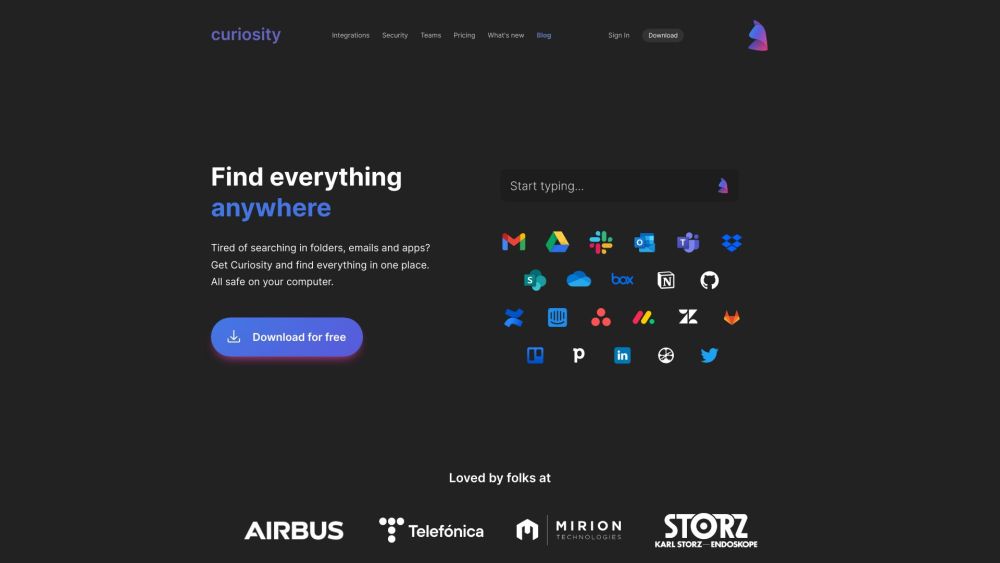
Search all your apps and files in one place
Download and install Curiosity on your device. Open the app and start typing to search for files, emails, events, and more. Use commands and shortcuts to perform actions like opening apps or locking your computer. Tag your most useful files for quick access. Save searches and instantly access what you need.
#1 Combine and manage all your email accounts in one place #2 See all your events and join meetings instantly #3 Quickly open your favorite apps with just a few keystrokes #4 Get one blazingly fast search for all your local files and cloud apps #5 Search websites like Google Maps or Wiki with a shortcut #6 Find files and messages magically sorted by contact
Search all apps and files in one place Quick-reply and forward emails directly from the app View and join events across calendars and accounts Sort documents and emails by contact Sync contacts and related data from all your apps Tag your most useful files for quick access Save searches and instantly access what you need
What does Curiosity do? How do I use Curiosity? Can I sync my email accounts with Curiosity? Is my data safe with Curiosity?
按共同分类数量及累计浏览量排序的相似工具,可比较功能后选择合适的替代方案。
Empress is an on-demand automation service that helps businesses automate their operations and cut costs. With a simple monthly fee, busines
Humy is a product that enables customers to create and deploy AI assistants that are trained with custom data without writing code.
TerraPrime is a broker-free platform revolutionizing commercial real estate by directly connecting developers with investors globally. Its T
Discover the True Value of Your Coins and Banknotes with HeritCoin! HeritCoin is the ultimate app powered by artificial intelligence and exp
AI platform for automating daily work tasks.
AI workspace enabling professionals to enhance their business workflows.
按 ToolsBot 累计浏览量排序的更多工具;浏览量相同时优先展示较新收录的工具。
一款在线音频转文字转换器,支持 MP3、M4A、WAV、MP4 等媒体文件。
提供数据故事、白板和演示文稿风格;AI 撰写脚本、配音、绘制画面并配乐,生成一部 15-60 秒且带有 SRT 字幕的视频。
想到什么就说什么,或上传语音备忘录,即可获得包含标题、要点和待办事项清单的整洁笔记,也可以用自己的话生成电子邮件、日记、课堂笔记或文章初稿,
以短信为主要沟通方式的调度软件,适用于拥有 2–10 辆服务车辆的外勤服务公司。技术人员无需安装应用,只需回复短信。统一定价,每月 $49 起,绝不按
免费 AI 涂色页生成器,可将文字或照片转换为可打印的涂色页,还能将照片转换为卡通肖像。
AI 角色聊天与互动故事创作。创建自定义虚构角色,探索文字角色扮演。
产品参考链接: Curiosity — 产品网站.
采用此工具前,请到产品网站核实最新功能、价格与政策。
ToolsBot 提供目录信息,帮助发现与比较产品。收录不代表背书,也不保证产品声明的准确性。