Arvin - AI Assistant
A free ChatGPT Chrome extension powered by GPT-4, providing AI assistant for AI art, summaries, and content creation.
AI in any app. In-context AI writing assistant for macOS
发布与维护: ToolsBot 编辑团队
| 产品网站 | Kerlig |
|---|---|
| 分类 |
日期仅表示 ToolsBot 收录记录的时间,不代表产品上线时间或完成了新的独立评测。
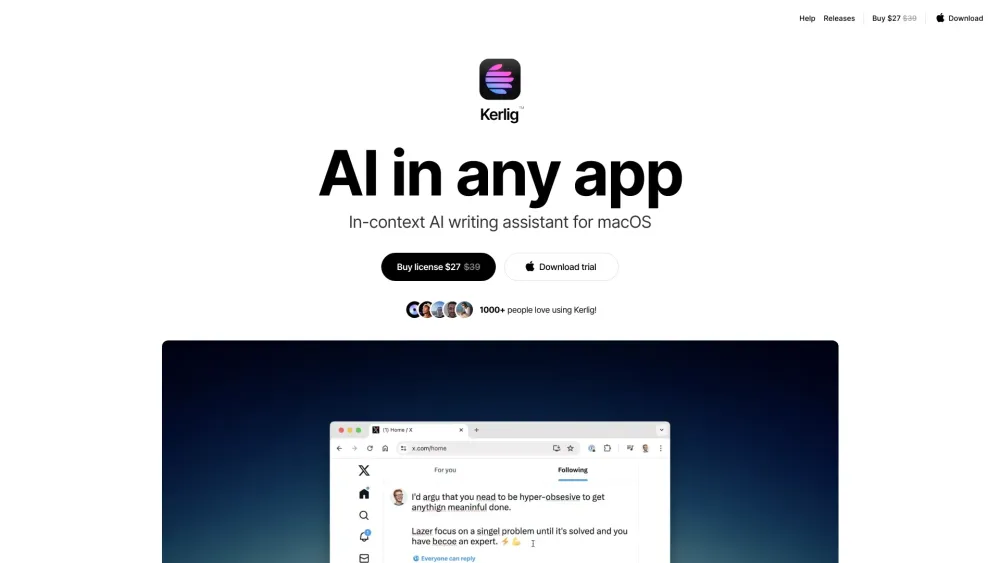
AI in any app. In-context AI writing assistant for macOS
Launch by selecting text in any app, perform actions like fixing spelling and changing tone, paste generated text back
#1 Crafting perfectly toned messages #2 Improving copy in Figma
Fix spelling before sending messages Summarize websites and articles Chat with PDFs and documents Translate to any language
How does it work? What models are supported? How much will it cost me? What is the context window limit? How is the performance? How does license work? What's the refund policy?
按共同分类数量及累计浏览量排序的相似工具,可比较功能后选择合适的替代方案。
A free ChatGPT Chrome extension powered by GPT-4, providing AI assistant for AI art, summaries, and content creation.
An AI-powered desktop app that acts as your personal assistant
A tool to elevate your writing with AI-powered suggestions
AI email management tool for automating tasks and achieving Inbox Zero.
AI platform for automated review management and response for SMBs.
AI tool for crafting responses to emails and social media.
按 ToolsBot 累计浏览量排序的更多工具;浏览量相同时优先展示较新收录的工具。
Record your screen in the browser, cut video by editing the transcript, and share a link viewers can open without an account. Turn recording
Linger is a local-first Mac app for collecting and comparing design references. Save images with their source links and notes, find referenc
Convert photos, scans and screenshots into editable text without uploading your images or signing up.
Upload a photo, poster or sign, type what the words should say, and get the same image back with the new text matched to the original font s
Press Start and talk: each sentence lands in your document about a second after you say it, with punctuation, in English, Chinese or both mi
FindLeadEmails finds work emails from a person's name and a company domain. It checks each address against the mail server before returning
产品参考链接: Kerlig — 产品网站.
采用此工具前,请到产品网站核实最新功能、价格与政策。
ToolsBot 提供目录信息,帮助发现与比较产品。收录不代表背书,也不保证产品声明的准确性。