Synapse Tutor
Synapse is a human-like personal AI tutor that teaches you the basics of AI on your own pace using interactive simulations.
The Duolingo for coders! Learn coding with gamification & AI
Veröffentlicht und gepflegt von ToolsBot-Redaktion
| Produktwebsite | Codeo |
|---|---|
| Kategorie |
Die Daten beziehen sich auf den ToolsBot-Eintrag, nicht auf den Produktstart oder eine neue unabhängige Prüfung.
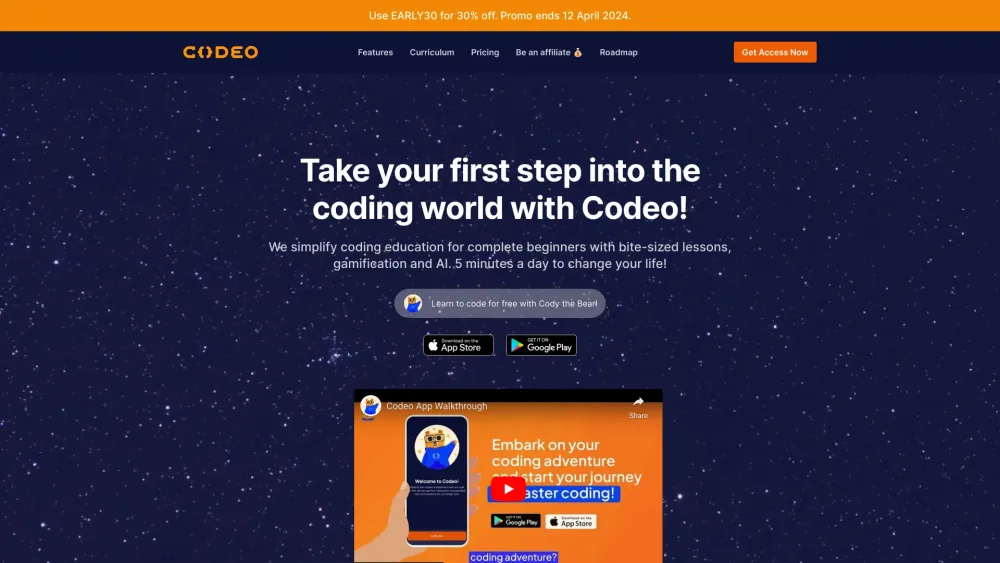
The Duolingo for coders! Learn coding with gamification & AI
Sign up for an account, choose your subscription plan, and start learning coding through gamified courses, interactive exercises, and real-world projects. Track your progress, earn certificates, and explore various coding languages and career paths.
#1 Complete beginners wanting to learn coding #2 Individuals looking to upskill with code #3 Career changers entering the tech industry #4 People with limited time for learning
Gamified learning experience Bite-sized lessons and exercises AI-powered real-time elaboration on tech terms Translation feature for non-English speakers Analogies of coding concepts explained by real-life heroes Learning streaks and goal setting Hands-on coding projects Code playground for experimentation Leaderboards for friendly competition
What are the main benefits of Codeo Pro? How can I upgrade to the Pro version? Is there a free trial available for the Pro plan? Can I switch from the Free version to the Pro version at any time? Which subscription plans do you offer? How can I delete my account? Do you offer group subscriptions or volume purchases? How can I update my payment method? How do I cancel my subscription? Does the subscription renew automatically?
Tools aus denselben Kategorien, sortiert nach gemeinsamen Kategorien und dann nach Gesamtaufrufen. Vergleiche die Funktionen, um eine passende Alternative zu finden.
Synapse is a human-like personal AI tutor that teaches you the basics of AI on your own pace using interactive simulations.
CodeKidz is the first AI-powered programming learning platform for kids, featuring AI teachers to teach Python basics, problem-solving, and
Natural language tool for codebase editing.
LabEx is an interactive, hands-on learning platform dedicated to coding and technology. It combines labs, AI assistance, and virtual machine
Master coding through immersive, hands-on learning, seamlessly integrating it into your daily routine, all without the need for downloads or
A GPT-4 based tutor, enabling you to get real-time help and feedback for your programming problems, directly in our online playground.
Weitere Tools nach Gesamtaufrufen auf ToolsBot. Bei gleicher Aufrufzahl erscheinen neuere Einträge zuerst.
Kostenloser Online-Editor für Rückblickvideos: Fotos hinzufügen, Vorlage auswählen und ein auf den Beat abgestimmtes MP4 herunterladen. Kein
Verwandle Fotos direkt in Telegram in Anime, Aquarelle, 3D-Avatare und andere kreative Stile. Erstelle personalisierte Foto-Grußkarten. Neue
Verwandle Produktupdates in kanalreife Marketingtexte und visuelle Inhalte.
Das LinkedIn MCP für KI-Agenten.
KI-Produktfotografie für Kleidungshändler: Erstelle aus Kleidungsfotos Bilder mit Models, Ghost-Mannequin- und Flat-Lay-Bilder oder entferne
AI Photo Detector prüft Fotos auf KI-Generierung und Bearbeitung. Zeigen Sie die Klassifizierung, den Konfidenzwert und gegebenenfalls eine
Produktreferenz: Codeo — Produktwebsite.
Prüfe aktuelle Funktionen, Preise und Richtlinien auf der Produktwebsite, bevor du das Tool einsetzt.
ToolsBot hilft bei der Suche und beim Vergleich. Ein Eintrag ist keine Empfehlung oder Garantie für Produktangaben.