AI Photo Studio
Transform photos into anime, watercolor, 3D avatars and other creative styles inside Telegram. Make personalized photo greeting cards. New a
Free online recap video maker: add your photos, pick a template, download a beat-synced MP4. No app, no sign-up. Photos deleted after your video is made.
Veröffentlicht und gepflegt von ToolsBot-Redaktion
| Produktwebsite | RecapTemplate |
|---|---|
| Kategorie | |
| Auf ToolsBot gelistet | |
| Eintrag aktualisiert |
Die Daten beziehen sich auf den ToolsBot-Eintrag, nicht auf den Produktstart oder eine neue unabhängige Prüfung.
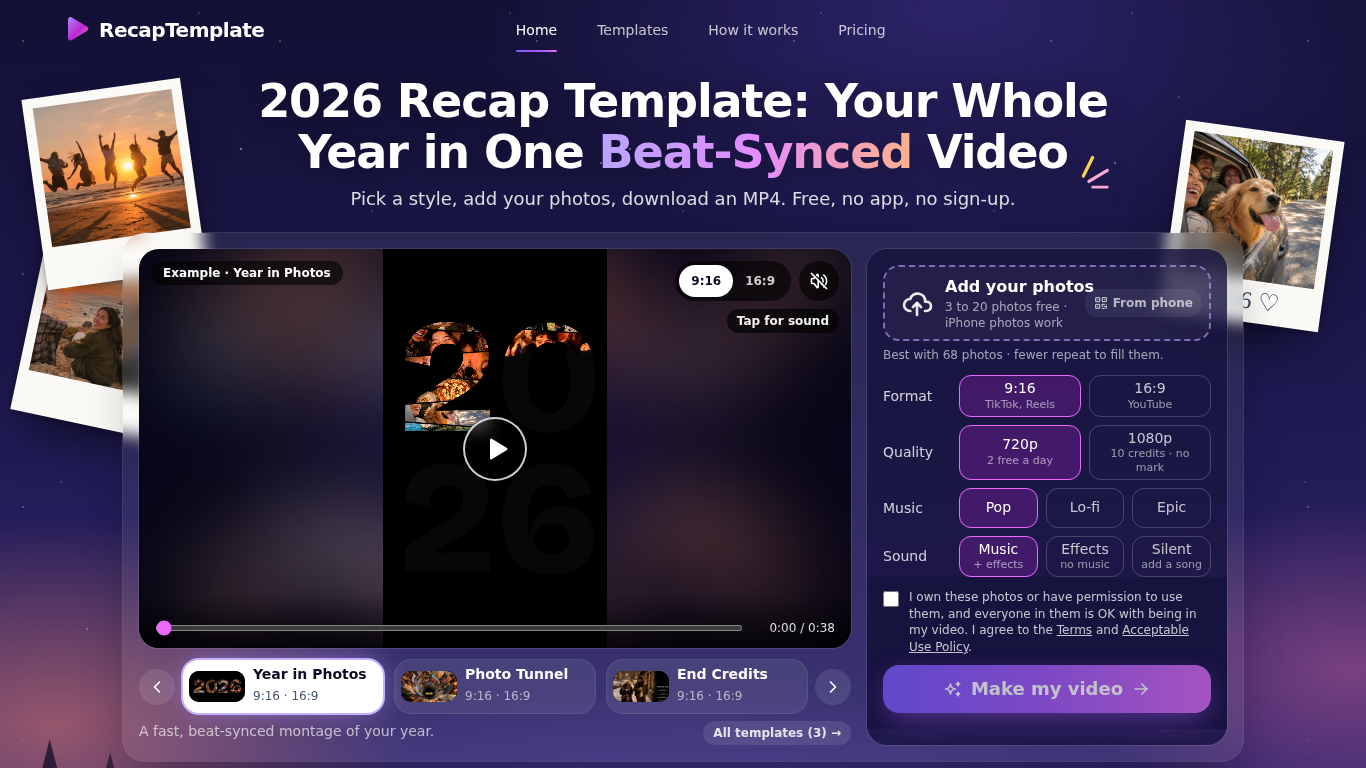
RecapTemplate turns your photos into a beat-synced recap video in the browser. Three templates (Year in Photos, Photo Tunnel, End Credits), 9:16 and 16:9, music Pop / Lo-fi / Epic. Free: up to 20 photos, 2 videos per day at 720p with a small watermark. Photos are uploaded to our servers and deleted when the video is made.
Choose a template and format, add photos, select sound options, and make the video in a browser.
Create year-in-review videos for TikTok, Reels, or YouTube.
Beat-synced recap videos, 3 templates, 9:16 and 16:9, MP4 download, no sign-up
Q: How many photos can I use? A: Three to 20 for free, or up to 120 for a 1080p video with credits. Q: What happens to my photos? A: The site says they are deleted once the video is made.
Tools aus denselben Kategorien, sortiert nach gemeinsamen Kategorien und dann nach Gesamtaufrufen. Vergleiche die Funktionen, um eine passende Alternative zu finden.
Transform photos into anime, watercolor, 3D avatars and other creative styles inside Telegram. Make personalized photo greeting cards. New a
Image Text Eraser entfernt sichtbaren Text aus Fotos und Screenshots und rekonstruiert den Hintergrund. Berechtigte verifizierte Konten erha
RemoveText entfernt sichtbare Schrift aus Fotos und stellt den verdeckten Hintergrund wieder her. Laden Sie bis zu 10 Bilder gleichzeitig im
Lade ein Foto hoch, wähle aus, wie viele Pfund du ab- oder zunehmen möchtest, und die KI zeigt ein realistisches Ganzkörper-Vorher-Nachher-B
Lade ein Selfie hoch und probiere in etwa 20 Sekunden 112 Frisuren oder 36 Haarfarben an deinem eigenen Gesicht aus. Nimm das Bild anschließ
Ravana is an AI face swap bot for photos and videos in Telegram. New users get free credits. Use Multi-Face, batch swaps, Enhanced quality a
Weitere Tools nach Gesamtaufrufen auf ToolsBot. Bei gleicher Aufrufzahl erscheinen neuere Einträge zuerst.
Turn product updates into channel-ready marketing copy and visuals.
The LinkedIn MCP for AI agents.
AI product photography for clothing sellers: create on-model, ghost mannequin and flat lay images from garment photos, or remove backgrounds
AI Photo Detector checks photos for AI generation and editing. View classification, confidence and available region analysis. English and Ch
AI Pose Gallery ist eine Website mit Posenreferenzen für Künstler. Durchsuche eine kostenlose Bibliothek mit Posenstudien und lade sie herun
Barz Studio verwandelt dein Audio in ein Rap-Lyric-Video mit Visuals, die auf den Beat reagieren. Synchronisiere den Text, wähle eine Stimmu
Produktreferenz: RecapTemplate — Produktwebsite.
Prüfe aktuelle Funktionen, Preise und Richtlinien auf der Produktwebsite, bevor du das Tool einsetzt.
ToolsBot hilft bei der Suche und beim Vergleich. Ein Eintrag ist keine Empfehlung oder Garantie für Produktangaben.