Image to Image
Verändere jedes Foto mit einer einfachen Texteingabe: Lade ein Foto hoch, beschreibe die Änderung und erhalte ein neues Bild, das Motiv, Pos
Tancky AI 通过参考图片与文字指令进行图生图编辑,可调整画面风格、背景或服装,并尽量保留主体的可辨识特征。还支持合并参考图、高清放大、扩展画幅、擦除物体及移除或替换背景。提供初始体验积分,后续积分包 4.99 美元起。
Veröffentlicht und gepflegt von ToolsBot-Redaktion
| Produktwebsite | Image to Image AI — Tancky AI |
|---|---|
| Kategorie | |
| Auf ToolsBot gelistet | |
| Eintrag aktualisiert |
Die Daten beziehen sich auf den ToolsBot-Eintrag, nicht auf den Produktstart oder eine neue unabhängige Prüfung.
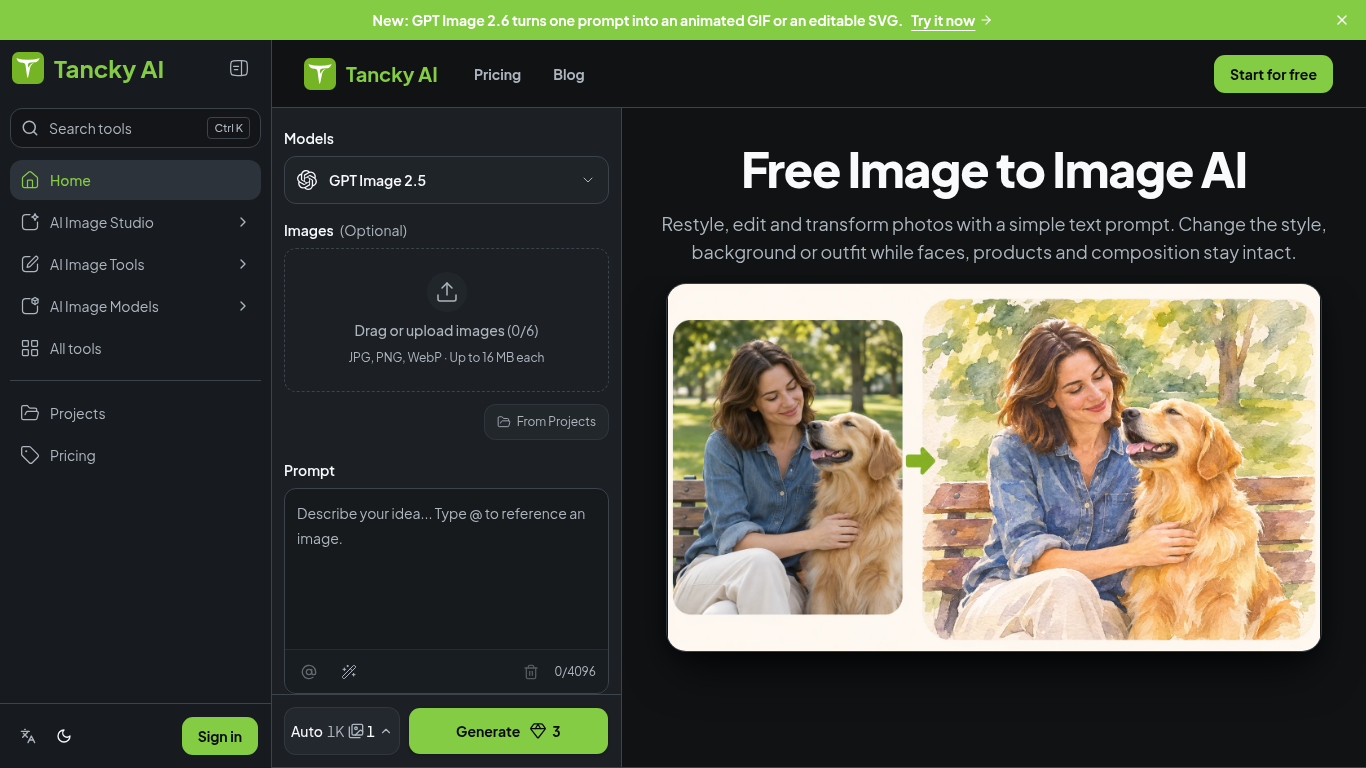
Tancky AI 是一款浏览器图生图编辑工具:上传照片、草图或产品图并输入文字指令,生成保留原图主体特征的新风格、场景或外观。
Upload up to six images, describe what to change and keep, choose an aspect ratio, and generate a result.
Create product photos, restyle portraits, visualize room changes, or turn sketches into finished artwork.
参考图片与文字指令编辑;最多上传 6 张 JPG、PNG 或 WebP 图片(每张最大 16 MB);合并图片;高清放大;移除或替换背景;扩展画幅;擦除物体。
Q: What image formats are supported? A: JPG, PNG, and WebP, up to 16 MB per image. Q: Is it free to try? A: New accounts receive trial credits; images made with free credits have a watermark.
Tools aus denselben Kategorien, sortiert nach gemeinsamen Kategorien und dann nach Gesamtaufrufen. Vergleiche die Funktionen, um eine passende Alternative zu finden.
Verändere jedes Foto mit einer einfachen Texteingabe: Lade ein Foto hoch, beschreibe die Änderung und erhalte ein neues Bild, das Motiv, Pos
ColorWillow bietet kostenlose Malvorlagen zum Ausdrucken, Tools zur Umwandlung von Fotos in Umrisszeichnungen und zur Mandala-Erstellung sow
FluidGen uses AI to turn everyday product photos into high-converting marketplace visuals for Amazon, Shopify, and more. Upload a product sh
Generate front, side, back, three-quarter, low, bird’s-eye, wide, or close-up 2D views from one photo.
Use Image to Image AI when you need Office Fitout Concepts without a heavy desktop install. Upload or prompt, preview, export. The credit co
KI-Bild-zu-Bild-Editor zur Umwandlung von Referenzbildern in neue Stile und Szenen.
Weitere Tools nach Gesamtaufrufen auf ToolsBot. Bei gleicher Aufrufzahl erscheinen neuere Einträge zuerst.
Eine unabhängige Seite für tägliche Rätsel. Sumbreak ist ein tägliches Spiel von LinkedIn; diese Seite ist weder mit LinkedIn verbunden noch
Hol dir einen Quizhinweis, bevor du die Antwort aufdeckst. Probiere ein spoilerarmes Beispiel aus, spiele anschließend Krillion Daily und üb
Inoffizielles Wiki zu Trollheim: Gnomes. Veröffentlichungsstatus, Plattformen, Ablauf des Steam-Playtests, Koop-Modus für 8 Spieler, Väsen u
Dein Leitfaden für Anime Crusaders X: gemeldete Codes, durchsuchbare Einheiten-Ranglisten, ein Team-Builder mit Speicherfunktion und ein Rec
Dein unabhängiger Spielführer für Cork7. Lerne die Steuerung, hol dir ein Snowboard, übe Cork-Tricks und finde die offiziellen Browser-, Des
Realistic Ragdoll MMA-Codes, anhand offizieller Quellen überprüft. Finde das richtige Spiel für SORRY4UPD, vergleiche Belohnungen und löse h
Produktreferenz: Image to Image AI — Tancky AI — Produktwebsite.
Prüfe aktuelle Funktionen, Preise und Richtlinien auf der Produktwebsite, bevor du das Tool einsetzt.
ToolsBot hilft bei der Suche und beim Vergleich. Ein Eintrag ist keine Empfehlung oder Garantie für Produktangaben.