SazeAI
AI-Powered Content Creation Tools for Writers and Creators
Transform your product photos effortlessly with our AI tool, blending them seamlessly into mid-journey or any backdrop scene for stunning, realistic imagery
Veröffentlicht und gepflegt von ToolsBot-Redaktion
| Produktwebsite | Photoshift |
|---|---|
| Kategorie |
Die Daten beziehen sich auf den ToolsBot-Eintrag, nicht auf den Produktstart oder eine neue unabhängige Prüfung.
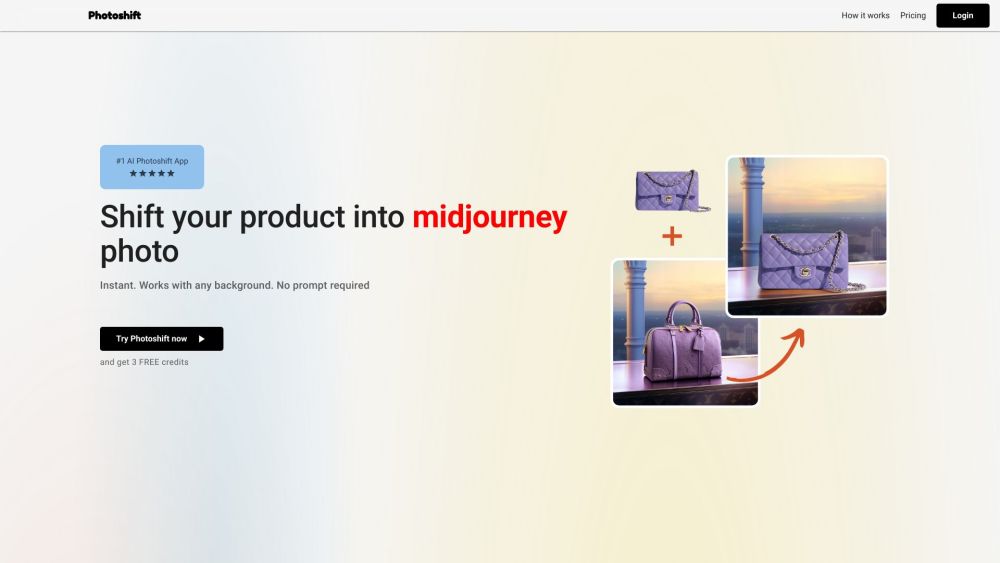
Transform your product photos effortlessly with our AI tool, blending them seamlessly into mid-journey or any backdrop scene for stunning, realistic imagery
Upload a background scene, add your product image, and with just one click, seamlessly blend your product into the scene for strikingly realistic visuals.
#1 Elevating product presentation #2 Creating engaging scenes #3 Presenting products from various angles and sizes
Instantaneous transformations Automatic removal of the background Seamless integration of diverse product types Customizable user experience with stock backdrops Adaptable composition features Smart adjustment of lighting and shadowing Support for images with transparent backgrounds Full commercial license and ownership of photos
Can I use my product images regardless of the product type? Can I use any stock photo or backdrop? Can I adjust the angle, composition, and size of my product within the scene? How does the software adjust the lighting and shadowing? Can I use product images with transparent backgrounds? Who owns the pictures? Is there a trial period available? Do I need a subscription? Can I get an Invoice? Can I cancel my subscription at any time? Do you provide any templates or pre-set backdrops? How can I contact customer support?
Tools aus denselben Kategorien, sortiert nach gemeinsamen Kategorien und dann nach Gesamtaufrufen. Vergleiche die Funktionen, um eine passende Alternative zu finden.
AI-Powered Content Creation Tools for Writers and Creators
AI image generation for e-commerce businesses
Free online photo editor with AI tools. Effortlessly edit photos, change backgrounds and explore advanced features for creative editing!
Photo Eraser is a powerful photo editing tool that allows you to easily remove unwanted objects, people, or blemishes from your photos. In a
Pixelcut is a free online design tool that makes it easy to create product photos, ads, and more for your online store. Easily remove backgr
AI platform for creating magical experiences from selfies.
Weitere Tools nach Gesamtaufrufen auf ToolsBot. Bei gleicher Aufrufzahl erscheinen neuere Einträge zuerst.
Kostenloser Online-Editor für Rückblickvideos: Fotos hinzufügen, Vorlage auswählen und ein auf den Beat abgestimmtes MP4 herunterladen. Kein
Verwandle Fotos direkt in Telegram in Anime, Aquarelle, 3D-Avatare und andere kreative Stile. Erstelle personalisierte Foto-Grußkarten. Neue
Verwandle Produktupdates in kanalreife Marketingtexte und visuelle Inhalte.
Das LinkedIn MCP für KI-Agenten.
KI-Produktfotografie für Kleidungshändler: Erstelle aus Kleidungsfotos Bilder mit Models, Ghost-Mannequin- und Flat-Lay-Bilder oder entferne
AI Photo Detector prüft Fotos auf KI-Generierung und Bearbeitung. Zeigen Sie die Klassifizierung, den Konfidenzwert und gegebenenfalls eine
Produktreferenz: Photoshift — Produktwebsite.
Prüfe aktuelle Funktionen, Preise und Richtlinien auf der Produktwebsite, bevor du das Tool einsetzt.
ToolsBot hilft bei der Suche und beim Vergleich. Ein Eintrag ist keine Empfehlung oder Garantie für Produktangaben.