Maxify
All-in-one CRM to build, market, and scale your business.
Simplifies website feedback with direct collaboration and task management.
Veröffentlicht und gepflegt von ToolsBot-Redaktion
| Produktwebsite | Toolbar |
|---|---|
| Kategorie |
Die Daten beziehen sich auf den ToolsBot-Eintrag, nicht auf den Produktstart oder eine neue unabhängige Prüfung.
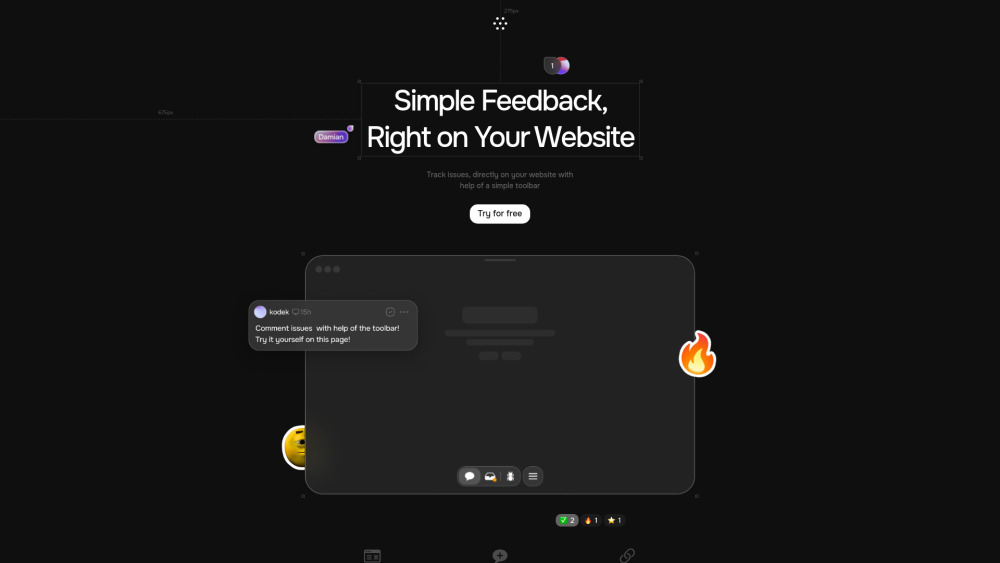
Toolbar is a fast feedback tool designed for agencies that allows users to leave comments, track issues, and manage tasks directly on their websites. It simplifies the feedback process by enabling direct collaboration among developers, clients, and stakeholders, eliminating the need for emails and screenshots.
To use Toolbar, simply install it on your website, then start leaving comments and tracking issues directly on your pages with a user-friendly interface. This allows for instant collaboration without the hassle of traditional communication methods.
#1 Report website bugs directly from the page #2 Collaborate with clients and developers in real-time #3 Track project issues efficiently
Instant issue reporting Precise bug tracking with device details Effortless task management Collaboration without barriers AI-powered task enhancement
How does Toolbar improve the feedback process? Can I try Toolbar for free?
Tools aus denselben Kategorien, sortiert nach gemeinsamen Kategorien und dann nach Gesamtaufrufen. Vergleiche die Funktionen, um eine passende Alternative zu finden.
All-in-one CRM to build, market, and scale your business.
AI-powered development environment for easy web application management.
AI platform for fast, easy web application development.
AI toolkit for websites, emails, and project management.
AI marketing platform for website and content creation.
AI website builder for quick and professional website creation.
Weitere Tools nach Gesamtaufrufen auf ToolsBot. Bei gleicher Aufrufzahl erscheinen neuere Einträge zuerst.
KI-Kreativstudio für die Erstellung von Bildern, Videos, Musik und Sprachaufnahmen – alles an einem Ort.
Magi2AI ist eine unabhängige Webanwendung, die Sand.ai MAGI-2 nutzt, um filmreife KI-Videos in 1080p mit nativ synchronisiertem Audio aus Te
Verbinden Sie ChatGPT, Claude und Entwickler-Clients über SiftingIO MCP-Tools mit Echtzeit- und historischen Marktdaten für US-Aktien, Devis
KI-Generator für Videos ohne Gesicht: Verwandle jedes Thema in wenigen Minuten in ein vertontes und untertiteltes Kurzvideo für YouTube Shor
Entdecken Sie Pflanzideen anhand von Gartenfotos: benannte Bereiche, Pflanzenvorschläge, Verfeinerungen von Bereichen und eine teilbare Über
KI-Buchcoverdesign für unabhängige Autorinnen und Autoren. Generiere genreorientierte Illustrationen, bearbeite die Typografie und bereite E
Produktreferenz: Toolbar — Produktwebsite.
Prüfe aktuelle Funktionen, Preise und Richtlinien auf der Produktwebsite, bevor du das Tool einsetzt.
ToolsBot hilft bei der Suche und beim Vergleich. Ein Eintrag ist keine Empfehlung oder Garantie für Produktangaben.