ConvoSearch
AI search engine for enhancing eCommerce sales and customer experience.
HelpBar enables users to search help resources, navigate your product, and launch other “actions” from within your product, helping them get answers and achieve success quickly.
Published and maintained by ToolsBot Editorial Team
| Product website | HelpBar |
|---|---|
| Category |
Dates refer to this ToolsBot listing, not the product’s launch date or a new independent review.
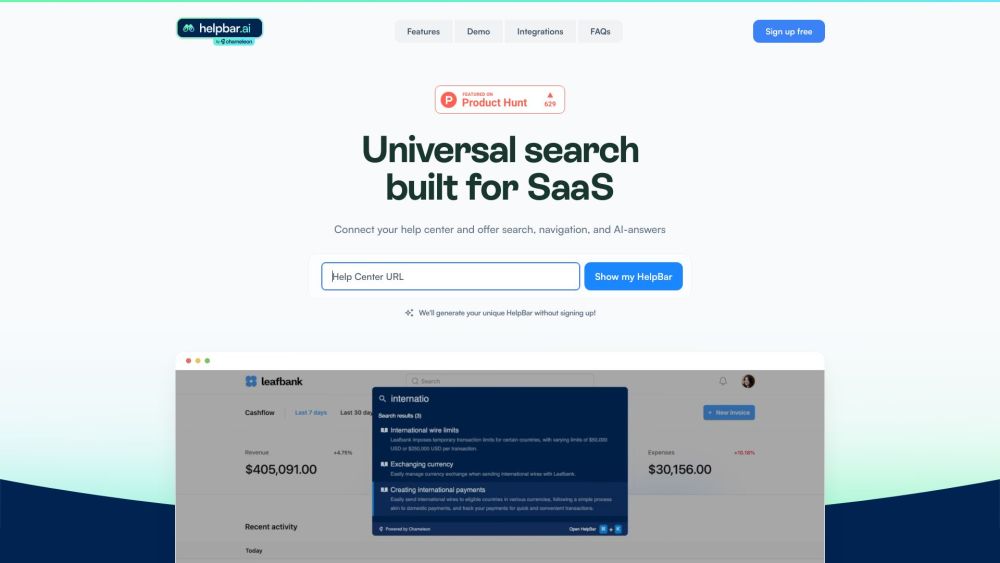
HelpBar enables users to search help resources, navigate your product, and launch other “actions” from within your product, helping them get answers and achieve success quickly.
Connect your help center and set your brand styles. Build a trigger widget or set a keyboard shortcut. Choose pinned “always there” items and go live!
#1 Let users find exactly what they need without going to another tab—AI answers draw responses from all the content you input for a speedy search. #2 HelpBar makes navigating your app a breeze. Enable users to learn fast and speed through the work they need to get done. #3 Give your CS team time back for proactive support. With HelpBar, users can find the help they need with a Command + K. #4 Keep users in your app while using their favorite tools. Launch Loom videos, showcase interactive demos, share Figma prototypes and more.
Universal search built for SaaS Connect your help center and offer search, navigation, and AI-answers Speed up time to value Create power users Reduce support costs Surface the rest of your stack
How does HelpBar work? What can HelpBar do for my users? How can HelpBar benefit my customer support team? How can HelpBar integrate with other tools? What do customers say about HelpBar?
Tools in the same categories, ranked by shared categories and then total views. Compare their features to find a suitable alternative.
AI search engine for enhancing eCommerce sales and customer experience.
Faircado is the first AI-powered browser extension that helps you find the best second-hand alternatives to products you’re searching for on
Ayraa is a personal search engine and knowledge assistant designed for the workplace. It connects with Slack and your web browser to capture
OpenBuckets uses AI-powered algorithms to swiftly identify exposed buckets using simple search queries.
Overwatch Data is a no-code, AI-driven platform that goes beyond Google Alerts and keyword tools. It provides tailored news and social insig
Domainchamp is a platform that helps users discover the best expiring domains. It scans thousands of domain auctions daily and selects the t
More tools to explore, ranked by total views on ToolsBot. Newer listings come first when view counts are equal.
Free online recap video maker: add your photos, pick a template, download a beat-synced MP4. No app, no sign-up. Photos deleted after your v
Transform photos into anime, watercolor, 3D avatars and other creative styles inside Telegram. Make personalized photo greeting cards. New a
Turn product updates into channel-ready marketing copy and visuals.
The LinkedIn MCP for AI agents.
AI product photography for clothing sellers: create on-model, ghost mannequin and flat lay images from garment photos, or remove backgrounds
AI Photo Detector checks photos for AI generation and editing. View classification, confidence and available region analysis. English and Ch
Product reference: HelpBar — Product website.
Check the product website for current capabilities, pricing and policies before adopting this tool.
ToolsBot provides directory information for discovery and comparison. A listing is not an endorsement or a guarantee of product claims.