AI Photo Studio
Transform photos into anime, watercolor, 3D avatars and other creative styles inside Telegram. Make personalized photo greeting cards. New a
Free online recap video maker: add your photos, pick a template, download a beat-synced MP4. No app, no sign-up. Photos deleted after your video is made.
Published and maintained by ToolsBot Editorial Team
| Product website | RecapTemplate |
|---|---|
| Category | |
| Listed on ToolsBot | |
| Listing record updated |
Dates refer to this ToolsBot listing, not the product’s launch date or a new independent review.
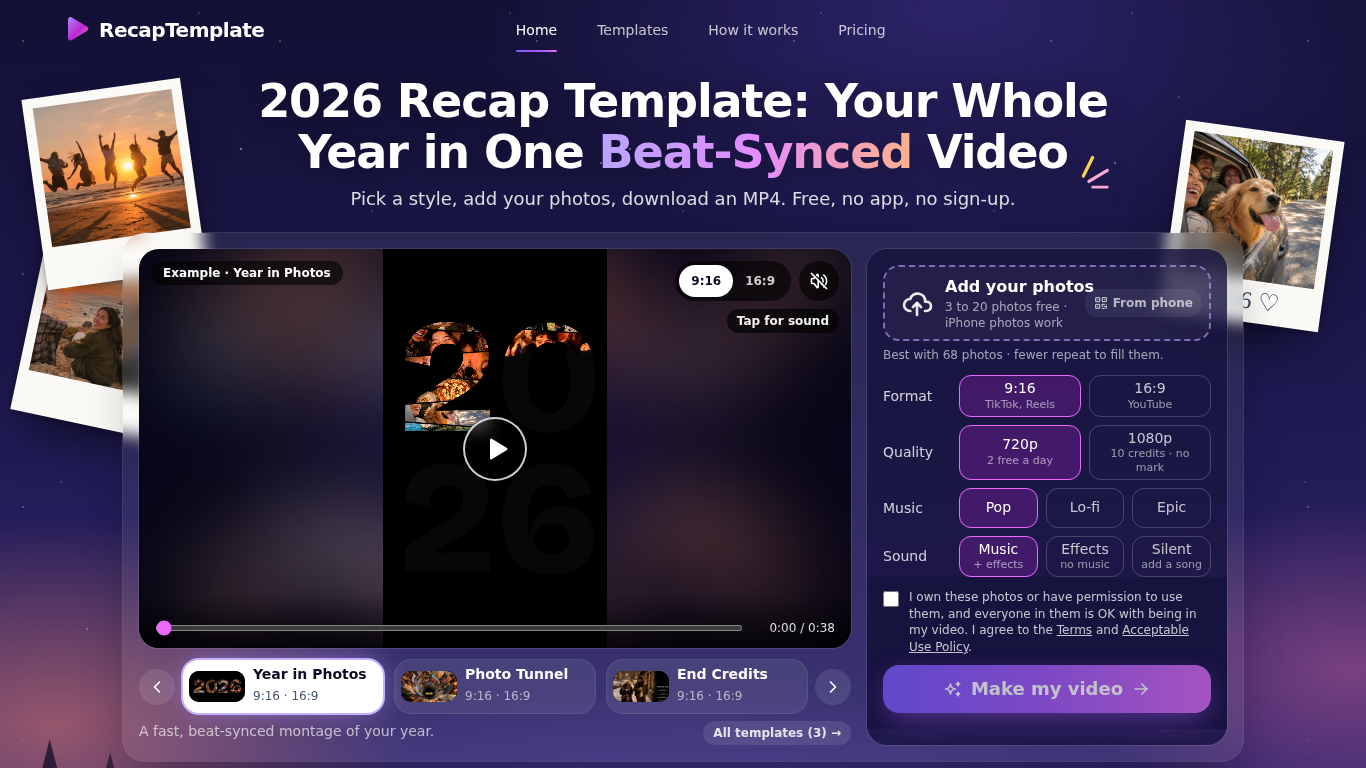
RecapTemplate turns your photos into a beat-synced recap video in the browser. Three templates (Year in Photos, Photo Tunnel, End Credits), 9:16 and 16:9, music Pop / Lo-fi / Epic. Free: up to 20 photos, 2 videos per day at 720p with a small watermark. Photos are uploaded to our servers and deleted when the video is made.
Choose a template and format, add photos, select sound options, and make the video in a browser.
Create year-in-review videos for TikTok, Reels, or YouTube.
Beat-synced recap videos, 3 templates, 9:16 and 16:9, MP4 download, no sign-up
Q: How many photos can I use? A: Three to 20 for free, or up to 120 for a 1080p video with credits. Q: What happens to my photos? A: The site says they are deleted once the video is made.
Tools in the same categories, ranked by shared categories and then total views. Compare their features to find a suitable alternative.
Transform photos into anime, watercolor, 3D avatars and other creative styles inside Telegram. Make personalized photo greeting cards. New a
Image Text Eraser removes visible text from photos and screenshots and rebuilds the background. Eligible verified accounts receive 30 trial
RemoveText erases visible words from photos and rebuilds the covered background. Upload JPG, PNG or WebP, up to 10 images at once. A new acc
Upload a photo, pick how many pounds to lose or gain, and AI shows a realistic full-body before-and-after that still looks like you. First p
Upload a selfie and try 112 hairstyles or 36 hair colors on your own face in about 20 seconds, then take the picture to your stylist. Runs i
Ravana is an AI face swap bot for photos and videos in Telegram. New users get free credits. Use Multi-Face, batch swaps, Enhanced quality a
More tools to explore, ranked by total views on ToolsBot. Newer listings come first when view counts are equal.
Turn product updates into channel-ready marketing copy and visuals.
The LinkedIn MCP for AI agents.
AI product photography for clothing sellers: create on-model, ghost mannequin and flat lay images from garment photos, or remove backgrounds
AI Photo Detector checks photos for AI generation and editing. View classification, confidence and available region analysis. English and Ch
AI Pose Gallery is a pose-reference site for artists. Browse and download a free library of pose studies, or generate a new figure from your
Barz Studio turns your audio into a beat-reactive rap lyric video. Sync lyrics, pick a mood, export 9:16 WebM. Free without an account. You
Product reference: RecapTemplate — Product website.
Check the product website for current capabilities, pricing and policies before adopting this tool.
ToolsBot provides directory information for discovery and comparison. A listing is not an endorsement or a guarantee of product claims.