AI Photo Studio
Transform photos into anime, watercolor, 3D avatars and other creative styles inside Telegram. Make personalized photo greeting cards. New a
Free online recap video maker: add your photos, pick a template, download a beat-synced MP4. No app, no sign-up. Photos deleted after your video is made.
發布與維護: ToolsBot 編輯團隊
| 產品網站 | RecapTemplate |
|---|---|
| 分類 | |
| ToolsBot 收錄日期 | |
| 收錄紀錄更新日期 |
日期僅表示 ToolsBot 收錄紀錄的時間,不代表產品上線時間或完成了新的獨立評測。
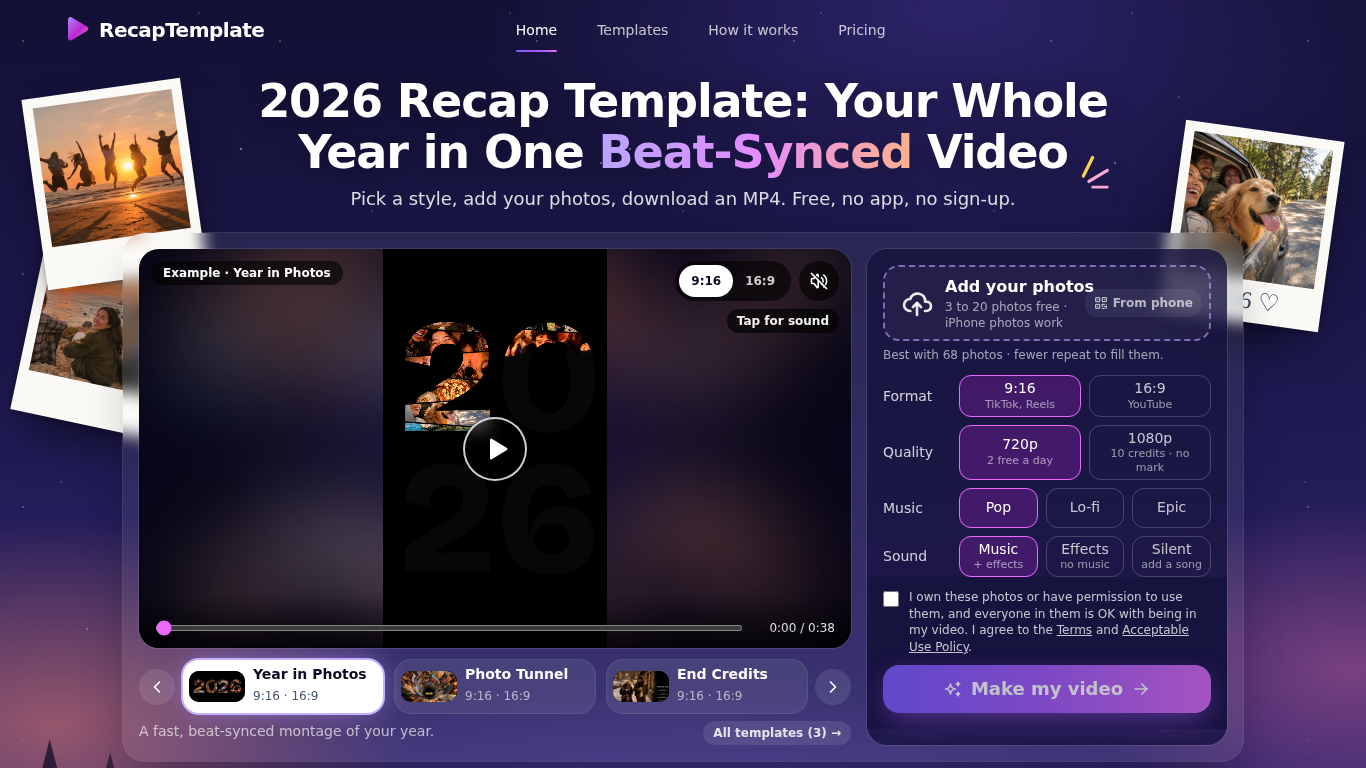
RecapTemplate turns your photos into a beat-synced recap video in the browser. Three templates (Year in Photos, Photo Tunnel, End Credits), 9:16 and 16:9, music Pop / Lo-fi / Epic. Free: up to 20 photos, 2 videos per day at 720p with a small watermark. Photos are uploaded to our servers and deleted when the video is made.
Choose a template and format, add photos, select sound options, and make the video in a browser.
Create year-in-review videos for TikTok, Reels, or YouTube.
Beat-synced recap videos, 3 templates, 9:16 and 16:9, MP4 download, no sign-up
Q: How many photos can I use? A: Three to 20 for free, or up to 120 for a 1080p video with credits. Q: What happens to my photos? A: The site says they are deleted once the video is made.
依共同分類數量及累計瀏覽量排序的相似工具,可比較功能後選擇合適的替代方案。
Transform photos into anime, watercolor, 3D avatars and other creative styles inside Telegram. Make personalized photo greeting cards. New a
Image Text Eraser 可移除照片和螢幕截圖中可見的文字,並重建背景。符合資格的已驗證帳戶可獲得 30 點試用額度,每張圖片消耗 10 點。批次上傳最多支
RemoveText 可清除照片中可見的文字,並重建被遮蓋的背景。支援上傳 JPG、PNG 或 WebP,最多可一次上傳 10 張圖片。新帳戶可獲得 10 點試用額度,足以
上傳一張照片,選擇要減少或增加多少磅,AI 就會呈現逼真且仍保有你原貌的全身前後對比圖。首次預覽免費。只需一張照片,即可查看減重前後的模樣。
上傳一張自拍照,約 20 秒即可在自己的臉上試看 112 種髮型或 36 種髮色,然後把圖片帶給髮型設計師。直接在瀏覽器中使用,無需應用程式。在自己的照
Ravana is an AI face swap bot for photos and videos in Telegram. New users get free credits. Use Multi-Face, batch swaps, Enhanced quality a
依 ToolsBot 累計瀏覽量排序的更多工具;瀏覽量相同時優先顯示較新收錄的工具。
Turn product updates into channel-ready marketing copy and visuals.
The LinkedIn MCP for AI agents.
AI product photography for clothing sellers: create on-model, ghost mannequin and flat lay images from garment photos, or remove backgrounds
AI Photo Detector checks photos for AI generation and editing. View classification, confidence and available region analysis. English and Ch
AI Pose Gallery 是一個供藝術家使用的姿勢參考網站。瀏覽並下載免費的姿勢練習圖庫,或結合您的照片與參考姿勢,生成新的人物圖像。
Barz Studio 將你的音訊轉換成隨節拍變化的饒舌歌詞影片。同步歌詞、選擇氛圍,並匯出 9:16 WebM。免費使用,無須帳號。音軌由你提供。
產品參考連結: RecapTemplate — 產品網站.
採用此工具前,請到產品網站核實最新功能、價格與政策。
ToolsBot 提供目錄資訊,協助發現與比較產品。收錄不代表背書,也不保證產品聲明的準確性。