Etereel
An AI tool that transforms scripts into short-form videos optimized for social media platforms like TikTok, IG Reels, and YouTube Shorts.
Create videos from text descriptions, images, or drawings!
Published and maintained by ToolsBot Editorial Team
| Product website | Reel Studio |
|---|---|
| Category |
Dates refer to this ToolsBot listing, not the product’s launch date or a new independent review.
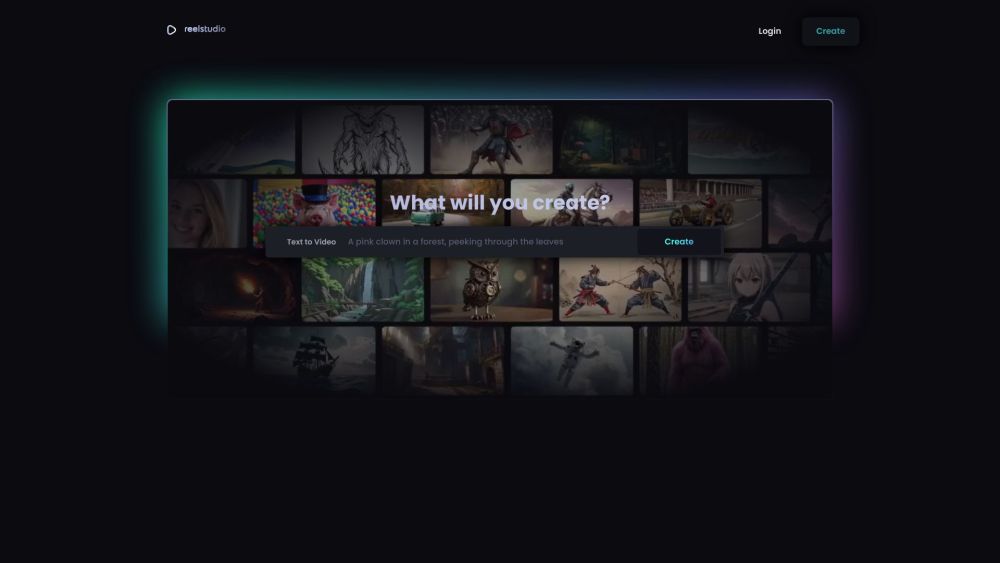
Create videos from text descriptions, images, or drawings!
1. Login to Reel Studio. 2. Choose the type of content (text, image, or drawing) you want to create a video from. 3. Enter your content or upload your image or drawing. 4. Click on the 'Create' button to generate the video.
#1 Generate content for social media posts #2 Create videos for YouTube channels
Create videos from text Create videos from images Create videos from drawings
Can I add music to my videos? Can I customize the visual effects of my videos? Can I export my videos in different formats?
Tools in the same categories, ranked by shared categories and then total views. Compare their features to find a suitable alternative.
An AI tool that transforms scripts into short-form videos optimized for social media platforms like TikTok, IG Reels, and YouTube Shorts.
VidAU AI empowers you to create videos simply through product links or descriptions, with realistic AI avatars as your engaging spokesperson
Crayo AI – your gateway to creating viral TikTok clips in seconds! Harness the power of AI to turn your ideas into captivating videos effort
Free AI tool for transforming images into engaging videos.
Transform long videos into engaging short clips for social media.
AI platform for generating engaging short-form videos.
More tools to explore, ranked by total views on ToolsBot. Newer listings come first when view counts are equal.
Free online recap video maker: add your photos, pick a template, download a beat-synced MP4. No app, no sign-up. Photos deleted after your v
Transform photos into anime, watercolor, 3D avatars and other creative styles inside Telegram. Make personalized photo greeting cards. New a
Turn product updates into channel-ready marketing copy and visuals.
The LinkedIn MCP for AI agents.
AI product photography for clothing sellers: create on-model, ghost mannequin and flat lay images from garment photos, or remove backgrounds
AI Photo Detector checks photos for AI generation and editing. View classification, confidence and available region analysis. English and Ch
Product reference: Reel Studio — Product website.
Check the product website for current capabilities, pricing and policies before adopting this tool.
ToolsBot provides directory information for discovery and comparison. A listing is not an endorsement or a guarantee of product claims.