Etereel
An AI tool that transforms scripts into short-form videos optimized for social media platforms like TikTok, IG Reels, and YouTube Shorts.
Create videos from text descriptions, images, or drawings!
發布與維護: ToolsBot 編輯團隊
| 產品網站 | Reel Studio |
|---|---|
| 分類 |
日期僅表示 ToolsBot 收錄紀錄的時間,不代表產品上線時間或完成了新的獨立評測。
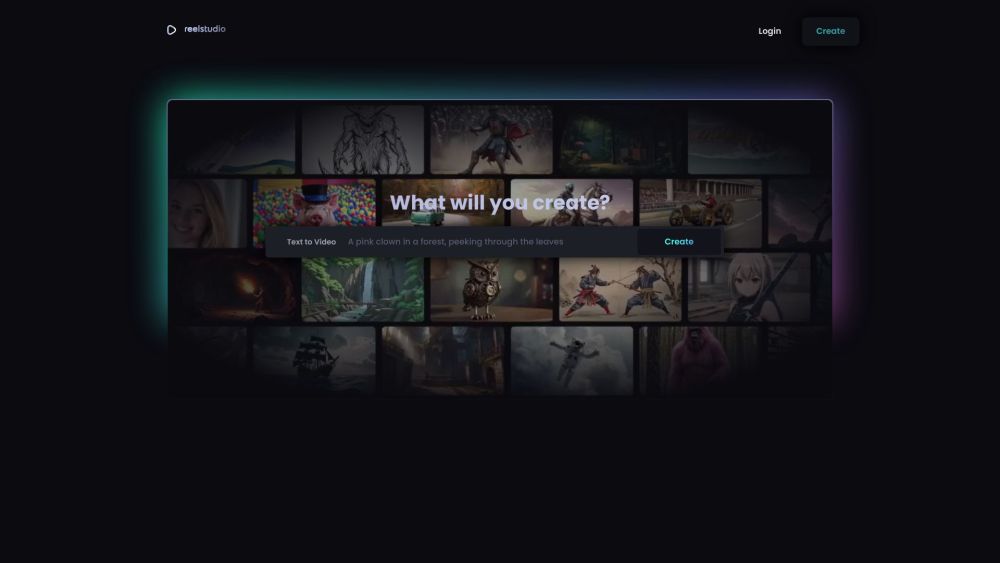
Create videos from text descriptions, images, or drawings!
1. Login to Reel Studio. 2. Choose the type of content (text, image, or drawing) you want to create a video from. 3. Enter your content or upload your image or drawing. 4. Click on the 'Create' button to generate the video.
#1 Generate content for social media posts #2 Create videos for YouTube channels
Create videos from text Create videos from images Create videos from drawings
Can I add music to my videos? Can I customize the visual effects of my videos? Can I export my videos in different formats?
依共同分類數量及累計瀏覽量排序的相似工具,可比較功能後選擇合適的替代方案。
An AI tool that transforms scripts into short-form videos optimized for social media platforms like TikTok, IG Reels, and YouTube Shorts.
VidAU AI empowers you to create videos simply through product links or descriptions, with realistic AI avatars as your engaging spokesperson
Crayo AI – your gateway to creating viral TikTok clips in seconds! Harness the power of AI to turn your ideas into captivating videos effort
Free AI tool for transforming images into engaging videos.
Transform long videos into engaging short clips for social media.
AI platform for generating engaging short-form videos.
依 ToolsBot 累計瀏覽量排序的更多工具;瀏覽量相同時優先顯示較新收錄的工具。
一站式 AI 創意工作室,可生成圖片、影片、音樂和旁白。
Magi2AI 是一款獨立的網頁應用程式,由 Sand.ai MAGI-2 驅動,可根據文字或圖片生成具電影感的 1080p AI 影片,並附有原生同步音訊。
透過 SiftingIO MCP 工具,將 ChatGPT、Claude 和開發者用戶端連接至美股、外匯、商品及加密貨幣的即時與歷史市場資料。
AI 無人出鏡影片產生器:幾分鐘內就能將任何主題變成附有旁白和字幕的短影片,適用於 YouTube Shorts、TikTok 和 Reels。無需攝影機。免費試用一次。
透過庭院照片探索種植構想:具名區域、植物建議、區域調整,以及可分享的簡報。公開 Beta 版為每個帳戶提供六個一次性免費額度;需要登入,無需信用卡
專為獨立作者打造的 AI 書封設計工具。依照書籍類型生成封面圖像、編輯文字排版,並製作電子書封面和平裝書環繞封面。付費方案一次性收費 19 美元起,
產品參考連結: Reel Studio — 產品網站.
採用此工具前,請到產品網站核實最新功能、價格與政策。
ToolsBot 提供目錄資訊,協助發現與比較產品。收錄不代表背書,也不保證產品聲明的準確性。