Etereel
An AI tool that transforms scripts into short-form videos optimized for social media platforms like TikTok, IG Reels, and YouTube Shorts.
Create videos from text descriptions, images, or drawings!
Đăng và duy trì bởi Nhóm biên tập ToolsBot
| Trang web sản phẩm | Reel Studio |
|---|---|
| Danh mục |
Các ngày này thuộc hồ sơ ToolsBot, không phải ngày ra mắt sản phẩm hoặc ngày đánh giá độc lập mới.
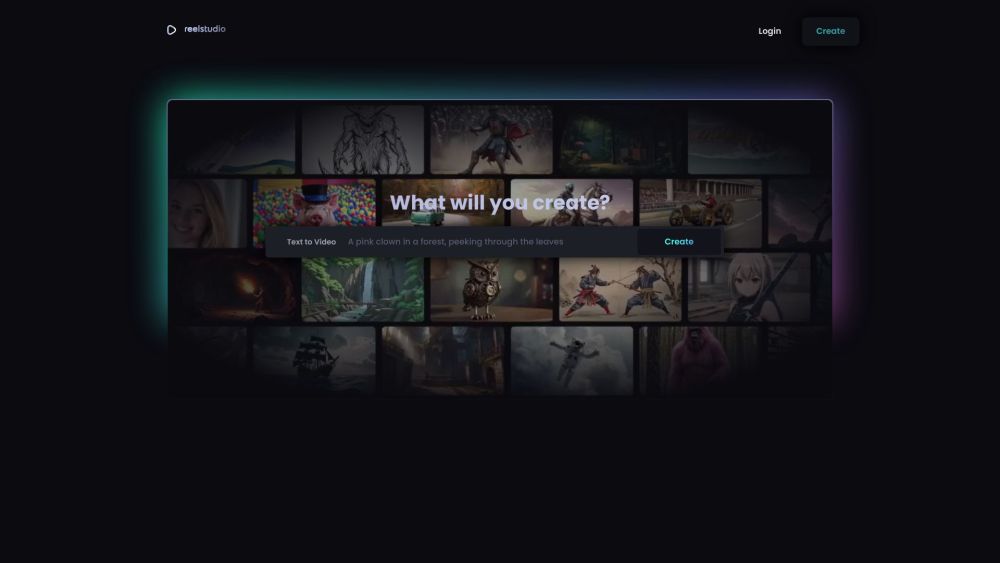
Create videos from text descriptions, images, or drawings!
1. Login to Reel Studio. 2. Choose the type of content (text, image, or drawing) you want to create a video from. 3. Enter your content or upload your image or drawing. 4. Click on the 'Create' button to generate the video.
#1 Generate content for social media posts #2 Create videos for YouTube channels
Create videos from text Create videos from images Create videos from drawings
Can I add music to my videos? Can I customize the visual effects of my videos? Can I export my videos in different formats?
Công cụ cùng danh mục, xếp theo số danh mục chung rồi đến tổng lượt xem. So sánh tính năng để tìm lựa chọn thay thế phù hợp.
An AI tool that transforms scripts into short-form videos optimized for social media platforms like TikTok, IG Reels, and YouTube Shorts.
VidAU AI empowers you to create videos simply through product links or descriptions, with realistic AI avatars as your engaging spokesperson
Crayo AI – your gateway to creating viral TikTok clips in seconds! Harness the power of AI to turn your ideas into captivating videos effort
Free AI tool for transforming images into engaging videos.
Transform long videos into engaging short clips for social media.
AI platform for generating engaging short-form videos.
Các công cụ khác xếp theo tổng lượt xem trên ToolsBot. Khi lượt xem bằng nhau, công cụ được đăng gần đây hơn sẽ xuất hiện trước.
Studio sáng tạo AI tất cả trong một để tạo hình ảnh, video, nhạc và giọng đọc.
Magi2AI là một ứng dụng web độc lập sử dụng MAGI-2 của Sand.ai để tạo video AI 1080p mang chất điện ảnh từ văn bản hoặc hình ảnh, với âm tha
Kết nối ChatGPT, Claude và các ứng dụng khách dành cho nhà phát triển với dữ liệu thị trường theo thời gian thực và lịch sử của cổ phiếu Mỹ,
Công cụ tạo video không lộ mặt bằng AI: biến mọi chủ đề thành video ngắn có lời thuyết minh và phụ đề cho YouTube Shorts, TikTok và Reels ch
Khám phá các ý tưởng trồng cây từ ảnh sân vườn: các khu vực được đặt tên, gợi ý cây trồng, điều chỉnh khu vực và bản tóm tắt có thể chia sẻ.
Thiết kế bìa sách bằng AI dành cho tác giả độc lập. Tạo hình ảnh theo thể loại, chỉnh sửa kiểu chữ và chuẩn bị bìa ebook cùng bìa bao sách b
Tham khảo sản phẩm: Reel Studio — Trang web sản phẩm.
Kiểm tra tính năng, giá và chính sách hiện tại trên trang web sản phẩm trước khi sử dụng.
ToolsBot cung cấp thông tin để khám phá và so sánh. Việc đăng trong danh mục không phải là sự chứng thực hay bảo đảm cho tuyên bố của sản phẩm.