Etereel
An AI tool that transforms scripts into short-form videos optimized for social media platforms like TikTok, IG Reels, and YouTube Shorts.
Create videos from text descriptions, images, or drawings!
公開・管理: ToolsBot 編集チーム
| 製品サイト | Reel Studio |
|---|---|
| カテゴリー |
日付は ToolsBot の掲載記録を示し、製品の公開日や新たな独立評価の実施日ではありません。
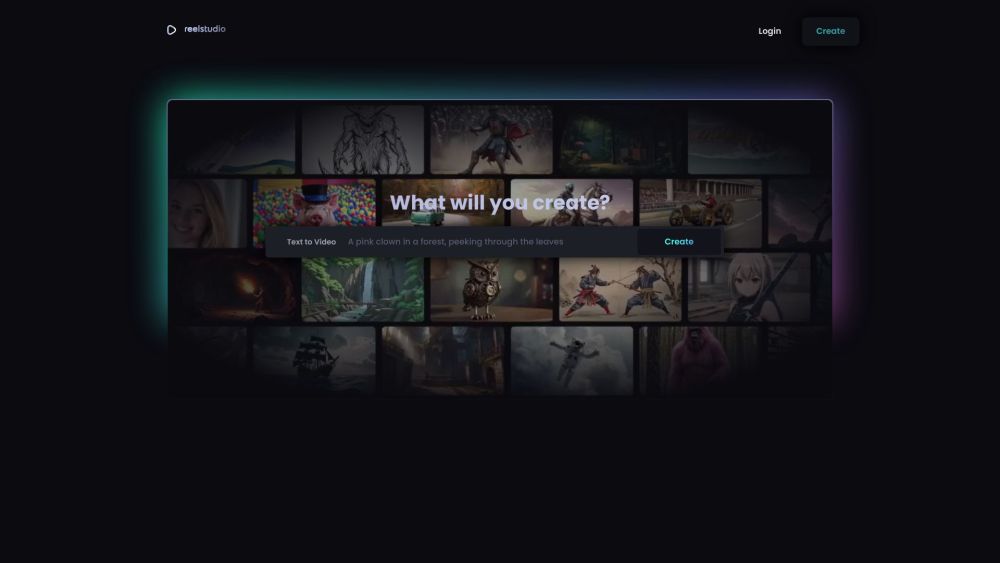
Create videos from text descriptions, images, or drawings!
1. Login to Reel Studio. 2. Choose the type of content (text, image, or drawing) you want to create a video from. 3. Enter your content or upload your image or drawing. 4. Click on the 'Create' button to generate the video.
#1 Generate content for social media posts #2 Create videos for YouTube channels
Create videos from text Create videos from images Create videos from drawings
Can I add music to my videos? Can I customize the visual effects of my videos? Can I export my videos in different formats?
同じカテゴリのツールを、共通カテゴリ数、累計閲覧数の順に表示します。機能を比較して適切な代替ツールを探しましょう。
An AI tool that transforms scripts into short-form videos optimized for social media platforms like TikTok, IG Reels, and YouTube Shorts.
VidAU AI empowers you to create videos simply through product links or descriptions, with realistic AI avatars as your engaging spokesperson
Crayo AI – your gateway to creating viral TikTok clips in seconds! Harness the power of AI to turn your ideas into captivating videos effort
Free AI tool for transforming images into engaging videos.
Transform long videos into engaging short clips for social media.
AI platform for generating engaging short-form videos.
ToolsBot の累計閲覧数順で表示するその他のツールです。同数の場合は新しく掲載されたツールを優先します。
ブラウザで画面を録画し、文字起こしを編集して動画をカット。視聴者がアカウントなしで開けるリンクを共有できます。録画を文章の手順書に変換したり
Lingerは、デザインの参考資料を収集・比較するためのローカルファーストなMacアプリです。画像を出典リンクやメモとともに保存し、テキストや色で参
画像をアップロードしたり、アカウントを登録したりすることなく、写真、スキャン画像、スクリーンショットを編集可能なテキストに変換します。
写真、ポスター、看板をアップロードし、変更後の文字を入力すると、元のフォントスタイル、色、照明に合わせた新しい文字が入った画像を受け取れます
Startを押して話すと、各文が発話から約1秒後に句読点付きで文書に表示されます。英語、中国語、または両方を混ぜて話せます。話し続けながら編集し、
FindLeadEmailsは、氏名と企業ドメインから仕事用メールアドレスを検索します。各アドレスをメールサーバーで確認してから返し、確認済みのメールボッ
製品の参照先: Reel Studio — 製品サイト.
導入前に製品サイトで最新の機能、料金、ポリシーを確認してください。
ToolsBot は製品の発見と比較のための情報を提供します。掲載は推奨や製品の主張の保証を意味しません。